Citi reauthorization made a mess!

RCinNJ
RCinNJ Quicken Mac Subscription Member ✭✭✭✭

Right now, this is a warning to others. I got a message that my 3 Citi credit cards needed to be reauthorized. Afterwards, months of both duplicate charges and payments from other accounts ended up in one of the accounts. I started to try to fix, but realized I needed to cross-reference all three cards to make sure I fix everything. I'm about to open a backup and see if redownloading will not download the messed-up transactions. If that doesn't help, does anyone have a suggestion? Maybe I should have waited rather than reauthorize?

I've had to reauthorize at times in the past, and I've never seen a mess like this.

[Edited-Readability]

Comments

  • Quicken Alyssa
    Quicken Alyssa Quicken Windows Subscription Moderator mod

    Hello @RCinNJ,

    Thank you for sharing your experience and reporting the issues you have run into.

    I am surprised that this situation is happening in Quicken for Mac, as it is much less likely to happen there. However, I do have some questions for you, and hopefully they will help us narrow down what could be happening.

    • Before this occurred, had you restored a backup?
    • Where is your data file located?
    • Is your file being backed up/synced with any third-party services like iCloud, Blackblaze, or Dropbox?

    I agree that restoring a backup is the best option here. To do this:

    Restore Quicken data

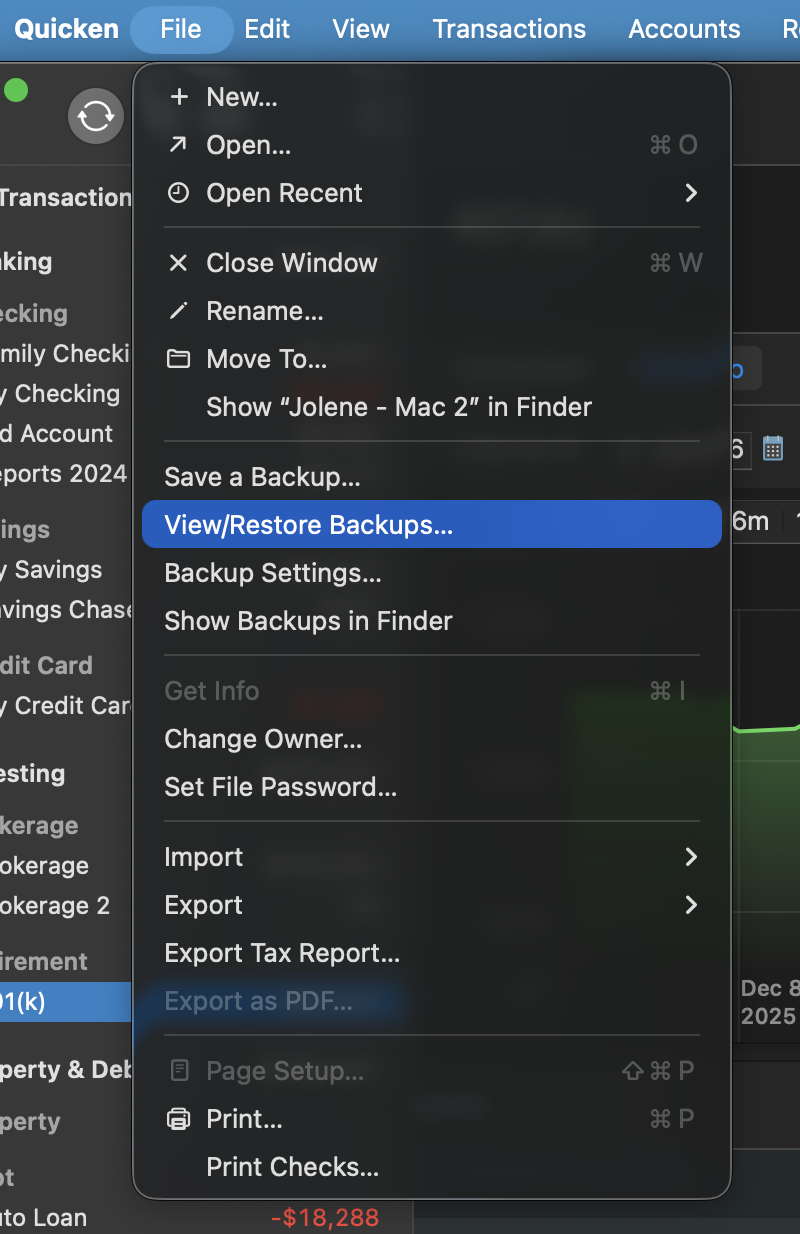
    1. In Quicken, select File > View/Restore Backups... Screenshot 2026-01-05 at 1.25.09 PM.png
    2. Browse your computer or external media to find the backup file you want to restore. The Quicken backup file has the extension .quicken2017backup or .quickenbackup.
    3. Select the file to restore.
    4. Click Choose.

    Restore an automatic backup

    Quicken creates a copy of your data every time you close the program and stores five of these copies in a BACKUP folder. If the backup file you've created becomes damaged, you may be able to restore an automatic backup and save yourself the need to reenter data.

    First, check to see if automatic backups are turned on (this is on by default)

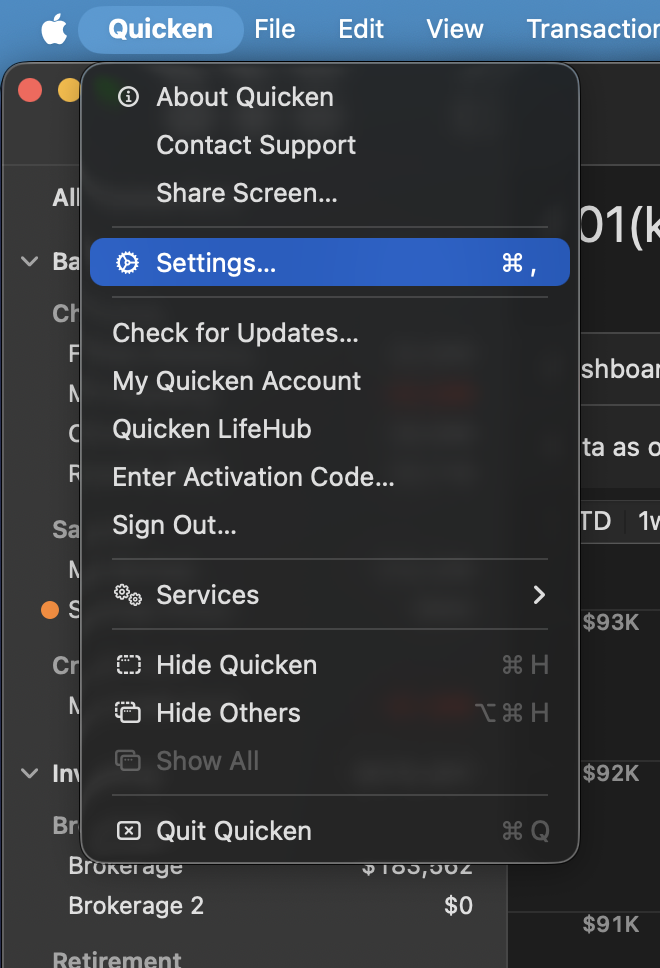
    1. In Quicken, select Quicken > Settings. Screenshot 2026-01-05 at 1.25.44 PM.png
    2. Go to the Backup tab.
    3. In the Local Backups section, make sure there is a check mark next to Automatically create a local backup when quitting Quicken.
      • Under that option, there is a Backup Folder button that links directly to your BACKUP folder - a good way of finding them fast!

    Then, restore the automatic backup

    1. In Quicken, select File > View/Restore Backups...
    2. Click Restore a Local Backup.
    3. Select the Automatic Backups folder (Quicken > Backups > Automatic Backups).
    4. Select the file to restore.
    5. Click Choose.

    After you have restored the backup, follow these steps to reauthorize your accounts:

    1. Save a Backup. Steps can be found in this article if needed.
    2. Disconnect ALL Citi accounts in Quicken. Here are the steps on how to do that.
    3. Revoke Quickens Third-Party Access from the Citi website.
    4. Add accounts back into Quicken

    Once back in Quicken, you will want to make sure you choose the "LINK to existing" option for any of the accounts that were already in Quicken.

    Let us know how it goes!

    Quicken Alyssa

    Make sure to sign up for the email digest to see a round up of your top posts.