Add 1099-NEC to the list of TAX LINE ITEMS available when editing a CATEGORY

James Vandeveer
James Vandeveer Member ✭✭

I have used Quicken for decades, and when I go to TurboTax to file my taxes, Ihave always had to manually enter my Schedule C income and expenses.

This is because Quicken simply has no way to associate a transaction category to the 1099-NEC tax line. (Which is how I get paid, as an independent contractor.)

I want to simply import my Quicken data into TurboTax, so that would require Quicken to allow me to specify the correct Tax Line associated with that category. (In the *Edit Category → Tax Reporting window) Can you please allow me to select 1099-NEC as a tax line item?

Seems easy, no? But this has (to my knowledge) never been available in what is now called Quicken Classic, while I am quite confident that I am not the only person ever to be paid as a Non-employee ("non-employee compensation", or NEC.
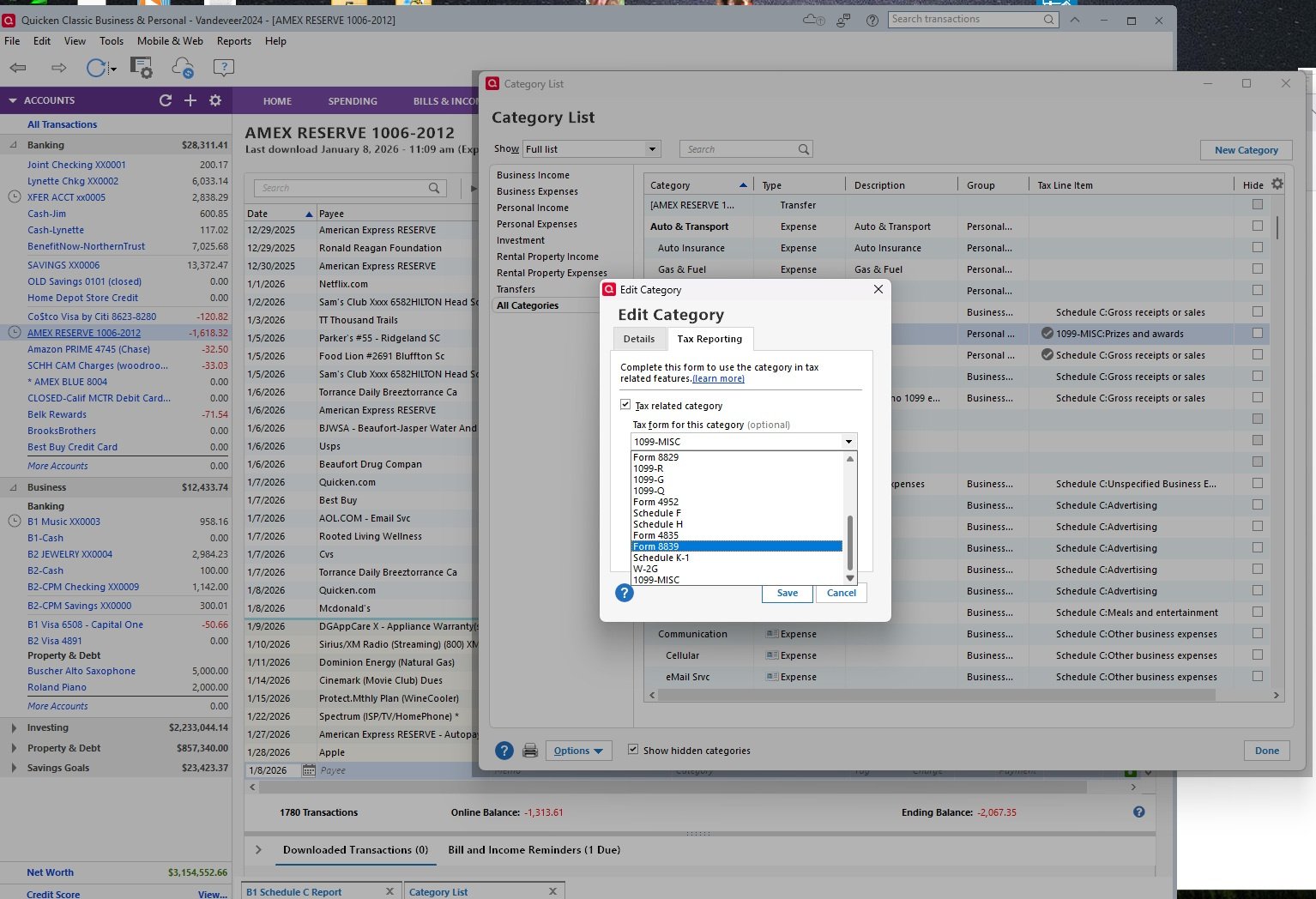
Screenshot 2026-01-08 131046.jpg
2
2 votes

Reviewed · Last Updated

Comments

  • Chris_QPW
    Chris_QPW Quicken Windows Subscription Member ✭✭✭✭

    I want to simply import my Quicken data into TurboTax, so that would require Quicken to allow me to specify the correct Tax Line associated with that category. 

    To me this underlines one thing that people don't seem to get. Even if Quicken Inc puts a tax line in, that doesn't magically make it appear in TurboTax. Intuit has to agree to support it.

  • cwdrever
    cwdrever Quicken Windows Subscription Member

    I have the same issue. When I try to add a category for 1099-NEC Income, 1099-NEC is not included as one of the options in the drop down for the tax form. Can Quicken add this into the drop down?

  • cwdrever
    cwdrever Quicken Windows Subscription Member

    I should have clarified, I am using Quicken Simplifi.

  • Quicken Anja
    Quicken Anja Moderator mod

    Hello @cwdrever,

    Thank you for reaching out to the Quicken Classic Community!

    Since you are using Quicken Simplifi, it would be better suited for you to reach out to Simplifi's Community directly with your concerns. Please click here to be redirected to Simplifi's Community.

    Alternatively, Simplifi Support can also be contacted.

    Thank you!

    -Quicken Anja
    Make sure to sign up for the email digest to see a round up of your top posts.
