How best to record a silver purchase

Recently purchased silver through a brokerage and not sure how to best record and track this investment. All the brokerage transactions download except the silver purchase. Money for and the purchase came through the brokerage account.

Community information on how to track spot price is informative but haven't found anything on how best to create an account, what type of account (investment from what I have read in the community) and any detail information that would help.

Version: R65.29

Build:27.1.65.29

Premier:Windows 11 Home

Comments

  • GeoffG
    GeoffG Quicken Windows Subscription SuperUser ✭✭✭✭✭
    edited January 9

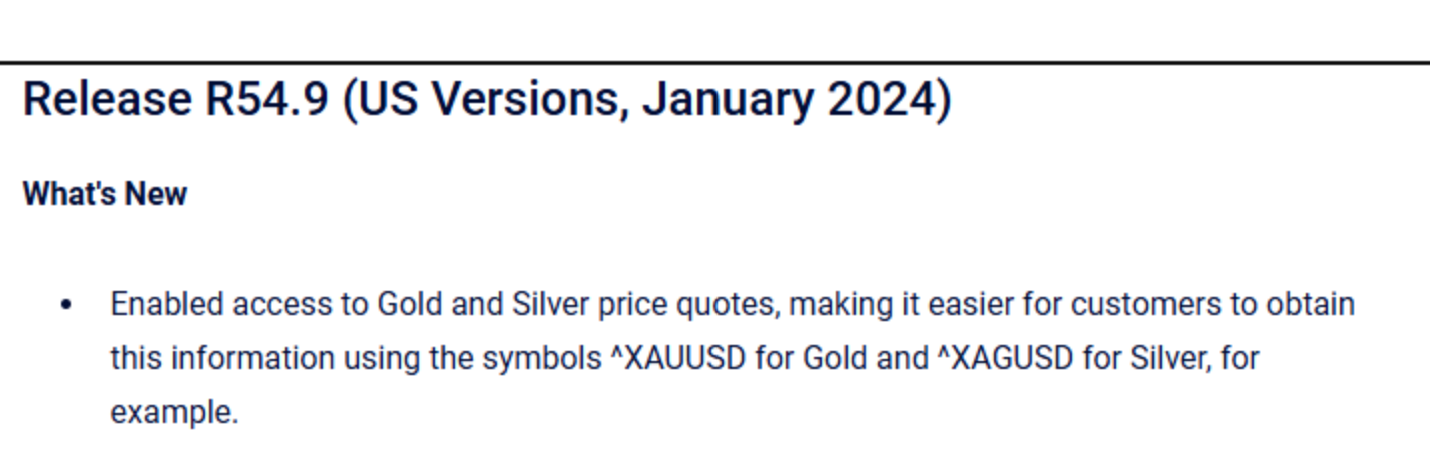
    I track gold by creating a manual investment (brokerage) account. Then add the number of shares (ounces) and then use the ticker symbols added by Quicken in R54.9. Be sure to include the carrot "^"shown.

    Screenshot 2026-01-09 213936.png
  • Darrel
    Darrel Member ✭✭

    when you create the account do you just “add shares “ to prevent it from impacting the cash?

  • GeoffG
    GeoffG Quicken Windows Subscription SuperUser ✭✭✭✭✭

    Yes, use add shares.

  • q_lurker
    q_lurker Quicken Windows Subscription SuperUser ✭✭✭✭✭

    Where did the cash come from to buy the silver? If you are keeping this as a wholly separate manual account, I’d transfer in the cash from that source account and buy the shares.

  • Darrel
    Darrel Member ✭✭
    edited January 10

    the transaction, including payment has been recorded in the brokerage account already. For some reason unknown when I download transactions from that account, they all download except for the purchase of the silver. If I transfer the cash, it will be the same as paying for it twice.

  • Tom Young
    Tom Young Quicken Windows Subscription SuperUser ✭✭✭✭✭

    Since you have a Quicken Account that's connected to a "broker" I'd guess that what you bought is one of the silver ETFs, not physical silver? If that's the case then we're dealing with a traded security here and so it should show up in the Account, just like any other security you own.

    Or, are you really referring to the physical ownership of silver ingots here?

    Even if you are referring to physical silver, somehow, I don't see any need to create another manual Investment Account to track things. You can do that just as well in you "connected" brokerage Account.

  • GeoffG
    GeoffG Quicken Windows Subscription SuperUser ✭✭✭✭✭

    "Even if you are referring to physical silver, somehow, I don't see any need to create another manual Investment Account to track things. You can do that just as well in you "connected" brokerage Account."

    Why would you track a tangible asset in an existing brokerage account? My gold resides in my home safe, no at my Vanguard account.

  • q_lurker
    q_lurker Quicken Windows Subscription SuperUser ✭✭✭✭✭

    @GeoffG Because the OP said he bought the silver through his brokerage (slightly ambiguous) and the brokerage reported the purchase, but not the asset. That suggests to me is that the OP may not have taken physical possession of the silver.

  • Darrel
    Darrel Member ✭✭

    it is physical silver. The purchase transaction is recorded in the brokerage account. When I download transactions everything but the physical purchase of the silver is downloaded. I ampaying to have the silver stored. Don’t know if the brokerage firm does the storage or they have someone else do it for them.

    if I transfer cash from the brokerage account to a separate account, then the cash for the purchase of the silver will be viewed by Quicken as another purchase making the purchase price double what it actually is

  • Tom Young
    Tom Young Quicken Windows Subscription SuperUser ✭✭✭✭✭
    edited January 10

    "if I transfer cash from the brokerage account to a separate account, then the cash for the purchase of the silver will be viewed by Quicken as another purchase making the purchase price double what it actually is."

    So, keep everything together in one Account. Create a new "Security" named "Silver." Assign the ticker ^XAGUSD to that security. Enter the Buy in the actual Quicken Account where you purchased the silver. Enter the number of "shares" for every ounce. Everything is together in one place, as it should be. No need for a manual Account or the use of an Add action, it was a Buy, it was in that Account.

    Who's the broker? I'm just not aware of a security broker that also sells physical precious metals, but I guess there is.

  • Darrel
    Darrel Member ✭✭

    Oppenheimer

  • Darrel
    Darrel Member ✭✭

    If I enter a buy in quicken won't I still have the issue of the sweep account being debited twice for the purchase?

  • Tom Young
    Tom Young Quicken Windows Subscription SuperUser ✭✭✭✭✭

    Delete the downloaded transaction - which sounds to be a reduction of cash, maybe by use of a self-referential entry - and then enter the Buy. That combination will leave cash unchanged.

  • Tom Young
    Tom Young Quicken Windows Subscription SuperUser ✭✭✭✭✭

    Thanks for the name. I looked it up and here's the AI's summary:

    Key Details

    • Account Types: Physical precious metals are available in retail brokerage accounts. They are not available in advisory accounts or IRAs through this specific program.
    • Storage: All purchased metal is stored in third-party, non-banking vaults serviced by Brinks, the designated depository company. The metals are insured at full replacement value while in storage.
    • Physical Delivery: Clients may choose to take physical delivery of their silver to a location of their choice, for a fee.
    • Tax Implications: Depending on your state and local jurisdiction, you may be charged sales or use taxes, which Oppenheimer may deduct from the transaction proceeds or debit from your account
  • Darrel
    Darrel Member ✭✭

    Tom…The transaction was never downloaded for some unknown reason even though I didn't do anything different when downloading transactions. However, the monetary moves in the brokerage account for the silver purchase were done along with various other transactions during the same time period.
    I may make a copy or do a backup, try your idea and see what happens. Also when viewing the holdings in the brokerage account the precious metals shows the purchase.

  • Darrel
    Darrel Member ✭✭

    Everything looked great when I entered the Buy transaction except my Cash account went deep in the red. Not sure why. Could there have been another transaction that wasn't downloaded having to do with the silver purchase? I'll have look. Eyes burning so time for a break.

  • Tom Young
    Tom Young Quicken Windows Subscription SuperUser ✭✭✭✭✭

    "The transaction was never downloaded for some unknown reason even though I didn't do anything different when downloading transactions."

    I misread your first post. I thought only the cash side of the transaction downloaded - that assumption was buttressed by your remark about the sweep account - but now I understand that NOTHING about the purchase downloaded?

    If that's the case I'd have thought that your Quicken Investment Account would have overstated the cash balance compared to Oppenheimer. If you delete the silver Buy and compare the cash balance to Oppenheimer on that date, is everything in agreement except for the missing silver "security?" Any Placeholders in the Account?

    Is the "sweep account" you mentioned really a sweep account in the sense that Oppenheimer actually makes transactions with the sweep account on your behalf - moving cash in and out of it on an "as needed" basis with no intervention on your part? Do you have the sweep account set up in Quicken to be shown as "cash" as opposed to a security?

    Hard to know what's going on here.

  • Darrel
    Darrel Member ✭✭

    It has taken some time to go through all the buys and sells that occurred that were year end moves. (The software for the brokerage firm isn't the best and promises of improvement are provided but no actual result as yet.) Unlike Quicken I am unable to view the holdings on a day to day basis in Oppenheimer so I don't know if the cash balance In Quicken is overstated compared to Oppenheimer. If I delete the Buy I am unable to determine the Oppenheimer cash balance on that date. I can determine the settle date of the silver purchase in Oppenheimer, make the Buy transaction in Quicken and all is fine for a couple of days of viewing (the "cash" account disappears) the holdings in Quicken. Then the "Cash" goes in and out of the red based on transactions occurring.

    The "sweep account" is a sweep account in the sense that Oppenheimer actually makes transactions with the sweep account on my behalf - moving cash in and out of it on an "as needed" basis with no intervention on my part.

    The sweep account set up in Quicken is shown as a security. "Cash" will appear and disappear as needed.

    Hard to know what's going on here is an understatement.

    During my investigation of all the transactions a sale occurs (credit) that is also not downloaded into Quicken. It is coincidentally for the same amount that "Cash" is in the red when I enter the Buy.

    I think it's time to talk with Oppenheimer about these transactions that aren't downloading.

    I will update this after I talk with them. In the interim I am grateful for your time, patience, knowledge and assistance with this issue!

  • Darrel
    Darrel Member ✭✭

    Tom,

    Followup: I manually entered the missing sale transaction (that didn't download) as well as the silver purchase and the "cash" deficit has disappeared. I can't think of any negative impact that action might have unless the missing transaction(s) are downloaded later. If that occurs I can delete the manual entry(ies).

    We'll see what happens.

  • Tom Young
    Tom Young Quicken Windows Subscription SuperUser ✭✭✭✭✭

    It seems like you've got it straightened out.

    I'd say that unless you are making dozens and dozens of trades every day it's much better to enter trades manually and then have them confirmed by subsequent downloads. If you do that it's pretty easy to determine that a transaction didn't download - there's no "c" in the Clr column. But if you don't do that it's more difficult to detect that a transaction didn't download, leading to those "WTF" moments.