What does "Set Account based rule" do?
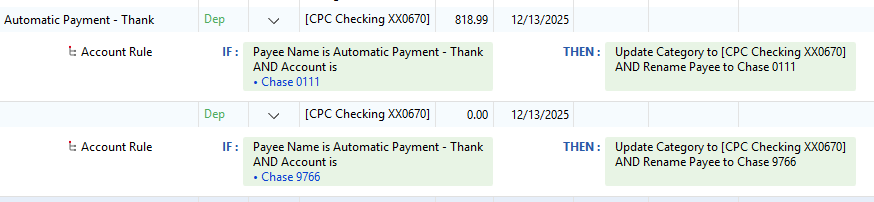
I thought the purpose of an account-based rule was to allow transactions to be assigned to different categories based on a combination of the Payee Name and the Account to which the transaction is being downloaded, but it is not working the way I expected.
Let’s say I have a credit card for my own use, and a debit card for my daughter’s use, and I want to keep track of what I spend in restaurants vs. what she spends in restaurants.
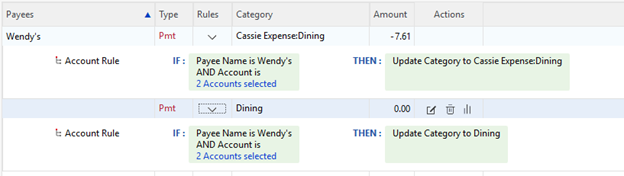
I created a line in the Memorized Payee list for Payee: Wendy’s, Category: Dining, and an account-based rule specifying my credit card; and I set up a second line for Payee: Wendy’s, Category: Daughter:Dining, and an account-based rule specifying her debit card.
When I download a Wendy’s purchase from my credit card, I want it to be categorized as Dining, and when I download a Wendy’s purchase from her debit card, I want it to be categorized as Daughter:Dining, but all Wendy’s purchases are categorized as Daughter:Dining regardless of what account they are downloading to.
What am I missing, or what am I doing wrong?
Why is Quicken giving me the ability to specify an account-based rule if it isn’t sorting transactions based on the rules I set up?
Comments
-
Hello @Mark A,
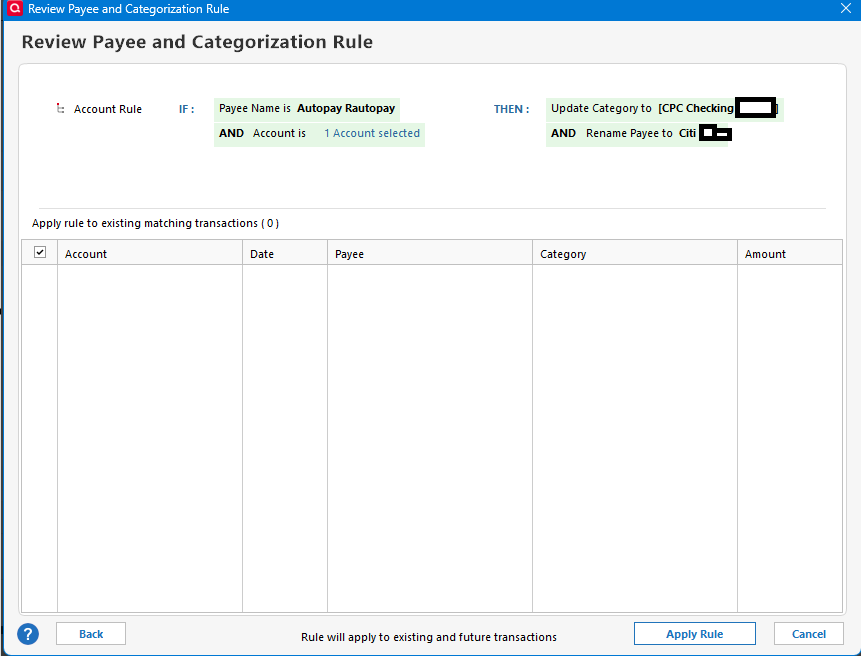
Thank you for reaching out with this question. To help troubleshoot, please provide more information. How do you have the account rule set up? If you haven't already done so, I recommend reviewing these help articles about using account rules: & . When you set up the rule, did you select the option to apply to existing transactions and did you verify if it correctly applied? Does Quicken see the rule and help you quickly edit the transactions after they've downloaded?
I look forward to your reply!
Quicken Kristina
Make sure to sign up for the email digest to see a round up of your top posts.
0 -
This is new to me. Where is the ability to set account-based rules?
Quicken user since version 2 for DOS, as of 2025 using QWin Premier (US) on Win10 Pro & Win11 Pro on 2 PCs.
0 -
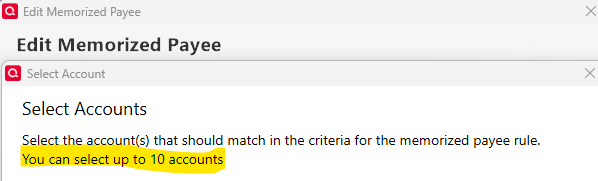
@Rocket J Squirrel , You will find it when you edit a Memorized Payee. It was introduced late summer maybe. The OP's approach as written appears to be correct.
- Q Win Deluxe user since 2010, US Subscription
- I don't use Cloud Sync, Mobile & Web, Bill Pay1
Categories
- All Categories
- 42 Product Ideas
- 36 Announcements
- 225 Alerts, Online Banking & Known Product Issues
- 21 Product Alerts
- 497 Welcome to the Community!
- 676 Before you Buy
- 1.3K Product Ideas
- 54.4K Quicken Classic for Windows
- 16.5K Quicken Classic for Mac
- 1K Quicken Mobile
- 814 Quicken on the Web
- 115 Quicken LifeHub