Quicken connection issues (not updating then duplicates)

miklk
miklk Quicken Windows Subscription SuperUser, Windows Beta Beta

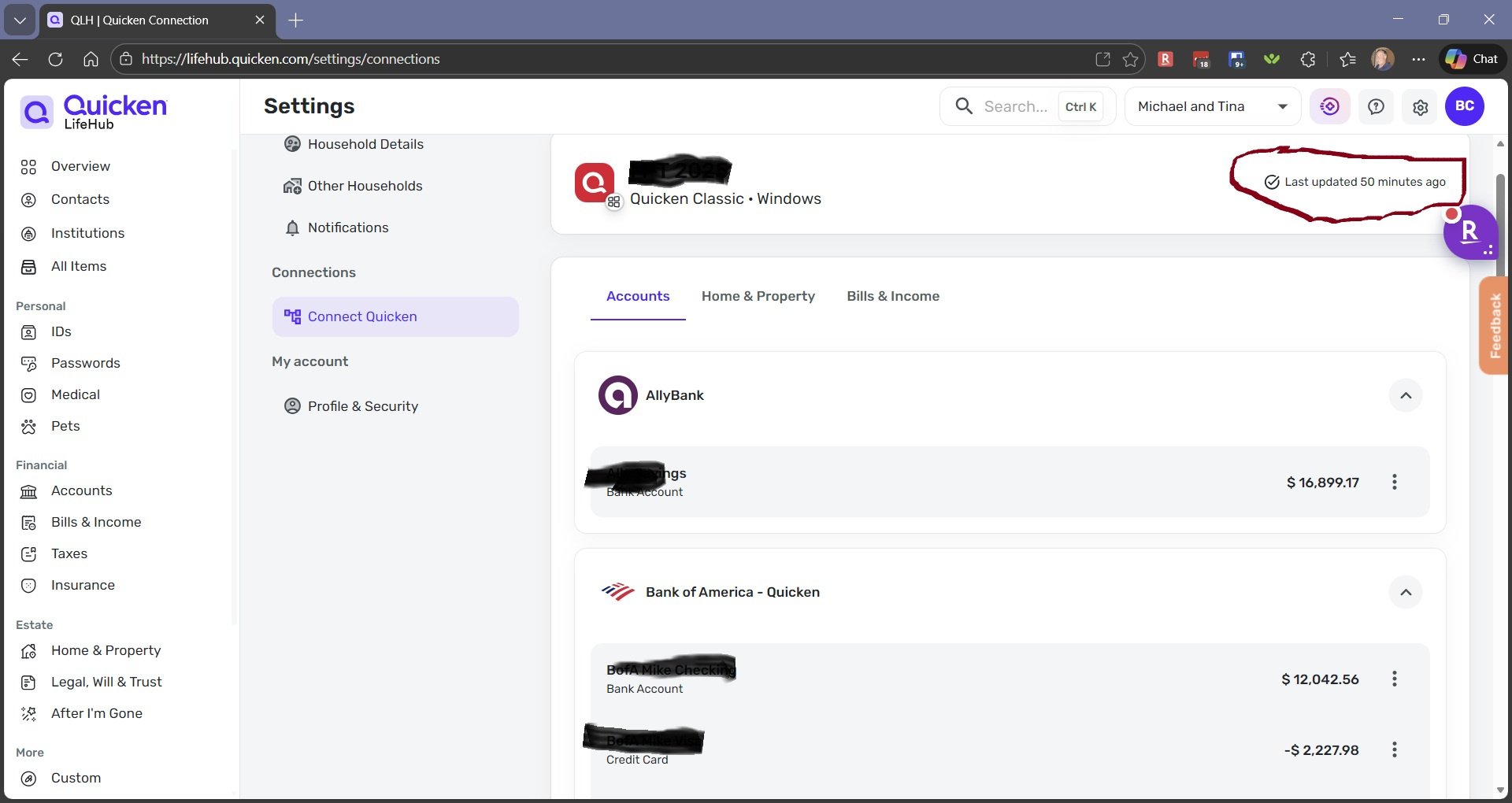
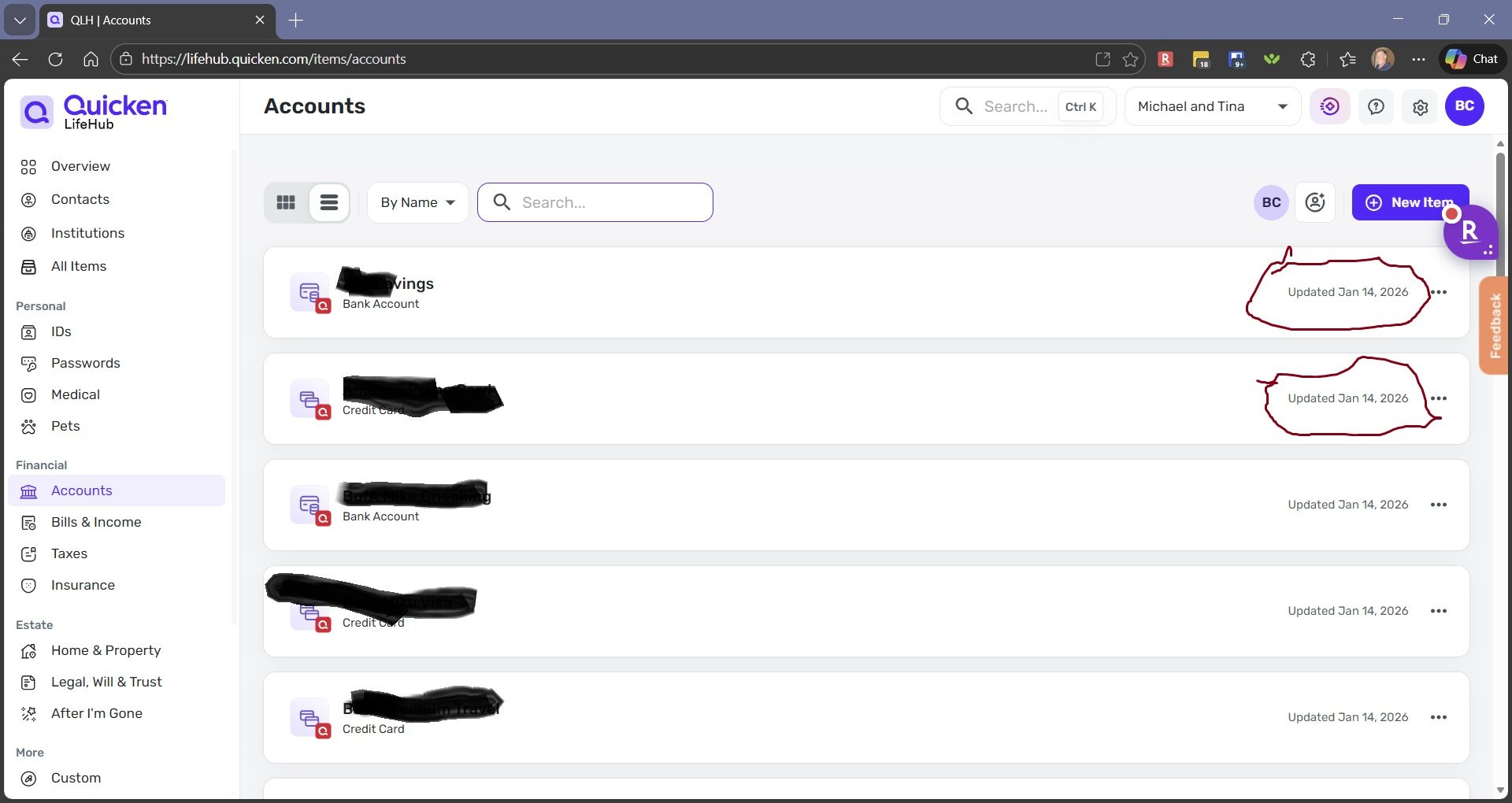
I just happened to notice today that all my accounts that are from Quicken connection said they haven't updated for months.

I disconnected Quicken with no problems BUT the institutions, accounts and bills did NOT go away so I could reload on reconnecting Quicken. I did disconnect and delete all but it didn't delete.

Now I have old info and duplicate accounts and bills even though Quicken is not even connected?

I haven't tried deleting them one at a time BUT I am assuming that would get rid of them. Shouldn't the disconnecting Quicken clear all accounts, institutions, and Bills and Income?

(It is a lot of work getting all setup so don't want to get stuck creating a new household etc.. from scratch)
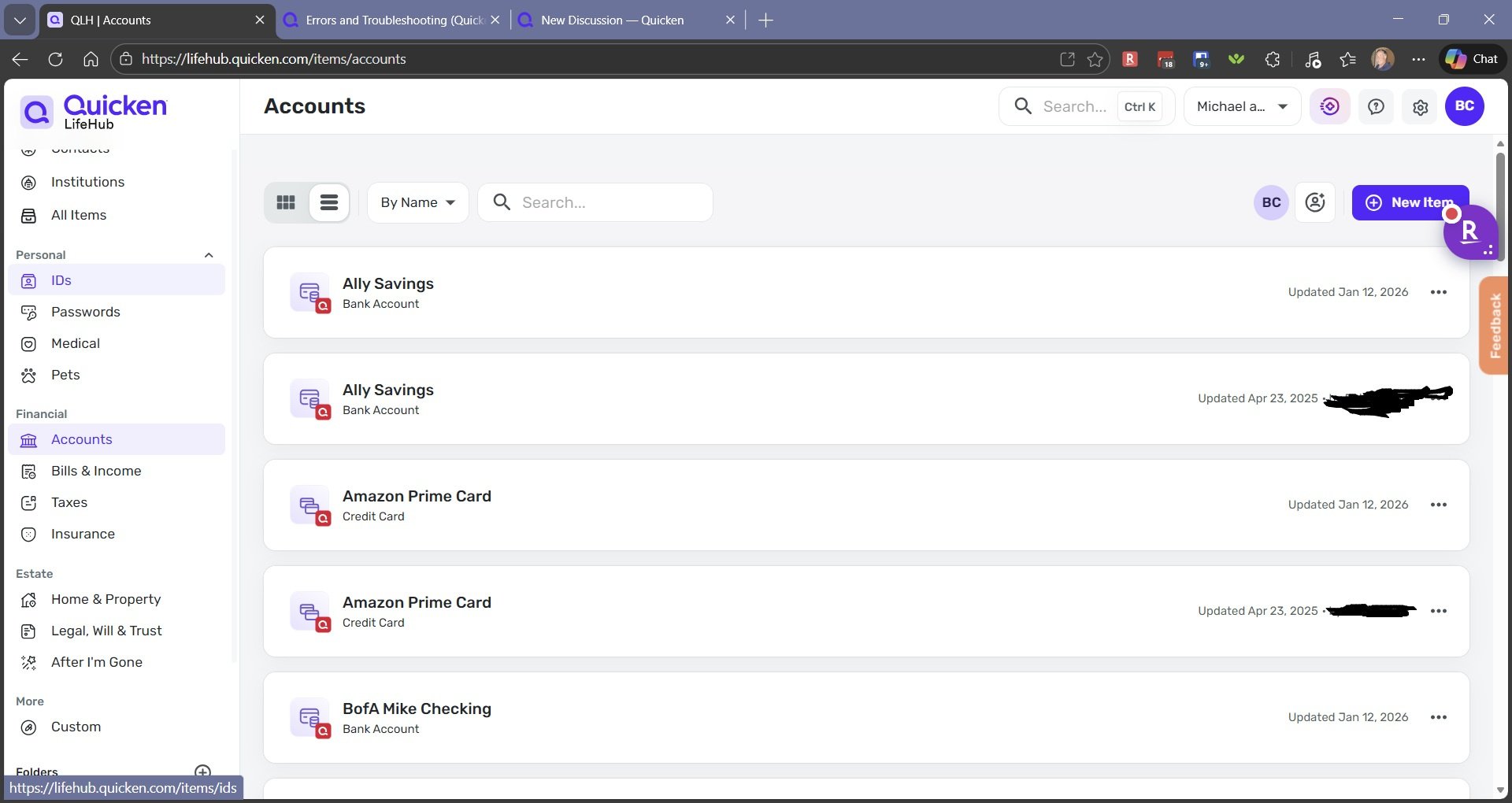
life hub accounts.jpg
Tagged:

Comments

  • Quicken Alyssa
    Quicken Alyssa Quicken Windows Subscription Moderator mod
    edited 6:56AM

    Hello @miklk,

    Thank you for posing this question.

    When disconnecting Quicken from Quicken LifeHub, you are presented with two options. If you select, Disconnect & delete all, then yes, everything linked from Quicken should be deleted. Whereas if you had selected Disconnect & keep all items, the previously linked information would remain.

    Screenshot 2026-01-13 at 7.30.47 AM.png

    I tried it in mine just to test for a possible bug. When I select Disconnect & delete all, everything is removed, so I am not experiencing any issue with the functionality.

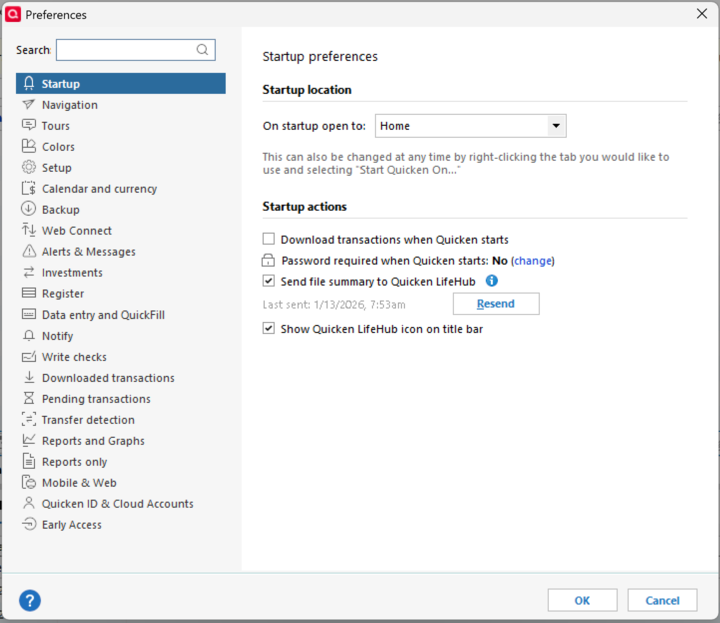
    If you still have duplicate entries, you should delete them manually. In the future, if your accounts are not updating, you can try resending the information to Quicken LifeHub from Quicken before having to delete everything.

    You can do this from Edit>Preferences>Startup>Resend.

    image.png

    Hope this helps!

    Quicken Alyssa

    Make sure to sign up for the email digest to see a round up of your top posts.