My Quicken Classic Deluxe (desktop) won't sync or update bank accounts

Windows 11
After entering my Vault password, I get the following error message.
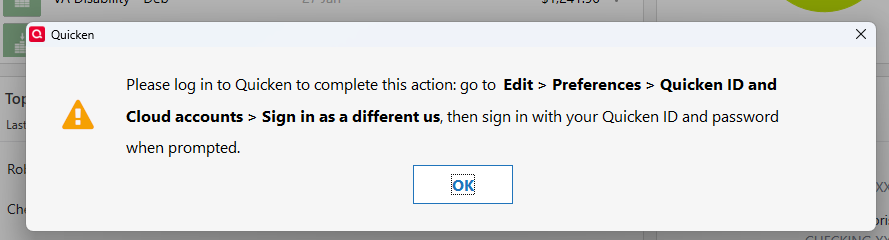
This has been happening since 1/14/26. I have tried changing passwords, but I hesitate Sign in as a different user. I am afraid I might lose transactions that were entered on my mobile device. Changing the password was no help.
In addition, when I try to email a report as a PDF, I get an error indicating the Quicken server was not reachable.
Any ideas?
Answers
-
The sign in as a different user process disconnects the data file from the Cloud Account. When prompted you sign back in using your normal (not a new) Quicken ID and PW. That will cause the connection with the Cloud Account to be reestablished and refreshed. There is NO loss of data.
But you changed your PWs? Which PWs did you change and what was the process you used to accomplish that?
Quicken Classic Premier (US) Subscription: R66.23 on Windows 11 Home
-1

Categories
- All Categories
- 6 Product Ideas
- 34 Announcements
- 249 Alerts, Online Banking & Known Product Issues
- 19 Product Alerts
- 266 Welcome to the Community!
- 301 Before you Buy
- 1.5K Product Ideas
- 55.8K Quicken Classic for Windows
- 16.9K Quicken Classic for Mac
- 1K Quicken Mobile
- 834 Quicken on the Web
- 129 Quicken LifeHub