Stay on top of monthly bills card and "what's left"

What does the amount under What's Left represent? Is that the projected balance until next income?
What's left is showing a sizeable balance, but there is still a Risk of Overdraft showing.
When I click on that I always have to change the select accounts to Spending. This is showing running balances even higher than the What's Left.
The In/Out/What's Left card seems more reliable to me. showing inflow, outflow, what's left as of today, and total available through Jan 31. What's left as of today on this card is higher than the other what's left.
What is the difference between these two and how can I trust the risk of overdraft when it doesn't seem to make any sense?
Quicken Classic Premier vR65.29, Build 27.1.65.29, running Windows 11 Pro.
Thanks.
Answers
-
Have you looked in Q Help for the answer to those questions?
Q user since February, 1990. DOS Version 4
Now running Quicken Windows Subscription, Business & Personal
Retired "Certified Information Systems Auditor" & Bank Audit VP0 -
I don't see anything that compares the two. It doesn't make sense that they would be different, as the In/Out/What's Left predicts my total available through the end of the month which is the same as my next income (Stay On Top of Monthly Bills). The difference is $7k.
I thought I was having deja vu. I just googled and found my own post from a few years ago on this topic. :)
0 -
I saw your response to a similar question from 2024.
I click Risk of Overdraft and supposedly that should show the specific accounts that are at risk of overdraft. Except the two accounts it shows are showing zero balances.
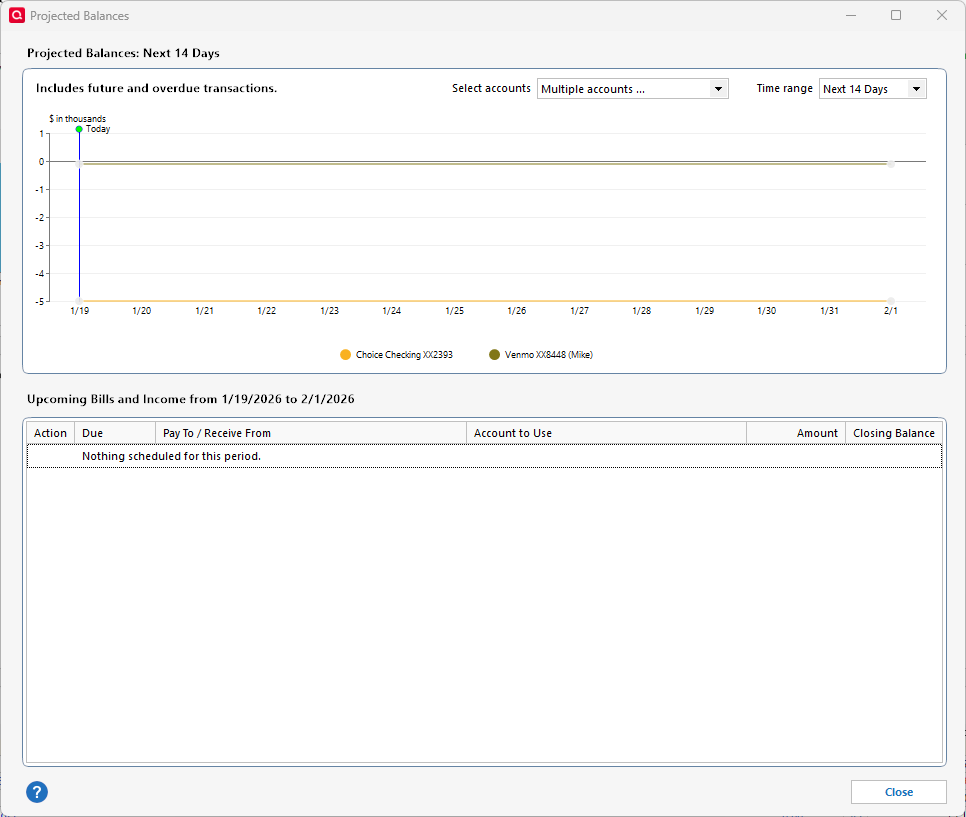
I looked at my bank accounts in the accounts listing and saw that one of these was negative as I hadn't reconciled it. Now I see the other one is also negative.
The first account was negative $3k so it should have appeared on this graph. The other one is only negative $76, until I reconcile it.
0 -
Ok, clearing those balances eliminated the overdraft warning. It's so vague, kind of like these compromised email reports I get that don't tell me where it was compromised.
I don't understand why the projected balances includes closed and hidden accounts.
And the running balance in the projected balances window still doesn't agree to what it says is left.
0
