Is there a setting in Quicken that hides selected portfolio positions?
I am using Quicken Classic for Mac Premier v 8.3.3. I have previously posted this question on January 4, 2026:
In the portfolio tab, after updating the account (a Fidelity account), all of my holdings are listed correctly except for one, which is missing. Fidelity has reported this position in the past and there is no reason I am aware of that Fidelity would stop the reporting. In an attempt to "force" the security to appear, I added the position in the transaction tab, but still the security does not appear in the portfolio.
So I wonder: Is there a setting in Quicken I might have inadvertently set that hides selected portfolio positions?
Answers
-
Hello @FC Wolf,
Thank you for reaching out! Yes, it is possible to hide securities. However, as @jacobs pointed out below, hidden securities would still be visible in the portfolio screen. [Edited]
Please provide more information so we can help troubleshoot:
- What security is it?
- What kind of security is it (bond, money market fund, etc.)?
- When did you first notice the issue?
I hope this helps!
Quicken Kristina
Make sure to sign up for the email digest to see a round up of your top posts.
0 -
@FC Wolf said: …the security does not appear in the portfolio.
@Quicken Kristina said:Yes, it is possible to hide securities. Please see this article for more information: About the Securities window
I think that's an incorrect response to the original question. It's correct that in the Securities window, a security can be marked as Hidden. But all that does is remove the security from the list of securities in a dropdown menu. But it does not make that security, if currently held, disappear from the Portfolio screen, which is what the question was about.
Is there a setting in Quicken I might have inadvertently set that hides selected portfolio positions?

If you hold a security, then the Portfolio view with filters set to "Portfolio Value" and "By Security" should show the security. There's no setting to hide one particular security from the Portfolio view.
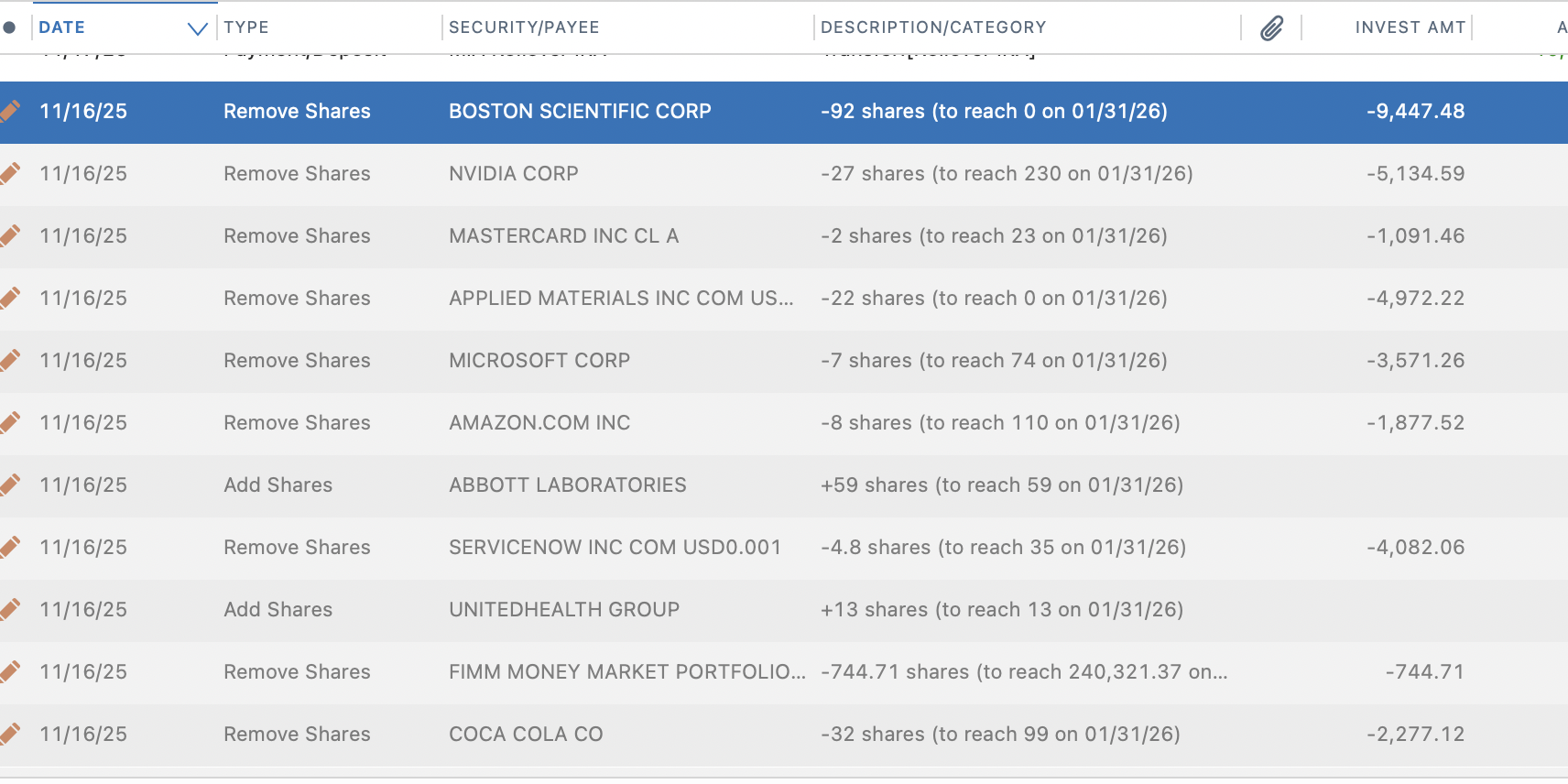
So let's backtrack a bit. You said that you created a manual transaction to add this security, and it still doesn't show in the Portfolio. Was that an Add Shares transaction that you entered? It sounds to me like Quicken believes, from the information downloaded from Fidelity, that you currently own zero shares of this security. So Quicken creates a placeholder transaction to set the number of shares to zero, even though you added some. You can verify this by going to the Transactions tab and entering the security symbol in the Search box, so you'll be seeing only transactions for this security. Do you see a gray placeholder transaction removing shares?
Oh, and let's double-check something else (I probably should have started here): the missing security isn't your core money market fund is it? With certain brokerages, core money market funds are no longer tracked as securities, and are shown simply as Cash, the last line in the Portfolio list. With Fidelity, for instance, FDRXX is one such security which disappears from the register when it is the core money market fund for an account and displays its balance under Cash.
Provide us more details about what security is missing, and what you see when you look at just transactions for that security in your register, and hopefully we'l be able to figure out what's going on.
Quicken Mac Subscription • Quicken user since 19931 -
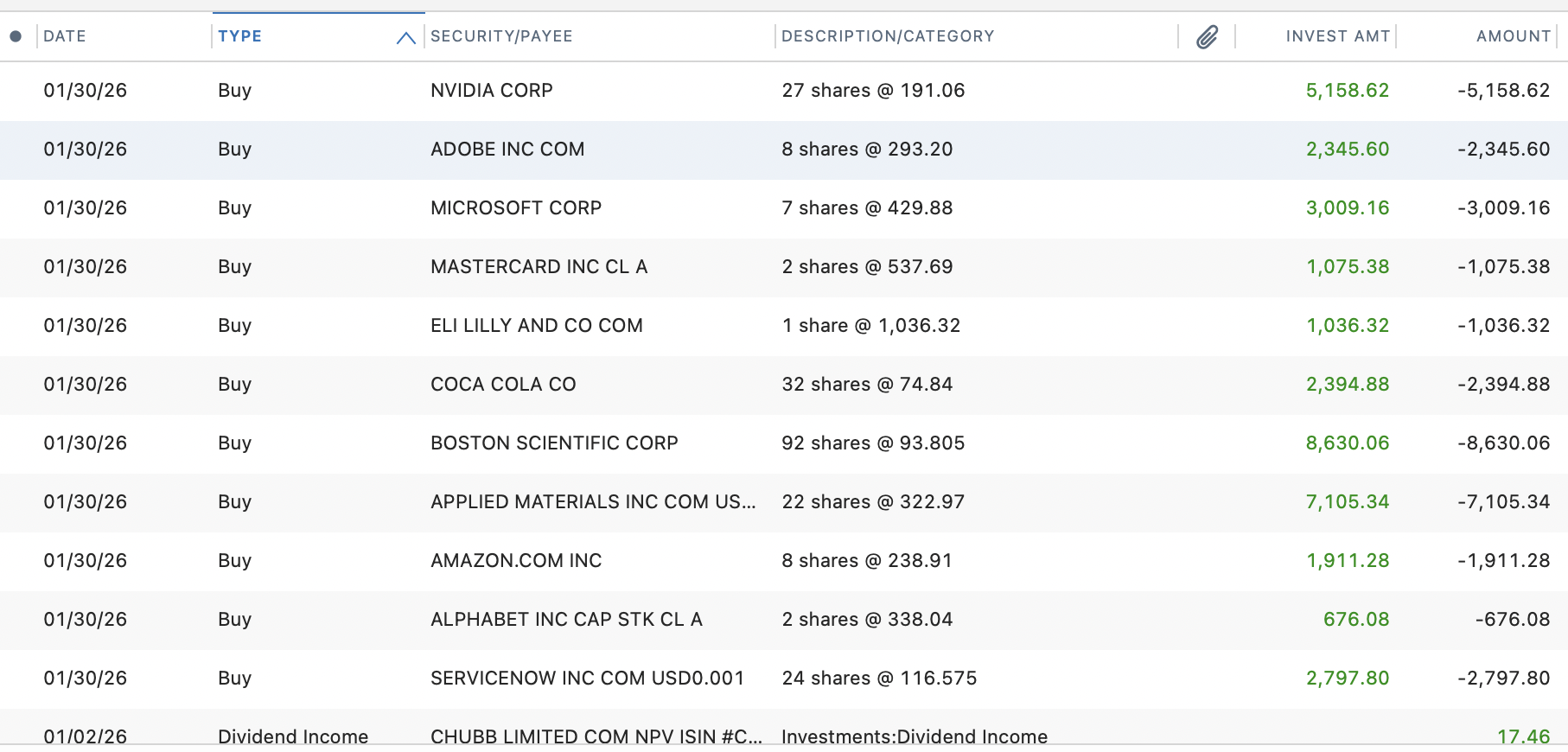
Not sure what is happening but I am seeing a similar thing in Mac Quicken with Fidelity. The buy and sell transactions are coming through the Fidelity feed with the correct share count and dollars. Quicken is generating Add and Remove transaction that they say are tying to what they say are the share counts coming from Fidelity. These are negating the true trade transactions. As I discovered the last time there were issues, the Add and Remove transactions are dated with when the account was opened. This is often many years ago. If i delete them, they regenerate. I create a error report with Quicken today. My hunch is Fidelity is not populating some tie out feed that Quicken uses. It may go away when the trade actually cash settles (or it may not)
0
Categories
- All Categories
- 54 Product Ideas
- 35 Announcements
- 219 Alerts, Online Banking & Known Product Issues
- 18 Product Alerts
- 504 Welcome to the Community!
- 673 Before you Buy
- 1.4K Product Ideas
- 54.8K Quicken Classic for Windows
- 16.6K Quicken Classic for Mac
- 1K Quicken Mobile
- 824 Quicken on the Web
- 120 Quicken LifeHub