Auto Categorizing Transfers to Same Account - Still happening - Even with new QDF

Geobrick
Geobrick Member ✭✭✭✭

I've written (complained) about how Quicken is often auto-categorizing transactions as transfers to the same account. My last post was this:

I've just been living with it but yesterday I created a new QDF to help manage my Aunt's finances. Clicked "New Quicken File" then added her Chase accounts and Fidelity account. This is a new QDF so I assume all preference settings are default.

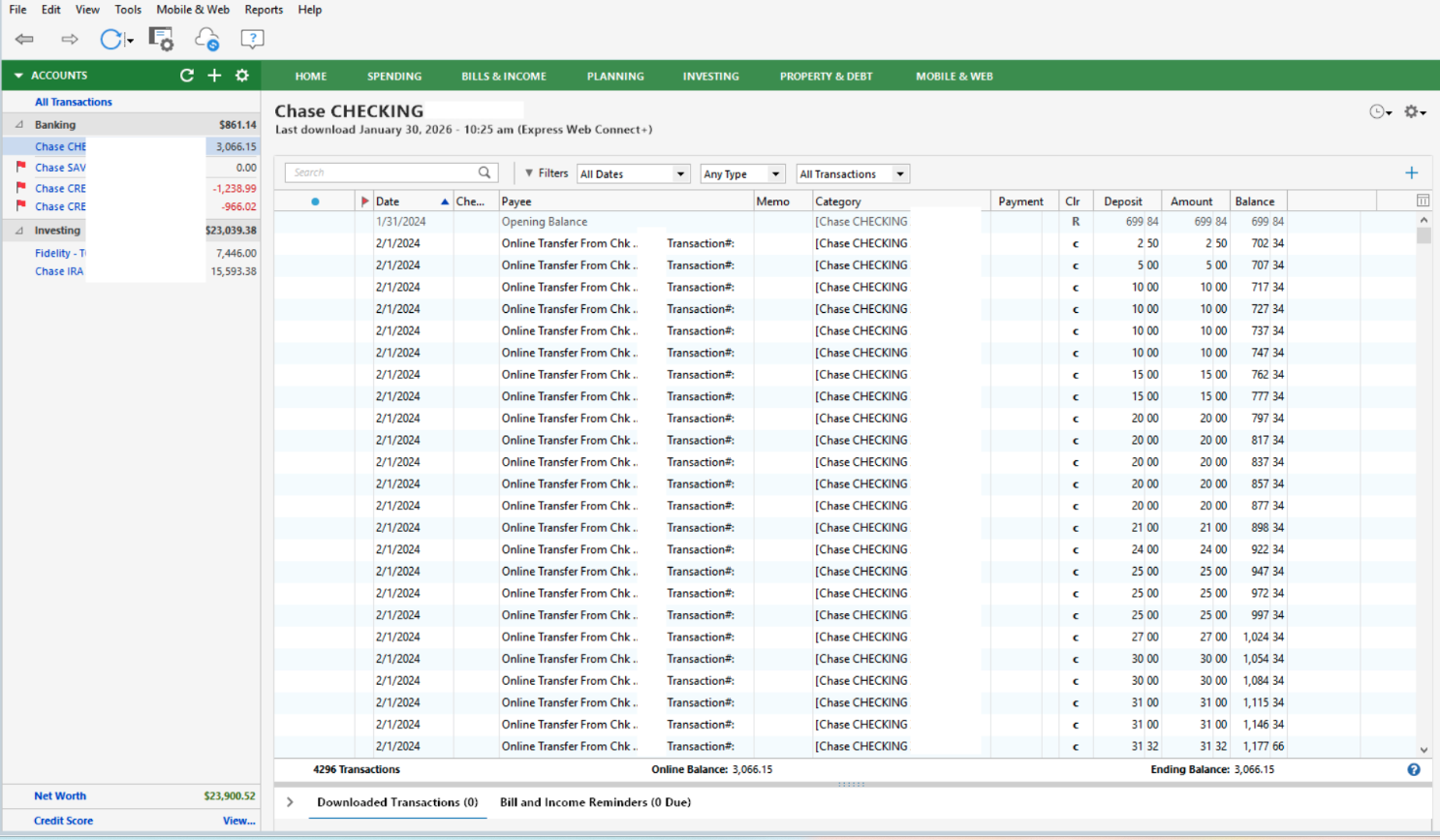
Here's what the chase checking account looked when the process was done.
Screenshot 2026-01-31 at 5.26.29 PM.png

Why is this happening and how can it be stopped?

Yes there's a crazy number of transfers from another chase account "…XXXX" but why is Quicken deciding to auto categorize it as a transfer to the same account?

I have contacted support and uploaded all the associated data. Hopefully they can resolve it but, in the meantime, if any of you have had a situation like this and were able to resolve it, let me know what you did.

[Edited - Removed Partial Account Numbers]

Comments

  • Quicken Kristina
    Quicken Kristina Quicken Windows Subscription Moderator mod

    Hello @Geobrick,

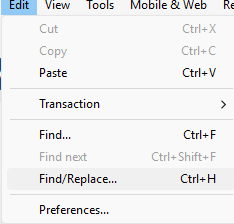
    Thank you for reaching out! I see the same behavior in my Chase accounts. Going to Edit>Find/Replace may allow you to quickly correct the category to show the correct account.

    Screenshot 2026-01-31 at 5.41.44 PM.png

    Make sure to backup your file prior to doing this, just in case.

    The issue has already been reported to our teams. Currently, the ticket is open and ongoing.

    Thank you!

    (CTP-11608)

    Quicken Kristina

    Make sure to sign up for the email digest to see a round up of your top posts.

  • Geobrick
    Geobrick Member ✭✭✭✭
    edited February 3

    Thanks. I used the search bar to isolate the transactions I wanted to fix and used the assign category option to fix a chunk at a time. Of course, the problem still occurs with new downloads.

    While Chase was the problem account in the example I provided, in my previous thread there were several accounts with this problem. It was also happening with Navy Federal Credit Union and PayPal too. (I should go back and read my old thread.)