Deactivate button does not appear in Online Services tab

BRGrits
BRGrits Quicken Windows Subscription Member

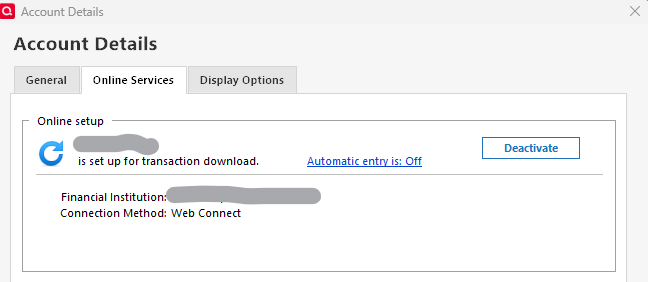
I have Windows 11, Quicken Classic Deluxe (online subscription) & am trying to set up Express Web Connect+ for BofA account (because they stopped supporting Web Connect). When I navigate to Online Services tab, it says the BofA account is "set up for transaction download" which I need to deactivate. I've been searching all the info on this process & it always says to click on Deactivate button - but there is no Deactivate button. What happened to the Deactivate button?

Comments

  • Quicken Alyssa
    Quicken Alyssa Quicken Windows Subscription Moderator mod

    Hello @BRGrits,

    Thank you for sharing your experience!

    I can see why this would be confusing, definitely strange that you are not seeing the deactivate button. I have some follow-up questions for you.

    • How long has the deactivate button been missing?
    • Are you seeing a Set Up Now button there instead?
    • Is this happening with only one account, or is more than one account affected?
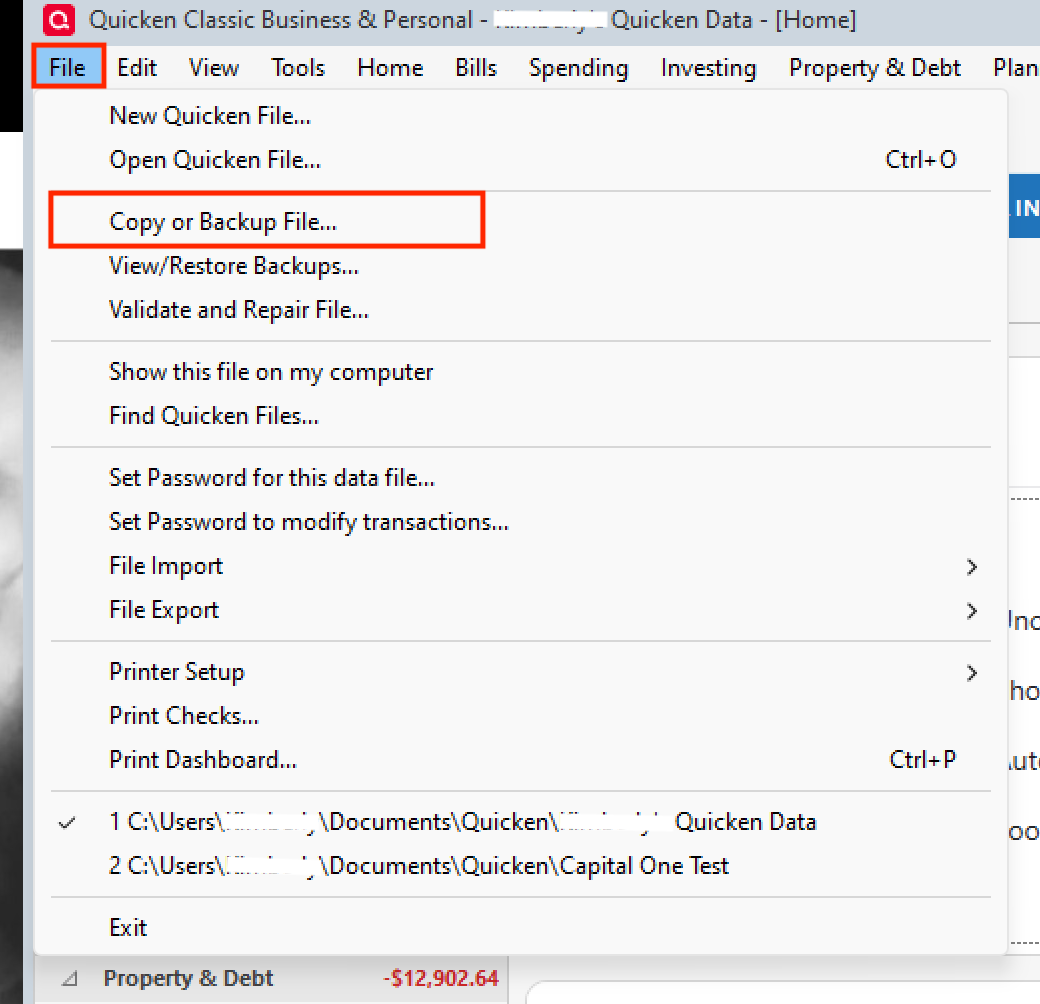
    • Where is your data file located?
      • You can see this by going to File. The first file listed near the bottom of the menu is the file you are currently in. The file path will be shown there, and that is what we are looking for.
    • Is your file being synced/backed up by any third-party services like OneDrive, Dropbox, or Google Drive?

    Additionally, screenshots of what you are seeing may be helpful. If needed, please refer to this Community FAQ for instructions on how to attach a screenshot. Alternatively, you can also drag and drop screenshots to your response if you are not given the option to add attachments.

    One thing you can try is validating your file. To do this:

    1. Save a backup.
    2. Go to File.
    3. Select Validate and Repair file… Validate and Repair 2.png
    4. Check the first box for Validate file.
    5. Click Ok.

    Once the validation has completed, it will produce a report of anything it has found/corrected. After this, check to see if the button has returned, and let me know if anything has changed.

    Thank you.

    Quicken Alyssa

    Make sure to sign up for the email digest to see a round up of your top posts.