Reauthorize Discover "Don't Add to Quicken"

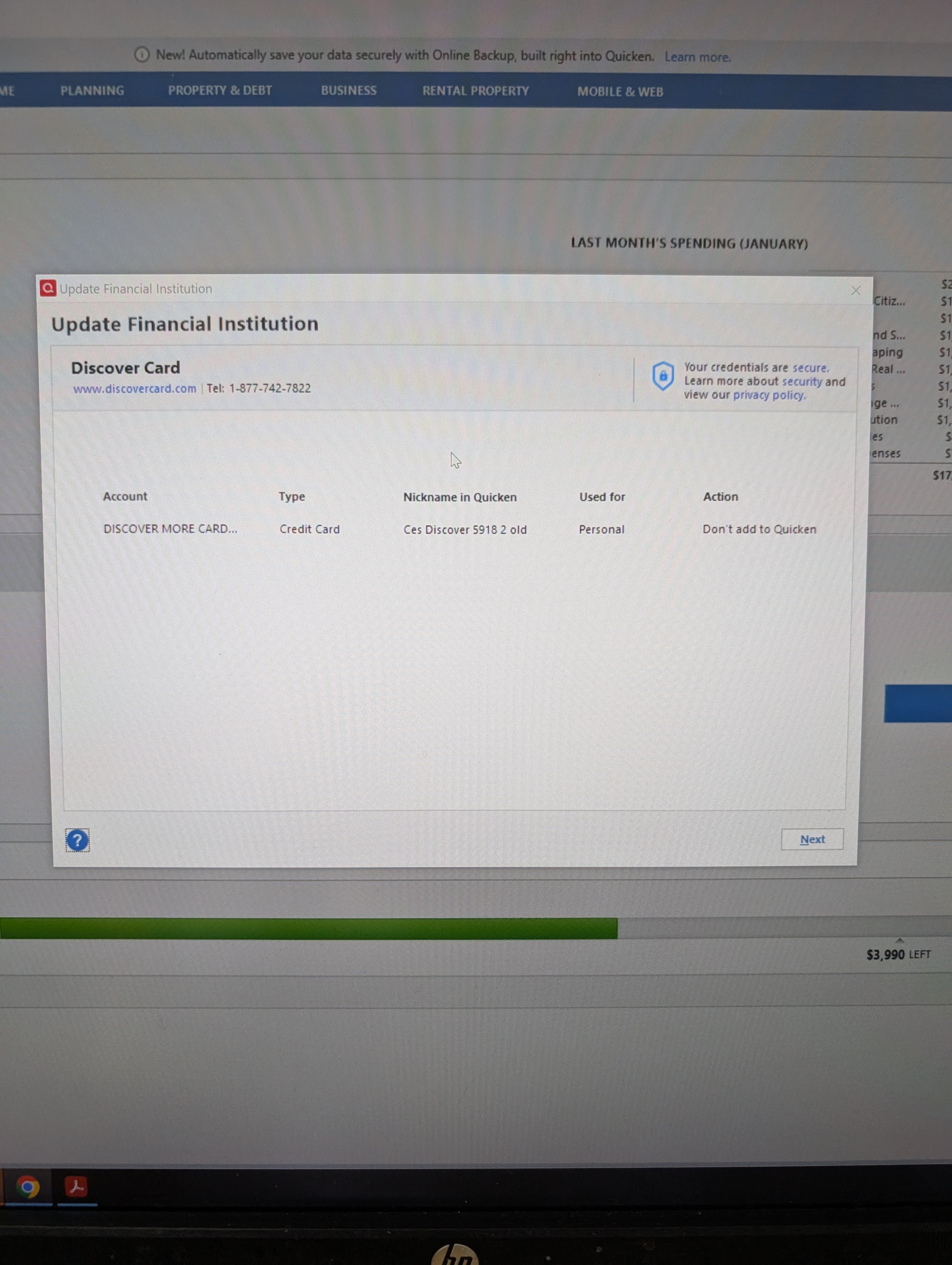
Since January I have been trying to reauthorize my Discover account, as per Quicken's direction. I follow the Quicken link, sign into my Discover, Agree to Discover's terms, Discover says it's connected and I am redirected back to Quicken. When I go to download recent transactions I get this pop-up, under ACTION it says "Don't add to Quicken" and the dropdown to change this to "Add to Quicken" doesn't function. Suggestions/solutions please. I've seen suggestions to delete the account and add again?
Answers
-
What might work for you is to deactivate the Account from downloading. With the Account deactivated you should be able to delete both the Financial institution and Account Number information shown on the General tab of Account Details.
The start the Add Account process, specify that Discover Card is the Financial Institution, and provide your sign-in information to the Discover Card site. Quicken should find this credit card and, hopefully, the drop down "LINK account" will be available to you.
I'm assuming that this is the only Discover Card Account in your file. If you have more then one Discover Card Account then it would probably be better to disconnect the all at once, erasing FI and Account # info for them all, and then using the Add Account process.
0 -
Hello @Alloraproperties,
We haven't heard back from you in a while. Do you still need assistance?
Were you able to give @Tom Young's suggestion a try?Check back and let us know! Thank you.
-Quicken Anja
Make sure to sign up for the email digest to see a round up of your top posts.0 -
Hello again,
Checking in once more before this thread is closed.
Let us know if you still need assistance.Thank you!
-Quicken Anja
Make sure to sign up for the email digest to see a round up of your top posts.0 -
Hello again,
Due to the lack of response, I went ahead and closed this post.
If you still require assistance, please feel free to start a new post.
Thank you!
-Quicken Anja
Make sure to sign up for the email digest to see a round up of your top posts.0
