PNC Bank Reauthorization Issue?
Searched, didn't find this reported, so … anyone else?
Quicken says PNC needs to reauthorize, tries to, big box pops up, is greyed out, then closes. No updates are made.
Has been an issue all day 2/16/2026.
Thanks
Best Answers
-
Hi @Kevin Jarrett,
Thank you for taking the time to share this issue with us.
If the pop-up window doesn't allow you to reauthorize the accounts, you can try to reset the connection by deactivating and reactivating them with the following steps (please make sure you back up your file):
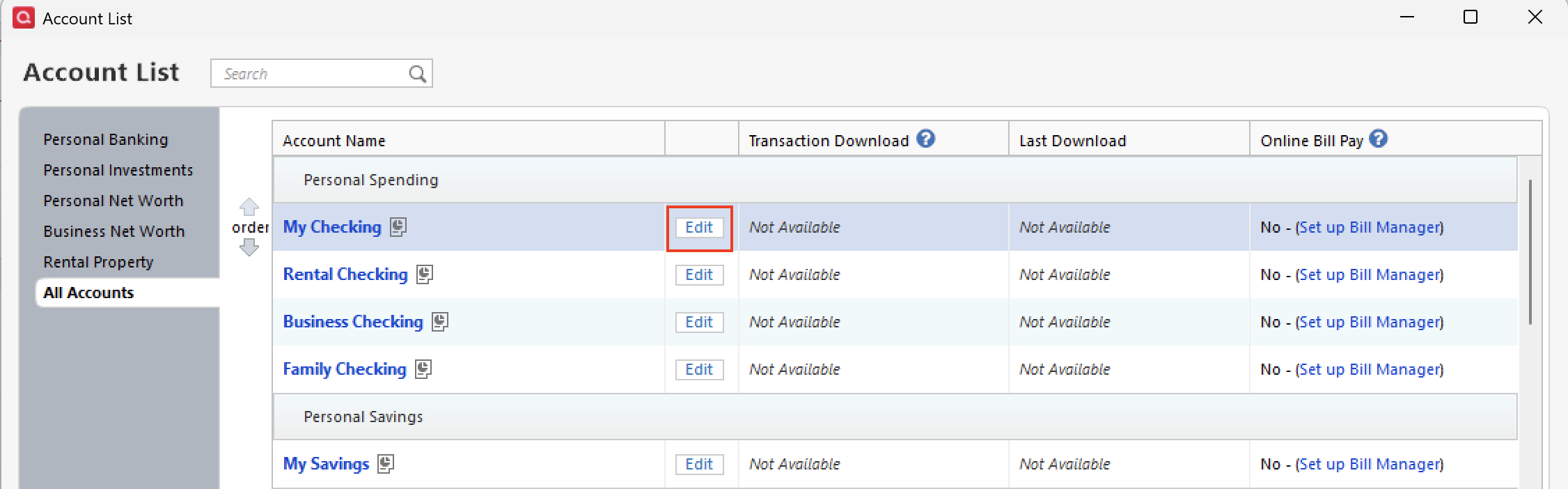
- Select Tools > Account List
- If present, select the Show Hidden Accounts checkbox at the bottom of the Account List
- Select Edit on each account with this error and
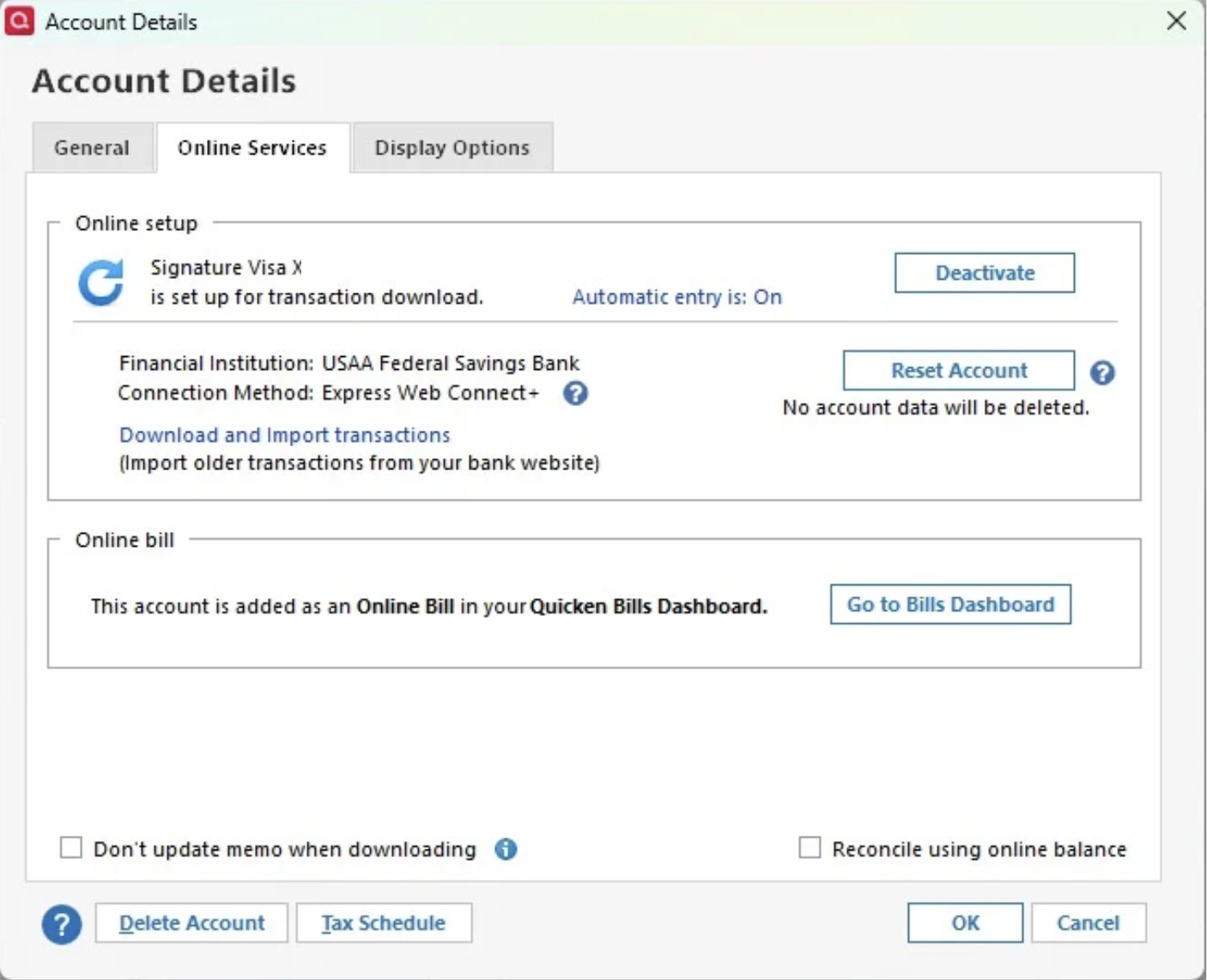
- Deactivate them on the Online Services tab
- When finished, close the Account List.
- Revoke authorization on the PNC website (only if you are using Express Web Connect+).
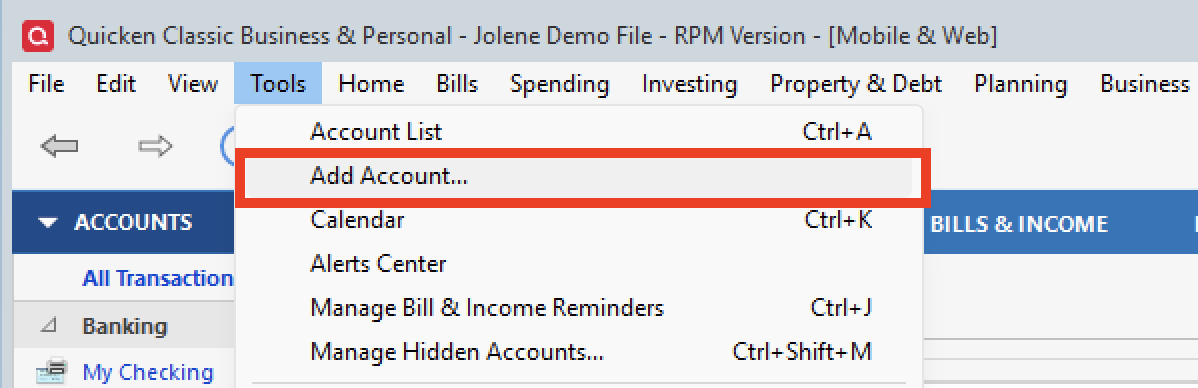
- Select Tools > Add Account
- Complete the flow of re-adding the deactivated accounts to Quicken,
using your bank login credentials and answering any security questions. - When you reach the screen listing the accounts discovered at the financial institution, use the Action drop-downs to re-link your accounts:
- For accounts you want to re-link, select Link to existing account and choose the corresponding account to re-link with.
- Select Add to Quicken for new accounts you didn't previously track in Quicken.
- For accounts you don't want to link or add, select Don't add to Quicken.
Note: There are two types of connections available (Direct Connect and Express Web Connect+). If you use Direct Connect, make sure you have the correct PIN. If you do not know your PIN, you can contact PNC online banking support. If you are using Express Web Connect+, during reauthorization, you should be redirected to the bank's website.
Quicken Laura
Make sure to sign up for the email digest to see a round up of your top posts.
1 -
Thanks!
0
Answers
-
Hi @Kevin Jarrett,
Thank you for taking the time to share this issue with us.
If the pop-up window doesn't allow you to reauthorize the accounts, you can try to reset the connection by deactivating and reactivating them with the following steps (please make sure you back up your file):
- Select Tools > Account List
- If present, select the Show Hidden Accounts checkbox at the bottom of the Account List
- Select Edit on each account with this error and
- Deactivate them on the Online Services tab
- When finished, close the Account List.
- Revoke authorization on the PNC website (only if you are using Express Web Connect+).
- Select Tools > Add Account
- Complete the flow of re-adding the deactivated accounts to Quicken,
using your bank login credentials and answering any security questions. - When you reach the screen listing the accounts discovered at the financial institution, use the Action drop-downs to re-link your accounts:
- For accounts you want to re-link, select Link to existing account and choose the corresponding account to re-link with.
- Select Add to Quicken for new accounts you didn't previously track in Quicken.
- For accounts you don't want to link or add, select Don't add to Quicken.
Note: There are two types of connections available (Direct Connect and Express Web Connect+). If you use Direct Connect, make sure you have the correct PIN. If you do not know your PIN, you can contact PNC online banking support. If you are using Express Web Connect+, during reauthorization, you should be redirected to the bank's website.
Quicken Laura
Make sure to sign up for the email digest to see a round up of your top posts.
1 -
Thanks!
0
Categories
- All Categories
- 52 Product Ideas
- 35 Announcements
- 239 Alerts, Online Banking & Known Product Issues
- 20 Product Alerts
- 509 Welcome to the Community!
- 677 Before you Buy
- 1.4K Product Ideas
- 55.1K Quicken Classic for Windows
- 16.7K Quicken Classic for Mac
- 1K Quicken Mobile
- 828 Quicken on the Web
- 122 Quicken LifeHub