I cannot get memo?notes to show up in reports. Under edit Advanced>Memo/Notes Contains, I see where you have to put in a specific word. I want to see ALL the memo/notes associated with any transactions in the report. How do I do that? Thanks
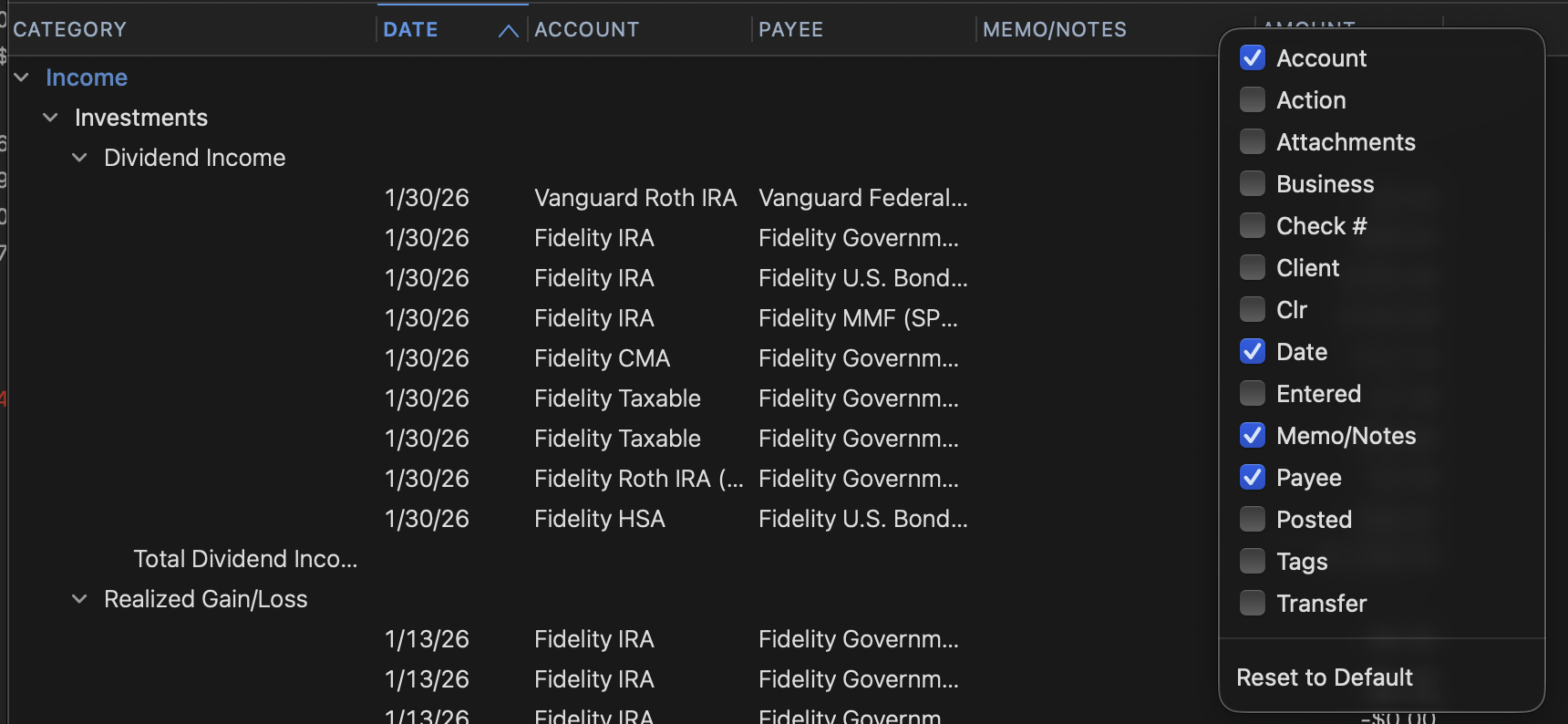
Right click on one of the column headers in the report and a list of available columns will open up.
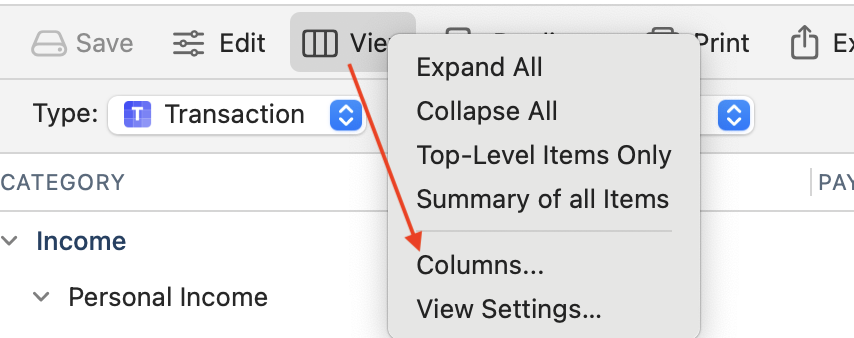
… or click View > Columns at the top of your report to get the same pop-up menu:
Hello @DYGIT,
We haven't heard back from you in a while. Do you still need assistance? Were you able to give the suggestions from our SuperUsers above a try?
Check back and let us know! Thank you.
Hello again,
Checking in once more before this thread is closed. Let us know if you still need assistance.
Thank you!
Due to the lack of response, I went ahead and closed this post.
If you still require assistance, please feel free to start a new post.