Random categories included in new report
Long-time bug (or a "feature") I've just ignored and never took the time to report until now.
Steps to recreate:
reports
spending
spending by category
last 12 months
show report
report settings
categories
clear all
I select only my Household category (select whatever you desire)
looks good
rename report
click to close report
yes to save
report closes
reopen report
report settings
categories
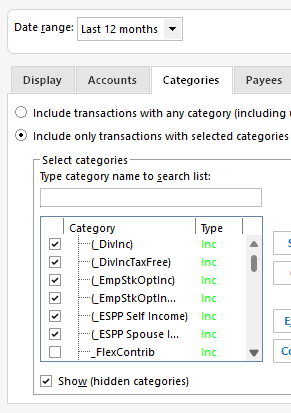
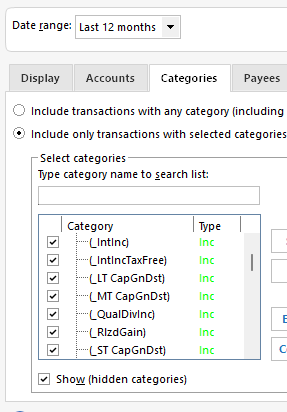
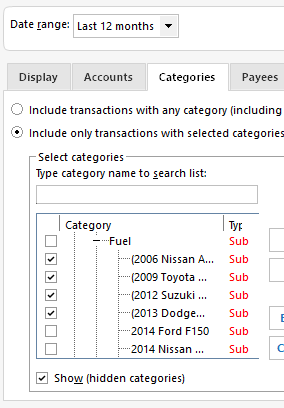
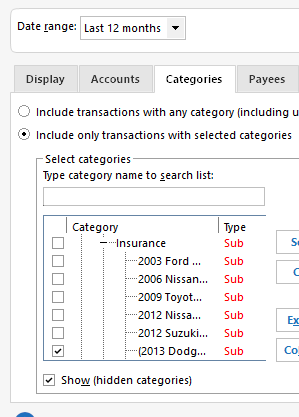
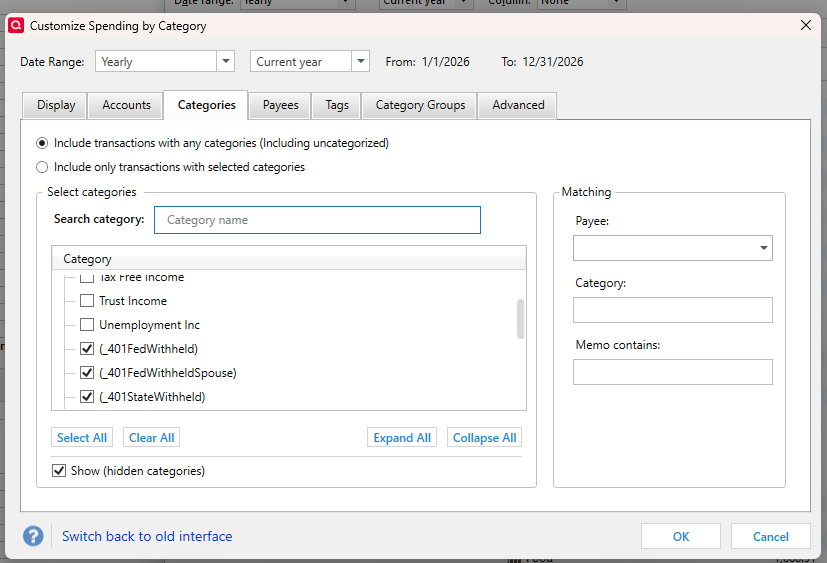
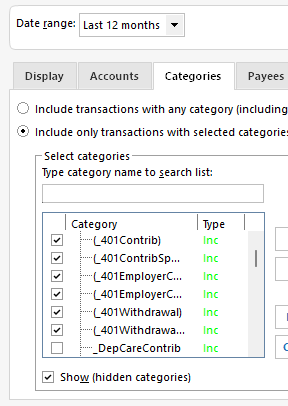
Numerous other categories are selected including some built-in categories and also randomly some that've I've created over the years.
Multiple super-validation runs indicate no errors in the data file.
Windows 11 v 25H2 fully updated with Bitlocker encryption enabled.
Quicken v R66.23 Build 27.1.66.23
See images below.
Quicken user since 1991
VP, Ops & Tech in the biometric space
Comments
-
Hi @MSStateDawg,
Thank you for reaching out and for providing the detailed steps to replicate the issue. I tried to reproduce it on my end but was not able to replicate the behavior.
I do have a couple of questions that may help narrow down the cause:
- Is this only happening with the Spending by Category report?
- Have you tried testing it in a new file?
If you haven’t done so yet, could you please try creating a new file and testing there? You can follow these steps:
Create a New File
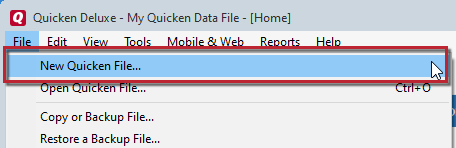
- Choose File > New Quicken File.
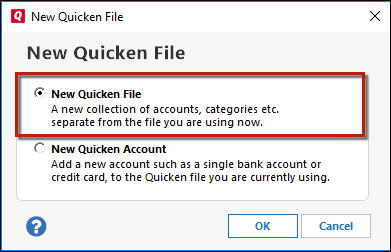
- Select New Quicken File and click OK.
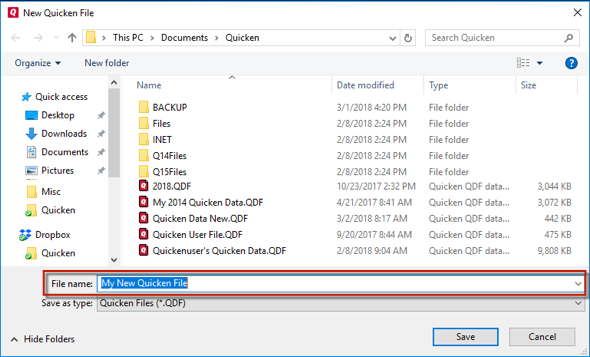
- In the File name field, enter a name for the new file, then click Save.
- Don’t use these characters:
* ? < > | " : \ / - Also, don’t add the .qdf extension—Quicken will add it automatically.
- Don’t use these characters:
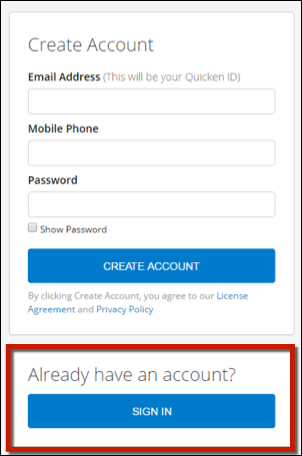
- Sign in with your Quicken ID. If prompted to create a new one but you already have an account, click Sign In under the Create Account prompt.
- Select whether you want to use Mobile.
- Click Add Account.
- On the Add Account screen, scroll to the bottom and select Offline Account.
- Choose the appropriate account type (for example, Checking under Banking).
- Add a couple of transactions using a category.
After that, please run a Spending by Category report and let me know if you see the same behavior.
I’ll look forward to your update!
Quicken Laura
Make sure to sign up for the email digest to see a round up of your top posts.
0 -
I haven't tried it with other report types. It doesn't happen in a new data file.
Quicken user since 1991
VP, Ops & Tech in the biometric space
0 -
I couldn't reproduce the issue either.
Q user since February, 1990. DOS Version 4
Now running Quicken Windows Subscription, Business & Personal
Retired "Certified Information Systems Auditor" & Bank Audit VP0 -
See the {parentheses} around the problem Categories? That means they are hidden.
Before hitting Clear All, make sure the Show hidden box is checked. Sometimes in the report customization, maybe only in the old version, which it appears you are using, Clear All only clears the items that are currently displayed. Or maybe it clears some but not all of the hidden items.
There were some reports of this issue around the time the new interface was introduced, but I'm not sure it was ever resolved.
Please try using the new report customization interface and make sure Show Hidden is checked before clearing all and let us know if that fixes it for you.
QWin Premier subscription0 -
Thanks. As you can see in my screenshots, hidden is checked.
Pardon my ignorance, but not sure what you mean by old version and new interface. I'm using the latest version of Quicken for Windows. Is there something I've missed?
Quicken user since 1991
VP, Ops & Tech in the biometric space
0 -
Pardon my ignorance, but not sure what you mean by old version and new interface. I'm using the latest version of Quicken for Windows. Is there something I've missed?
Go to Edit > Preferences > Early Access and check the Customize Reports box to use the new interface.
QWin Premier subscription0
Categories
- All Categories
- 49 Product Ideas
- 34 Announcements
- 244 Alerts, Online Banking & Known Product Issues
- 22 Product Alerts
- 514 Welcome to the Community!
- 679 Before you Buy
- 1.4K Product Ideas
- 55.5K Quicken Classic for Windows
- 16.8K Quicken Classic for Mac
- 1K Quicken Mobile
- 829 Quicken on the Web
- 125 Quicken LifeHub