Find/Replace from the Edit Menu Can Take an Hour to Render Results

markus1957
markus1957 Quicken Windows Subscription SuperUser, Windows Beta Beta

Quicken's speed is not determined by its ability to query the data in the database but rather the processes used to render the data into a GUI form. This can be demonstrated by testing the speed at which data can be accessed in the Find/Edit window.

To reproduce the problem, use a Find, "Any Field", "Exact", "0.27". It will search the entire data base table almost instantly no matter how large the database is and render the few transactions, if any for 27 cents in a short period of time. You will notice the rendering takes orders of magnitude longer than the time to identify the query results (matched records shown in bottom right corner).

If you attempt a Find for a data set that returns several thousand matches you will see the number of matches almost instantly in the bottom right corner indicating it completed the query and has identified responsive transactions, but it may take an hour to render the visible results, during which time Quicken cannot be used to perform other functions.

The developers should fix the inefficient rendering methods used to assemble and display the query data. This same type of behavior is evident in Reports rendering and elsewhere within the product. Inefficient GUI rendering is the root cause of most of the complaints of Quicken being too slow.


Tagged:

Comments

  • Quicken Kristina
    Quicken Kristina Quicken Windows Subscription Moderator mod
    edited 4:14PM

    Hello @markus1957,

    Thank you for taking the time to visit the Community to report this issue, though we apologize that you are experiencing this.

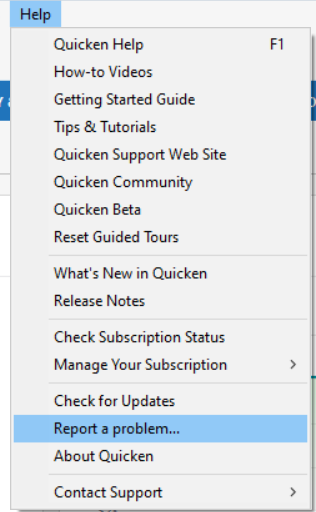
    We have forwarded this issue to the proper channels to be further investigated. In the meantime, we request that you please navigate to Help > Report a problem and submit a problem report with log files attached and (if you are willing) a sanitized copy of your data file in order to contribute to the investigation.

    Report a Problem QWin.png

    While you will not receive a response through this submission, these reports will help our teams in further investigating the issue. The more problem reports we receive, the better.

    We apologize for any inconvenience! Thank you.    

    (CBT-1066)

    Quicken Kristina

    Make sure to sign up for the email digest to see a round up of your top posts.

  • markus1957
    markus1957 Quicken Windows Subscription SuperUser, Windows Beta Beta
    edited 7:22PM

    I have submitted a problem report referencing (CBT-1066)

    Adding- the sanitized file submitted will readily reproduce the issue as will any other user file.