any resolution for these issues at LPL Financial?
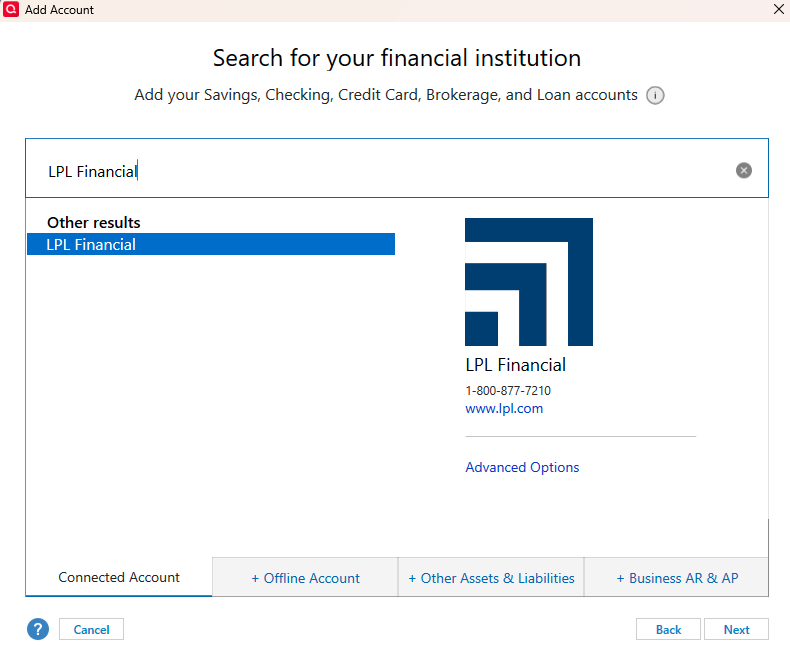
- Was unable to add an IRA account to Quicken Desktop. Kept getting "You've already used XXXX1234 as an account name", even after changing the account name. Had to create an offline account and activate online services, but was limited to Express Web Connect and Simple accounting.
- Both active and inactive accounts appear. All are duplicated. Tried linking the first IRA and the duplicate IRA to the existing Quicken account.
- Securities and transactions did not download automatically.
- Import of CSV file from LPL fails with "9 items with an invalid action".
So, I now have an Express Web Connect account with no securities, no activity, and a zero balance.
Is my only option to add securities and transactions manually?
Answers
-
Hello @WileyOne,
Thank you for reaching out! To help troubleshoot, please provide more information.
Was unable to add an IRA account to Quicken Desktop. Kept getting "You've already used XXXX1234 as an account name", even after changing the account name.
Which account name were you trying to change? Were you trying to change it in the Account Details screen (Tools>Account List, then click the Edit button by the account you're trying to rename), in the Add/Link screen while trying to connect/reconnect accounts, or did you use another method?
Both active and inactive accounts appear. All are duplicated.
Where are you seeing this? If possible, please include a screenshot with any personal information redacted. If needed, please refer to this Community FAQ for instructions on how to attach a screenshot. Alternatively, you can also drag and drop screenshots to your response if you are not given the option to add attachments.
Securities and transactions did not download automatically.
In #1, you mentioned that you're limited to Express Web Connect and Simple investment tracking. That's why you're unable to view transactions. Even without visible transactions, updated information for your holdings should still be downloaded. What information is not updating for your securities?
Import of CSV file from LPL fails with "9 items with an invalid action".
Does LPL Financial offer Web Connect/QFX files? If they do, that would be an easier way to import the information.
CSV files must be formatted correctly to import successfully into Quicken. That is the most likely reason you're seeing the error. The article linked below provides instructions on importing CSV files; however, there are no instructions for investment transactions, even though it's possible to import them:
If you're willing, please provide a sample of the format you are using when trying to import the CSV into Quicken.
I look forward to your reply!
Quicken Kristina
Make sure to sign up for the email digest to see a round up of your top posts.
0 -
Adding a new account to Quicken from LPL always fails. 20 entries appear representing only 10 accounts, when only 2 of them are active accounts. I've been unchecking all but one. The "already used" error appears even if I edit the name on the screen when trying to add. There are no such names in my Quicken accounts so this message makes no sense.
As I explained, I have limited success when I create an offline account first, then setup online access later.
Yes, LPL offers QFX download, but it fails as well.
0
Categories
- All Categories
- 52 Product Ideas
- 34 Announcements
- 243 Alerts, Online Banking & Known Product Issues
- 20 Product Alerts
- 515 Welcome to the Community!
- 680 Before you Buy
- 1.5K Product Ideas
- 55.5K Quicken Classic for Windows
- 16.8K Quicken Classic for Mac
- 1K Quicken Mobile
- 832 Quicken on the Web
- 126 Quicken LifeHub