Can't connect any Synchrony accounts

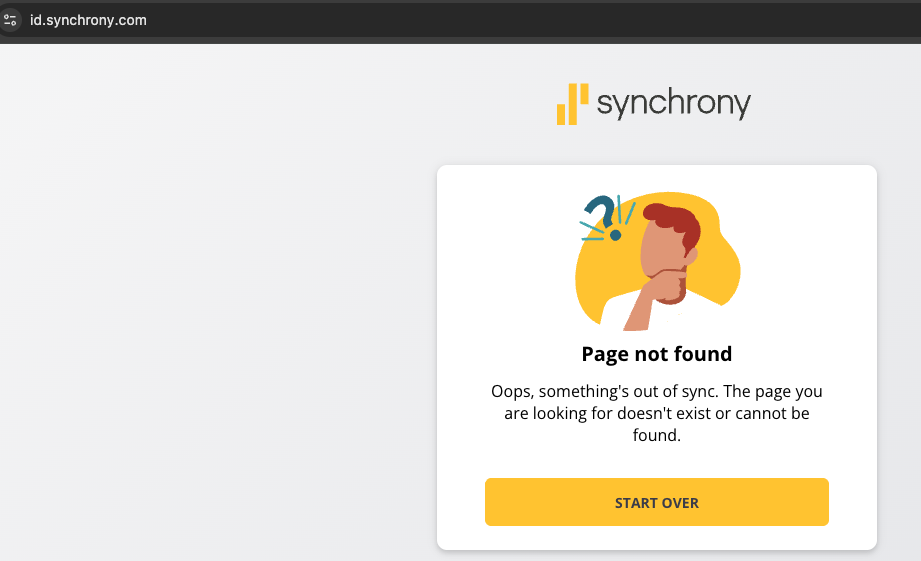
I have several accounts with Synchrony but am unable to connect to them. I have tried the work around of trying other businesses that use Synchrony with no such. It appears what is needed is the login using the website https://id.synchrony.com. Is there anything we can do?
Comments
-
Hi @rperry76,
Thank you for reaching out and for providing the URL you use to access Synchrony. I wasn’t able to access the website, so could you please share the link again?
In the meantime, it would be helpful if you could provide a bit more information:
- Are any of the accounts you’re trying to connect related to one of the following?
- Synchrony Mastercard
- Amazon.com Store Card
- CareCredit
- Google Store Financing Account
- Are these new accounts in Quicken, or were they previously connected? If they were connected before, approximately when did the issue begin?
- Are you able to sign in to the bank’s website without any issues? If so, have you tried copying and pasting your credentials directly into Quicken (either from the website, a password manager, or a notepad)?
- Have you tried changing your password on the Synchrony website? If not, I recommend trying that as a troubleshooting step.
- Have you noticed any recent changes on the Synchrony website, such as updates to the interface or security prompts?
- Are all the Synchrony accounts experiencing this issue under one set of login credentials, or do you use different logins for different accounts?
I look forward to your response!
Quicken Laura
Make sure to sign up for the email digest to see a round up of your top posts.
0 - Are any of the accounts you’re trying to connect related to one of the following?
-
Apparently Quicken doesn't realize the Synchrony no longer links to Quicken. I was told today, 3/10/26, that they have their own system now and have cut out Quicken. That makes two of my bank accounts, Marcus and Synchorony, that I have to manually update. Not a good omen for Quicken.
1 -
I have 6 accounts with Synchrony which did work fine. Now they dont work with quicken. Ill give it a month of entering things manually (I'm immediately stopping the use of the cards). If it cant be fixed ill be saying goodbye to Synchrony for sure.
0 -
Hi all,
Thank you for sharing your experiences with us. At this time, there is no official information indicating that Quicken no longer supports Synchrony.
However, we are currently seeing some connection issues affecting certain Synchrony instances, and these have been escalated internally. For updates and additional details, please refer to the Community alert.
If you are experiencing an issue that appears unrelated to the alert, we can certainly troubleshoot or escalate it separately.
Please feel free to reach out if you have any additional questions. I'm happy to help!
Quicken Laura
Make sure to sign up for the email digest to see a round up of your top posts.
0 -
I have previously connected with Synchrony accounts but cannot now. Discount Tire, Lowes and Care Credit all used to work. They now do not. There is not an option for those cards in the system and the main Synchrony login does not go to the correct login website.
0 -
Hi @rperry76,
Thank you for following up!
Only the instances listed below are related to the current Alert.
- Synchrony Mastercard
- Amazon.com Store Card
- CareCredit
- Google Store Financing Account
Since the issues you’re experiencing involve other accounts, and if you’ve already tried the steps provided in the previous post, I recommend contacting Quicken Support. They have the tools to guide you through additional troubleshooting in real time or escalate the case if needed.
You can find the Quicken Support phone number here: Support Home | Quicken. Phone support is available Monday through Friday, from 5:00 AM PT to 5:00 PM PT.
I apologize that I could not provide a more direct solution, but please don’t hesitate to reach out again if you have any other questions.
Quicken Laura
Make sure to sign up for the email digest to see a round up of your top posts.
0 -
I have several Synchrony accounts (Chevron, Walgreens) and none will connect.
0 -
Having the same issue since Synchrony updated their URL's for my Synchrony Mastercard and my Lowe's credit card.
I've called Quicken support to report the problem but so far they haven't updated it on their end. I tried to create new accounts but the default URL's in Quicken's menu don't match the new ones from Synchrony.
0 -
Hello everyone,
Thank you for joining this thread and for sharing the issues you’re experiencing.
As mentioned earlier, only the following instances are currently related to the active Alert.
- Synchrony Mastercard
- Amazon.com Store Card
- CareCredit
- Google Store Financing Account
If you have accounts with other Synchrony instances, you may try connecting to them using the options below:
- Synchrony Savings
- BP Credit Card - Synchrony Bank
- Lowe's Commercial Card (Synchrony
- Sam's Club Buss-Syncrony
- Synchrony Financial Mastercard
You can also try typing the name of your card during the setup process to check if there is a specific instance available for it.
If you are experiencing connection issues with accounts that are not related to the Alert, please try the troubleshooting steps below.
Step One: Verify your bank login information
- Type your password/PIN into a text application, such as Notepad, WordPad, or other text/word application.
- Note: This is a way of confirming you don't have typographical errors in this field.
- Highlight the "confirmed" password and then copy it (Ctrl + C) and paste it (Ctrl + V) into the appropriate fields in Quicken.
Step Two: Verify your bank login at the bank's website
- Go to your bank's website and confirm that you're able to log in with the expected username and password.
- Once you are logged in, review your account at the website for notifications (such as pending messages in a mailbox or message center) to confirm if further action is required to grant Quicken access.
- Some banks will require a separate login, password, or both to access accounts on third-party software. Also note, you may need to go to your settings at the website to access these prompts for new credentials.
New passwords: If you are required to make a new password, be aware that some special characters may cause errors in Quicken. These special characters are the ampersand (&), left carat (<), right carat (>), backslash (\), and forward slash (/). Additionally, while Quicken does not have a character limit, your bank may have one.
If the issue persists
- Select "Tools"
- Select "Account list"
- In the Account List, select the account you want to deactivate, and then click Edit.
- In the Account Details window, click the Online Services tab.
- Click Deactivate next to the service you want to disable.
- Click Yes to the message confirming if you want to disable this service.
- Revoke Quicken’s third-party access from your account on the FI website.
- Go to Tools > Add Account.
- Search for and select your financial institution.
- If prompted, choose the appropriate connection method.
- Follow the on-screen instructions.
- When the list of found accounts appears, be sure to select Link to connect them to your existing accounts (do not add duplicates).
If the issue continues after completing these steps, you can contact Quicken Support. They have the tools to guide you through additional troubleshooting in real time or escalate the case if needed.
You can find the Quicken Support phone number here: Support Home | Quicken. Phone support is available Monday through Friday, from 5:00 AM PT to 5:00 PM PT.
Please feel free to reach out if you have any additional questions.
Quicken Laura
Make sure to sign up for the email digest to see a round up of your top posts.
0 -
How wonderful to pay for an annual subscription in order to have this feature, only to have it fail and no one will help. You've been "working on this" for months, and even tried once to claim it was resolved but were forced to reopen it when you learned that it was not!
0 -
Hi everyone,
This issue is still ongoing. We truly appreciate your patience while our teams continue working toward a resolution. We understand how important it is to have a reliable connection, and resolving this issue remains a priority for us.
If you have already tried the troubleshooting steps previously provided and are still experiencing the issue, please feel free to contact Quicken Support for further assistance.
You may also bookmark the Community Alert to receive notifications and stay informed as new updates become available.
Thank you again for your continued patience and understanding.
Quicken Laura
Make sure to sign up for the email digest to see a round up of your top posts.
0

Categories
- All Categories
- 18 Product Ideas
- 34 Announcements
- 246 Alerts, Online Banking & Known Product Issues
- 19 Product Alerts
- 517 Welcome to the Community!
- 682 Before you Buy
- 1.5K Product Ideas
- 55.7K Quicken Classic for Windows
- 16.8K Quicken Classic for Mac
- 1K Quicken Mobile
- 834 Quicken on the Web
- 127 Quicken LifeHub