Ever since all Indian banks moved to bank.in, I have not been able to connect to my HDFC bank accounts. I deactivated the connection and when I try to reconnect, the bank's new location does not show up. How do I solve this problem
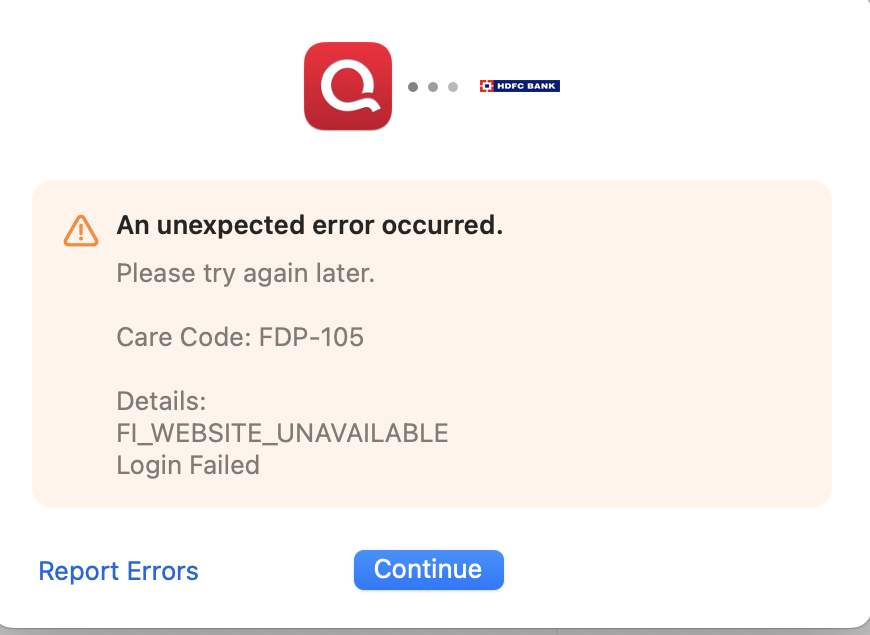
This is the error message I get when I try to setup a connection
Hello @ShruthiG,
Thank you for providing the screenshot, that helps clarify what’s happening.
The error you’re encountering (FDP-105) typically indicates that Quicken is temporarily unable to connect to the bank’s servers for downloading transactions. This doesn’t necessarily mean the bank’s website is down for normal use, but rather that the servers Quicken relies on are unavailable or blocking the connection.
This can happen due to things like:
What to try:
If the issue continues for more than a few days, we recommend reaching out to Quicken Support directly so they can further investigate and, if needed, escalate the issue.
In the meantime, you may need to manually enter transactions to keep your register up to date.
Thank you!
Thank you for your response. I have been manually entering the transaction for a couple of months now since I knew the reason for this error (bank domain change to bank.in). I was hoping it would have been resolved by now but since it hasn't I reached out to this forum. I will wait for a couple more days as you suggested and will contact Quicken support after. Thank you again for your help.
@ShruthiG Thanks for following up with additional context!
Since you’ve already waited a while, you can go ahead and contact Quicken Support now. They can collect and review your logs and escalate the issue if needed. The 24–48 hour wait I mentioned was just from when the error first appeared, so you don’t need to wait any longer unless you want to.
I still can't download transactions. It has been broken for 2 months now. EQBank connection is also not working. 2 of my accounts are not working. I'm confused why I am paying a subscription for a software whose primary function has not been working for months.
Hello @tinyparticle,
Thank you for adding your experience. I checked your account internally and can see that you are experiencing the same FDP-105 error with HDFC. Please refer to my earlier responses in this thread and follow the guidance provided there. If that does not resolve the issue, as previously mentioned, please contact Quicken Support so they can investigate further and escalate if needed.
Regarding your EQ Bank accounts, I did not see any internal error associated with them in your account. Could you please provide more details about what is happening with those connections? Are you receiving any specific error code(s) and/or message(s)?
A screenshot of the error message or the behavior you are seeing would be very helpful. If needed, please refer to this Community FAQ for instructions on how to attach a screenshot. Alternatively, you can also drag and drop screenshots to your response if you are not given the option to add attachments.
We haven't heard back from you in a while. Do you still need assistance?
Hello again,
Checking in once more before this thread is closed. Let us know if you still need assistance.
Due to the lack of response, I went ahead and closed this post.
If you still require assistance, please feel free to start a new post.