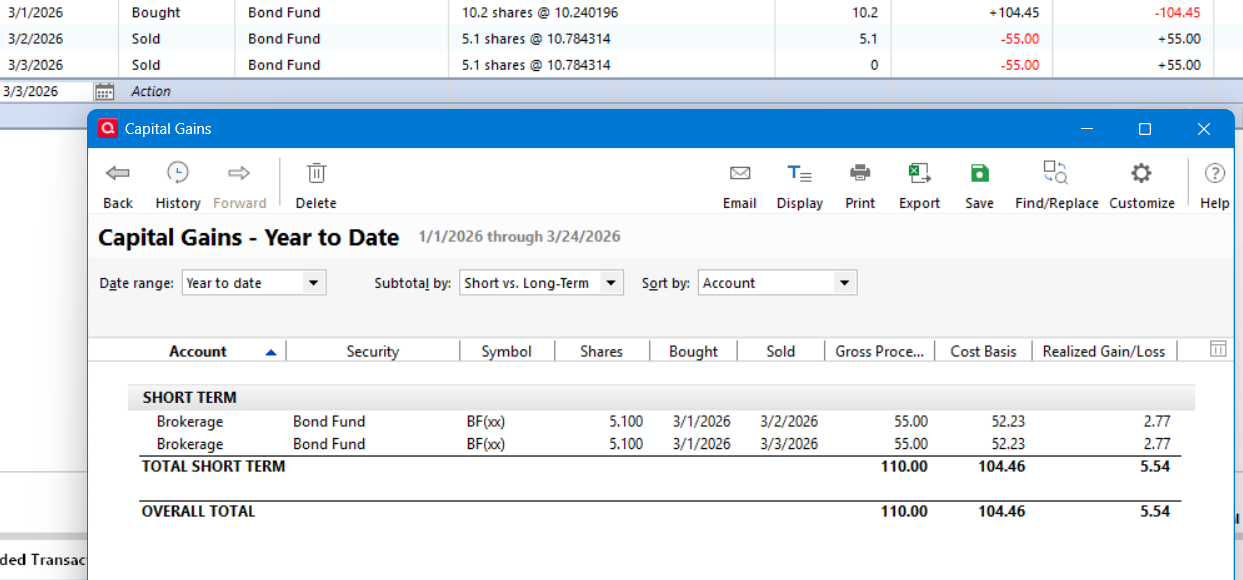
Yes this is somewhat nit-picky but is anyone else bothered by the way Quicken sums numbers in reports with respect to underlying data that may have been rounded? When dollar amounts are rounded to two decimal places but the underlying values have more precision, this results in the reported column of numbers summing to a different total than Quicken gets by summing the original non-rounded values.
For example if report amounts are say
$42.35 (actually $42.354)
$10.19 (actually $10.194)
which yield the sums
$52.54 (actually $52.548)
Using the original more precise amounts Quicken would report the sum of $42.35 and $10.19 as $52.55.
Most recently I noticed a similar effect with a Capital Gains report when preparing taxes. Setting the option to not show cents in the report rounded the values properly in the Gross Proceeds column but summed the columns using the original values, whereas the tax form sums the rounded number so the two totals did not match.
It seems to me that Quicken ought to sum the reported (rounded) values and not use the underlying amounts which had more precision. For example, I have never noticed any of my investment statements summing reported numbers this way and coming up with a different total based on what one would get by adding the individual reported dollar and cent values.