Did Merrill Lynch Retirement change the format of the transaction downloads?
I know Merrill Lynch retirement stopped supporting transaction downloads late last year. I decided to try it tonight but it saved the transactions in a different format. Purchases were showing as deposits. I have been using an Excel file to upload transactions but that is getting time consuming.
Windows Classic R66.28
Answers
-
Hello @Gryer,
Thank you for sharing your experience and for posing this question.
I have some follow-up questions for you:
- Before using the Excel file, how were you bringing the transactions in?
- Was it by using the One Step Update, or were you downloading a QFX file from the bank's website and then importing it?
- Did you add this account as new, or connect it to a pre-existing account in Quicken?
- Were you able to clean up the transactions that came in incorrectly, or are they still in your file?
Looking forward to your response!
Quicken Alyssa
Make sure to sign up for the email digest to see a round up of your top posts.
0 - Before using the Excel file, how were you bringing the transactions in?
-
Prior to the removal of the download process I used one step update to add the transactions to the register.
My desire is to link to an existing account but that account currently does not "offer" a disconnect / reset option so I added the account as new.
I have not cleaned them up as there are 132 transactions to update so they are still in my file.
0 -
Thank you for following up.
I have some additional questions for you:
- What type of account are you trying to add?
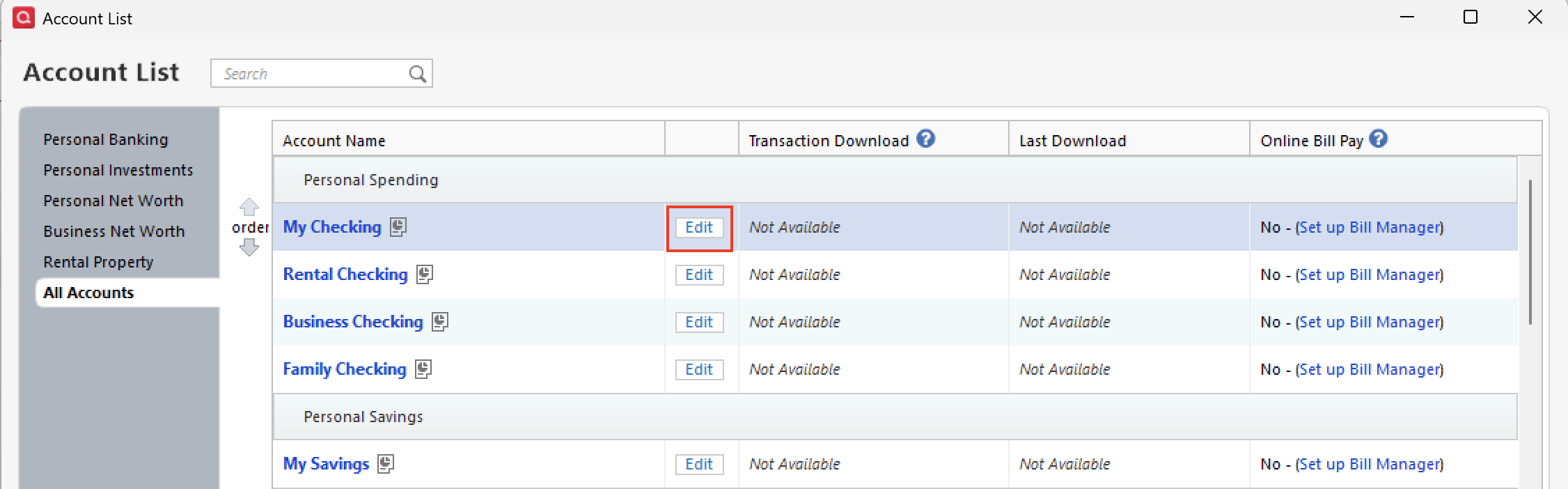
- You said there is no disconnect/reset option for this account. If you go to Tools>Account List. Then click Edit next to this account. Select the Online Services tab. What is displayed there? Do you see "Set Up Now" or "Deactivate"?
- Are the duplicate transactions in a separate account, essentially giving you duplicate accounts as well?
Additionally, screenshots of what you are seeing would be helpful. If needed, please refer to this Community FAQ for instructions on how to attach a screenshot. Alternatively, you can also drag and drop screenshots to your response if you are not given the option to add attachments.
Let us know what you find!
Quicken Alyssa
Make sure to sign up for the email digest to see a round up of your top posts.
0 -
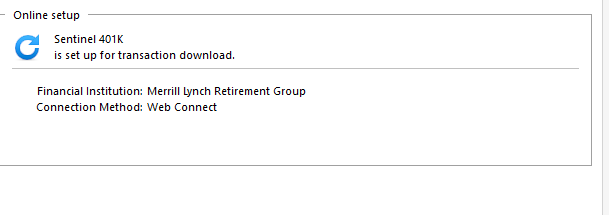
It is a retirement account. See the Online Services contents.
Right now the transactions are in a separate account (past 12 months of transactions) so they do not cause issues with my history.
The transactions for purchase of the funds come in like below. No shares, just a cash amt.
Prior to the change last fall, they came in like this:
0 -
Hello @Gryer,
Thank you for following up and providing the screenshots!
Based on what you're describing—especially with transactions importing incorrectly (such as purchases appearing as deposits and missing share information)—this can sometimes indicate an issue within the data file itself.
As a next step, I suggest that you try creating a copy of your data file which will rebuild all of the internal lists and database tables. If successful, you would then move forward with the copied file. To create a copy, please navigate to File > Copy or Backup File... > Create a copy or template (see examples below) which will also allow you to select a date range to move forward with.
If you wish to move forward with your entire data file, please check the full date range of your entire data file before copying so you can enter the correct date range if you do not wish to "shrink" your file by eliminating certain dates.
However, it's important to know that doing so will disconnect all online services in the copied file and you will need to sign back in with your Quicken ID and reconnect all of your online accounts, online billers, Quicken Bill Manager services, etc if you plan to use that copied file going forward. The reason for this is that the new copy also creates a new and separate dataset ID.
Upon reconnecting your account in the copied file, you can see if it will allow you to relink your existing account via Express Web Connect+. In which case, you should then be able to delete the separate account (if it's no longer needed).
If the issue is not resolved in the copied file either, then feel free to switch back to your original file.
Thank you!
-Quicken Anja
Make sure to sign up for the email digest to see a round up of your top posts.0