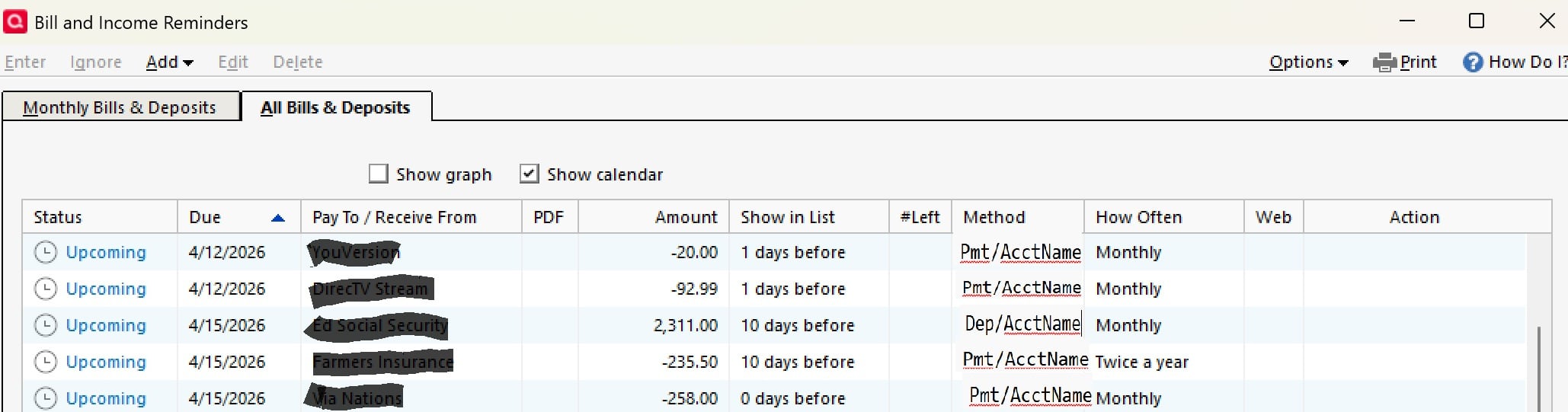
It would be very useful to be able to see both the Method (Payment/Deposit) and from/to which Account the upcoming transactions are for. Maybe adjust the Method column to show both?
For the time being, the "Account to use" is present on the "Monthly Bills & Income" tab, just not (for some unknown reason) on the "All Bills & Income" tab.
I can see the benefit but I'm not sure if there is enough real estate for adding that. I did cast my vote for it with the caveat that it can be done without removing any of the existing columns.
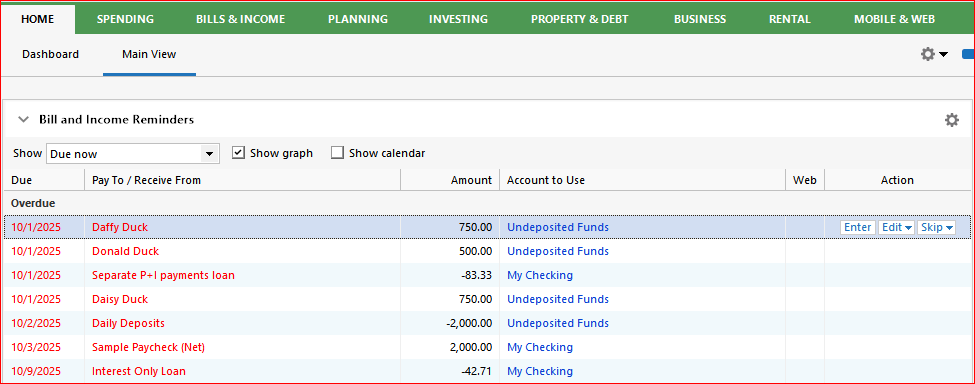
How about setting up, customizing and using a Home tab's Classic View page (not the Dashboard)? Add a Bill and Income Reminders view and use that instead of Tools / Manage Bill and Income Reminders. This view does contain a column "Account to use". Here's an example from my Test file:
Hello all,
This idea seems to have stalled, and we would like to gauge the current interest in this request. Please vote if you have not done so already!
Thank you!