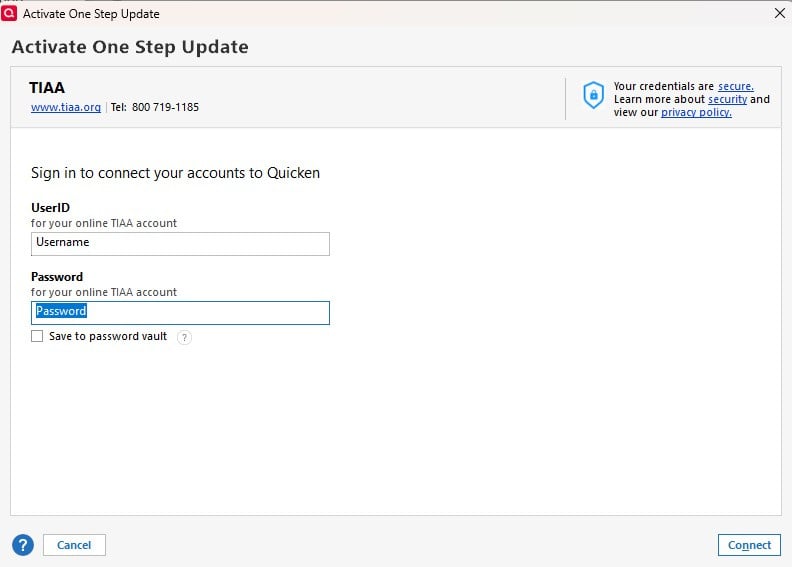
Starting either Mar 31st or Apr 1st, Quicken update transactions stated the TIAA does not recognize account. I then disconnected and when I try to reconnect Quicken asks for login information but then nothing happens with no displayed error message.
Hello @ROWBoat275,
Thank you for reporting the issues you are running into.
After reviewing your connections internally, I am unable to see a connection to TIAA. This could just mean that you are using the Direct Connect connection method.
I have some follow-up questions for you:
Additionally, screenshots of what you are seeing may be helpful. Like the screen you are getting stuck on. If needed, please refer to this Community FAQ for instructions on how to attach a screenshot. Alternatively, you can also drag and drop screenshots to your response if you are not given the option to add attachments.
Looking forward to your response!
Is there anything is the SyncLog or DataOFXLOG files that would be useful?
Thanks for the response
Richard
One more comment, accessing the account directly with a browser has no issues.
@ROWBoat275,
Thank you for following up.
When I try to connect to TIAA in my own Quicken, I do not get the same result you are seeing. That makes me think this issue is specific to your computer or your Quicken file. To determine if this issue is file-related, please try adding the account to a new Quicken file.
1. Choose File menu > New Quicken File.
2. Select New Quicken File.
3. Click OK.
4. In the File name field, enter the name of the new file, then click Save.
Don't use any of these characters: * ? < > | " : \ / (asterisk, question mark, left and right angle bracket, pipe, straight quotation marks, colon, BACKSLASH, FORWARD SLASH). Also, don't add the .qdf extension; Quicken does that for you.
5. Sign in with your Quicken ID. If you are prompted to create a Quicken ID but already have one, click Sign In under the Create Account prompt.
6. Select if you want to use Mobile.
7. Click Add Account and attempt to add the TIAA account here.
If needed, please see the article linked above for instructions on how to switch back to your original file.
Let us know how it goes!
Tried it but got same response (i.e. Nothing)
Tried a second time and got this
Went back to my original account and got nothing trying twice
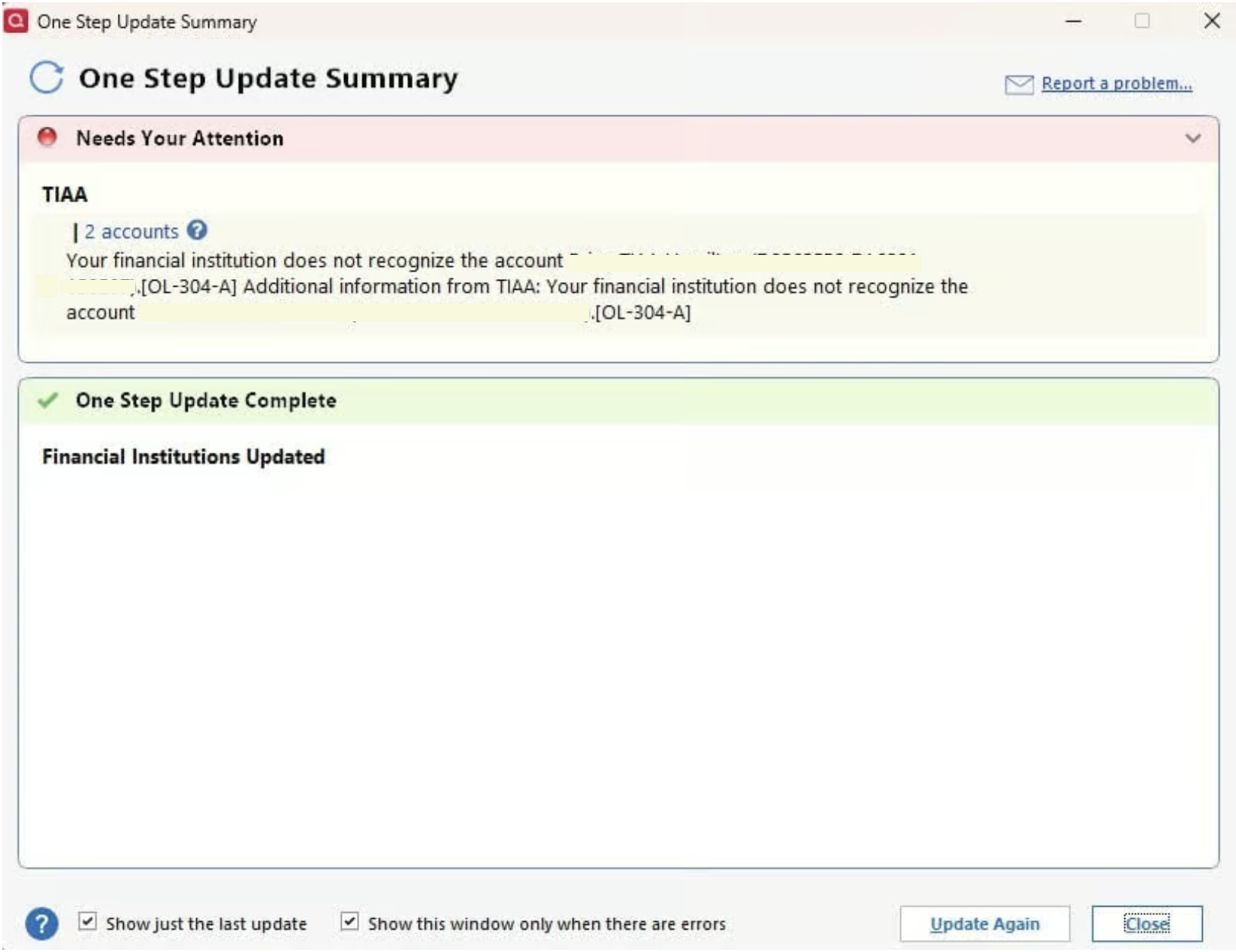
I restored a Backup File from Mar 28th and tried to update TIAA and got the following error
[Edited-Screenshot]
Thank you for testing that out.
The OL-304-A error you are seeing after restoring a backup is a Direct Connect error.
I checked your attempts to connect these internally, and I can see you got other errors when trying both TIAA Brokerage and TIAA instances.
I am thinking that the various errors indicate an issue with the financial institution. We do have an Open Alert for this bank. You are not getting the same error, but this could all be related.
Due to the nature of this issue, it is recommended that you contact Quicken Support directly for further assistance, as they can walk you through troubleshooting steps in real-time and escalate the situation as needed.
Thanks again!
As of 5 minutes ago the issue has been resolved and I can now download from TIAA again.
Thank you for letting us know you can now download from TIAA.
If you need more help, let us know!
ROWBOAT may be OK, but I'm still getting no joy on connecting to TIAA. I get various error messages like "oops, did you mistype" or you need a Direct Connect login from TIAA. I can log into their website with those credentials with no problem. And could download last weekend.
[Edited-Readability]
@NebularNovice,
Thank you for adding to this discussion.
I reviewed your connection attempts internally, and it appears you are getting a CC-503 error when trying to connect to TIAA. This error occurs when your financial institution tells Quicken that your login credentials are incorrect.
To resolve this:
Please open the support article linked above and follow the remaining steps in order.
Please reach out to Quicken Support.
Thank you!
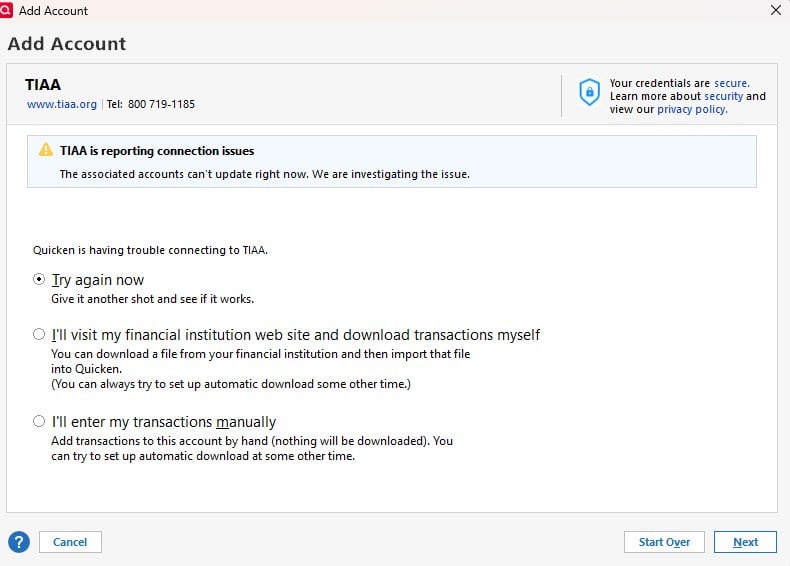
I had to skip some of the steps because my accounts are no longer connected. I did the setup and entered the correct password, but was just told TIAA is reporting connection issues. I have no problem accessing the TIAA website directly with the password.
I guess I'm down to the last step: calling support.
Thank you for following up!
Great job going through the steps. Yes, the next step would be reaching out to our support team. They will do some additional troubleshooting steps with you, and then they can process an escalation if that ends up being necessary.
I called support yesterday. They did not have an answer, told me I would hear results by email.
Thank you for providing this update.
I can see the ticket for your recent interaction. It looks like they determined this was related to the Open Alert we have for this financial institution.
We do not have an ETA as to when this will be fully resolved. To be notified of updates or changes to this issue, ensure you have the alert linked above bookmarked.
[Ticket#12355999]
Thanks for the followup. I have the link bookmarked.
Ironically this problem is less of an issue than with some other financial institution because of the strange way TIAA treats TIAA Traditional: they just increase the balance continuously without reporting any transactions, as most similar accounts do monthly. This means I have to enter many of the "transactions" manually even when the download is working.
Thank you for providing those details.
Interesting that even when the downloads are working properly, transactions still don't download. At any rate, I do hope this issue gets resolved soon for everyone being affected.
The issue is that TIAA thinks there is no transaction, just a continuously increasing balance, The download has a balance, but accepting the download does not show the new balance. I have found that I can delete the downloaded "transaction" to show the difference between the online balance and the Quicken balance. I enter a reinvest transaction for that amount.
TIAA does show a few transactions at quarter end when TIAA makes adjustments to fees it charges us by adding or deducting shares. Those are mishandled. E.g., a credit will show up as bought shares, thereby incorrectly a decrease in cash. I convert them to added to show no cash was used.
There have to be a number of us facing these issues. Maybe I should start a discussion of how to use Quicken to record TIAA Traditional investments.
I emphasize I am talking here only about TIAA Traditional. Other investments held in a TIAA account do not act the same way.
@NebularNovice
The problem with TIAA Traditional downloads has been around for years. Each time I do a One Step Update, it downloads a Shares Added with zero shares. But if I do a Reconcile Shares, it reports the correct number of shares I hold and the difference between that and the number of shares in Quicken.
Here is how I work around this issue:
In Edit > Preferences > Downloaded Transactions, I have the account set to Compare Portfolio after download.
I do not include the TIAA account in the OSU setup.
At the end of each month, I click on the gear at the top right of the account and select Update transactions. This downloads an Add of zero shares for TIAA Traditional. I accept this. When I click on Done, it reports a discrepancy in the share count for TIAA Traditional of say xxx.yy shares. I note down this value.
I edit the Added transaction to make it a ReinvDiv of $xxx.yy purchasing xxx.yy shares.
As a check, I click the gear and select Reconcile shares and verify that it says there is no discrepancy.
This is certainly annoying and I wish TIAA would fix it. Part of the issue is that they declare the reinvestment daily, and I don't think anyone wants to record 30 ReinvDivs each month. If you don't want to use the workaround, I suggest you contact TIAA and see if you can get them to fix it, perhaps by just downloading one ReinvDiv at the end of each month.. If you can get TIAA to fix this issue, you will be doing us all a big service.
Thanks, Jim. I think my method is a variant of yours. The main difference is that I have to add a reinvdiv transaction instead of changing the amount of an existing one. My situation is made messier because I have one account in Transfer Payout Annuity, which does not get downloaded at all, even when downloads are working. I'm not sure whose fault that is.
I won't hold my breath on getting TIAA to fix anything. I have had enough trouble getting them to fix stuff which is truly incorrect. Their documentation is frequently quite inadequate, sometimes misleading. I think some of their procedures and computations are made more complex than necessary, hoping we will not understand them.