Manual Patch Update - needed if already at that version?
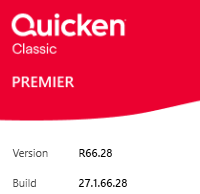
I'm being told by Support to download and install QW27.1.66.28MPatch from the Manual Patch Update page. However, I'm already at the latest version 66.28. What's the difference? The support person declared confidently it would fix the known bug, but there is nothing in the release notes that talks about the issue I'm having.
Comments
-
A re-install of a release is sometimes suggested to make sure that there is nothing with the original patch install.
There is no harm in running it again, just make sure that you get it from Quicken.
-splasher using Q continuously since 1996
- Subscription Quicken - Win11 and QW2013 - Win11
-Questions? Check out the Quicken Windows FAQ list0 -
That would make sense if the issue started with the most recent release installation, but it started months ago. Also, I've demonstrated that the bug is data dependent. That is, I can open a database from before the behavior began and it works as expected.
If he had said, this was an instrumented build that could detect issues that an automated update version could not, or something like that, I'd go along with it. But this wasn't the case, and he couldn't tell me why he thought it would fix the issue, or why there was nothing in any release notes related to it. In other words, he was just following a script rather than make any effort to analyze the situation I was inquiring about.
For the record, though, I did apply the manual update, and it had no impact on the problem reported.
0 -
What's the specific issue, the specific post, that you're referencing?
Q user since February, 1990. DOS Version 4
Now running Quicken Windows Subscription, Business & Personal
Retired "Certified Information Systems Auditor" & Bank Audit VP0 -
This one:
But if you have anything to add on the actual issue, please comment there (as you already have). This post is totally regarding the question of what value there is to upgrading via manual patch when automatic patch has already done it.
0 -
Have you tried installing the manual patch and then opening the last known good backup data file and just updating the data to bring the file up to date?
For years I would let Quicken update from within Quicken. No more… I always do a manual update only after the update has been out for long enough to show it has no issues. Works for me. I just did a manual update for R66.28 without issue.
Windows 11 (2 separate computers)..... Quicken Premier.. HAVE USED QUICKEN CONTINUOUSLY SINCE 1985.
0 -
This behaviour started several months ago. I've been through a dozen updates since then. I can bring back a data file from three months ago and the issue doesn't occur. Re-entering three months of transactions would be impractical, and since we don't know what the problem is, would likely not change anything.
Off-topic, but I note that several of us in this thread are long-time users. I believe I converted from Andrew Tobias Manage Your Money to Quicken in the late 1980s.
0 -
I guess you have also uninstalled Quiucken and reinstalled it….
Windows 11 (2 separate computers)..... Quicken Premier.. HAVE USED QUICKEN CONTINUOUSLY SINCE 1985.
0