Anyone have a functioning Wells Fargo Credit Card eBill and account register?

Bob.
Bob. Quicken Windows Subscription Member ✭✭✭✭

Here's the story:

For the longest time Wells Fargo Visa would not work as my Checking is Direct Connect (and MUST stay that way for Wells bill pay) and the Visa required Quicken Connect.

A few months ago I chatted several with a great support person who pointed me to Wells Fargo Credit rather than the Wells Fargo bank to activate downloads for the Visa and it worked like a charm! My memory being what it is, it might have been Wells Fargo Card Services, but I think credit.

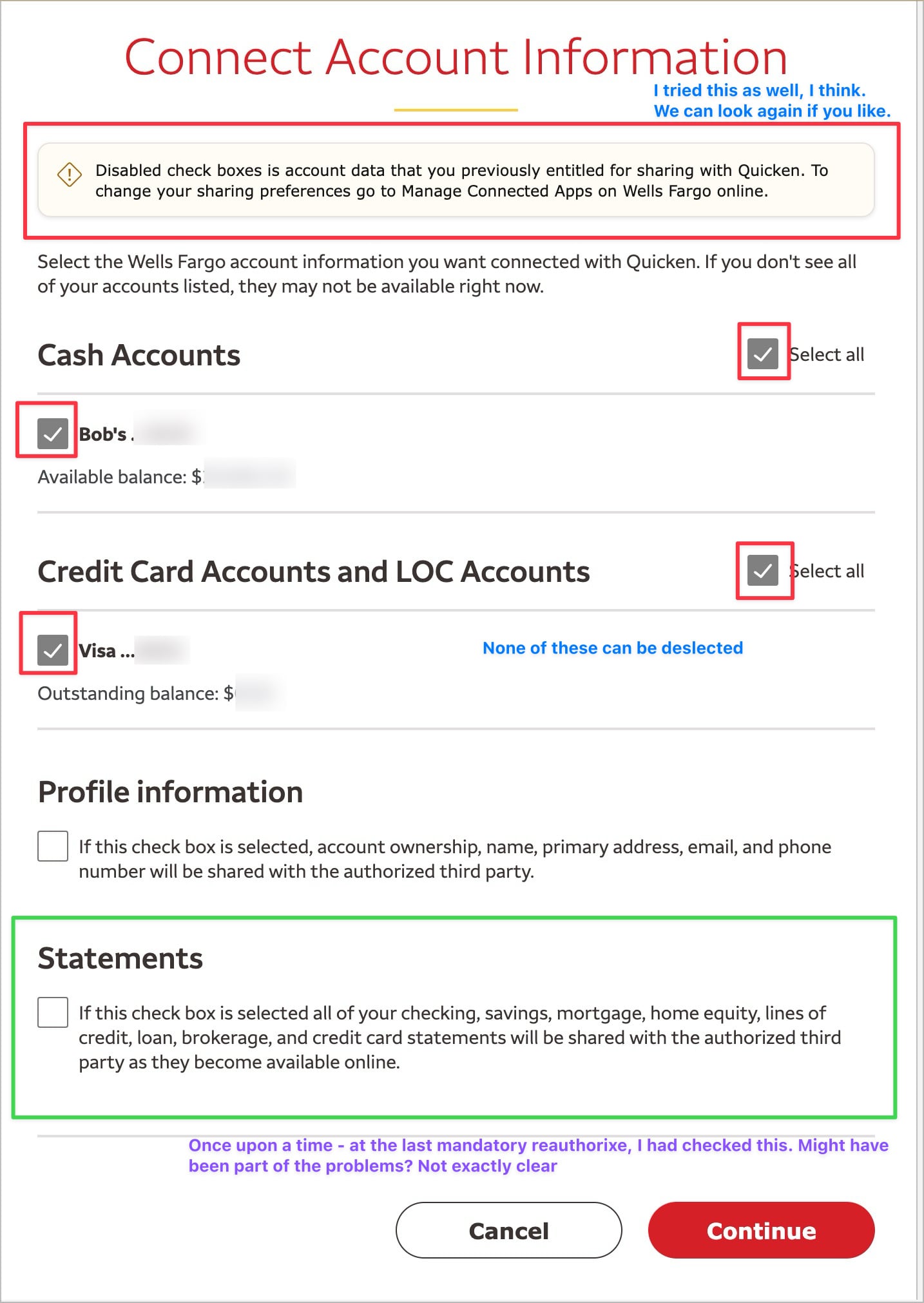
A week ago or so, Quicken reported I need to reconnect to Wells Visa and I did. Its odd, that to do that I had to also check my checking (which is direct connect) and the check box could NOT be cleared. Pre-checked for me. I reconnected and linked to existing for the Visa.

Then EVERY new CHECKING transaction ALSO showed in my VISA register!!! I had to keep deleting them. Really. A Paid check, new deposit - all duplicated in the Visa register.

So I disconnected the VIsa, went to reconnect and again, cannot uncheck the Checking when trying to reconnect the Visa under Wells Fargo Credit. And I also cannot link to existing any longer.

Checking seems to be working just fine and is Direct Connect. My hunch: Wells did something odd and for Credit Cards have them incorrectly linked with Checking and this all happened with their required "reconnect accounts".

Anyone having this work right now? Especially if Checking Direct and Credit Card Quicken Connect? And if so for credit card, what is that connected to for online services?

Thanks.

Answers

  • Quicken Kristina
    Quicken Kristina Quicken Windows Subscription Moderator mod

    Hello @Bob.,

    Thank you for reaching out! To clarify, when you say you can't uncheck the Checking account, is this on Wells Fargo's website, in Quicken, or both?

    I look forward to your response!

    Quicken Kristina

    Make sure to sign up for the email digest to see a round up of your top posts.

  • Bob.
    Bob. Quicken Windows Subscription Member ✭✭✭✭

    Hi @Quicken Kristina Thanks for asking.

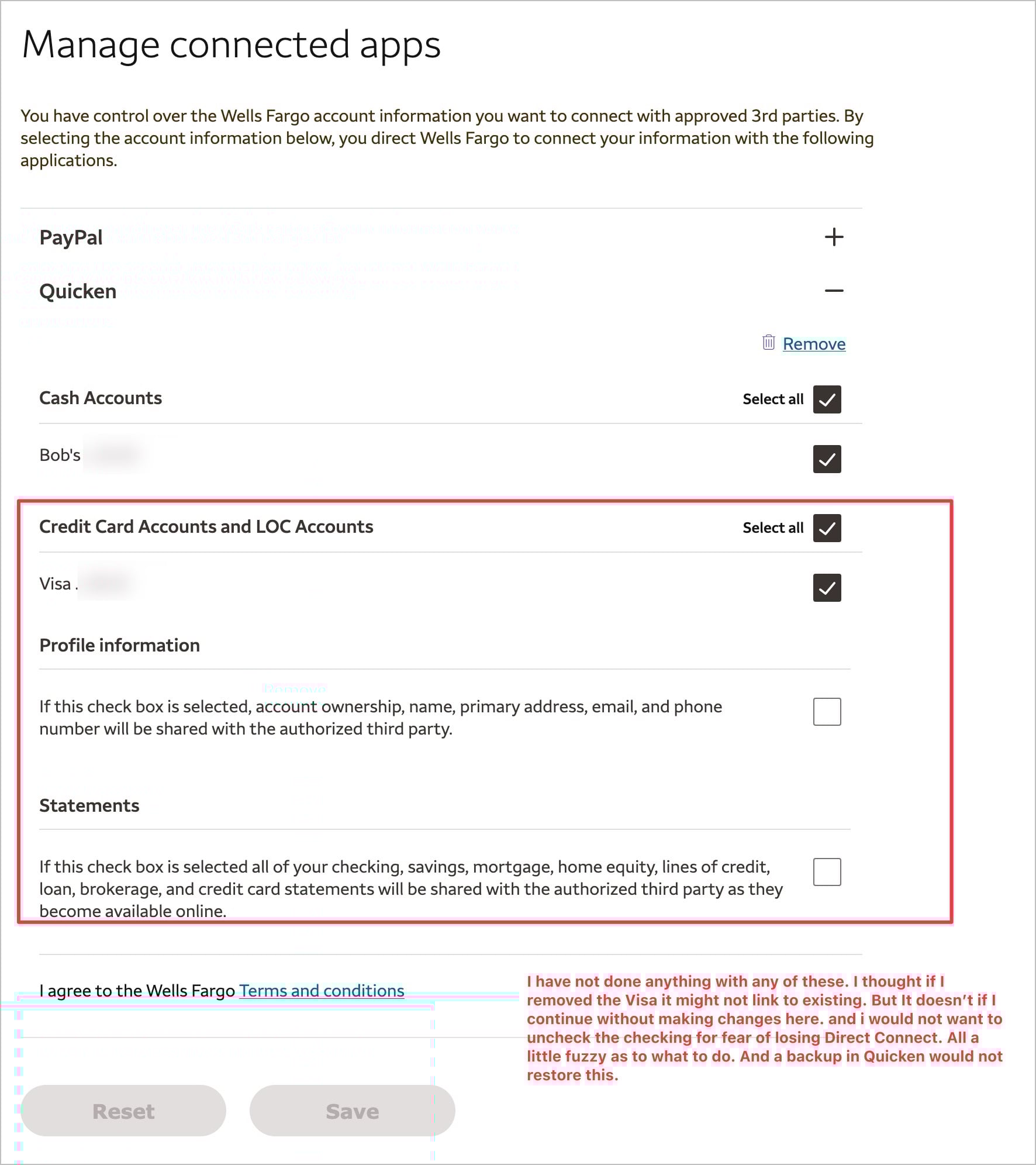
    When "connecting" Wells to Quicken, on the Wells pages in my browser the dialogs ask what accounts to connect via Quicken Connect and nothing there can be unselected. So Checking and Visa are both connected. Some reference to these have previously been approved to connect to Quicken.

    The Wells for Credit Card seems to be Credit, not Card Services. As mentioned this worked several months ago and only started odd behavior when Quicken required me to reauthorize.

    Since posting i have tried several times and cannot connect the VISA no matter what I do - unless I want to add it as a new account. "Link to existing is grayed ou"t for BOTH checking and Visa.

    Hope that helps a little more.

  • Quicken Kristina
    Quicken Kristina Quicken Windows Subscription Moderator mod

    Thank you for your reply,

    If the option is greyed out, it may be because Quicken thinks the account you want to link to is already connected. If you haven't done so already, please navigate to Accounts>Hide and Show Accounts…. From that screen, you can confirm if the accounts are connected (if they are, you'll see the financial institution listed in the Financial Institution column). I also recommend making sure no duplicates got added as new.

    If you're willing, please provide a screenshot of what you're seeing when you try to link the accounts. Make sure to redact any personal information and partial account numbers. If needed, please refer to this Community FAQ for instructions on how to attach a screenshot. Alternatively, you can also drag and drop screenshots to your response if you are not given the option to add attachments.     

    I look forward to your reply!

    Quicken Kristina

    Make sure to sign up for the email digest to see a round up of your top posts.

  • Bob.
    Bob. Quicken Windows Subscription Member ✭✭✭✭

    I'm good on Hide/Show. Only real things. The Visa does not show an FI while Checking does. And my "trials" did add the Visa as a new account which I immediately deleted. It does not show in accounts.

    Not sure exactly which screen shots you would like, Kristina. There are many steps in this process. And I am concerned about breaking the Direct Connect for Wells Checking as that is my main account and pays all my bills! I would sooner cancel the Wells Visa than risk that. But ideally would like to get it working again.

    I am confident that whatever triggered the reauthorize started the issue. Whether a change at Quicken or Wells. Then I suspect when I did successfully reconnect via Quicken Connect AND Both Checking and Visa were selected is when the checking transactions started appearing in BOTH checking and Visa registers. I know, that seems impossible, no?

    But since I disconnected Visa online services and tried to reconnect I cannot even get back to that point again.

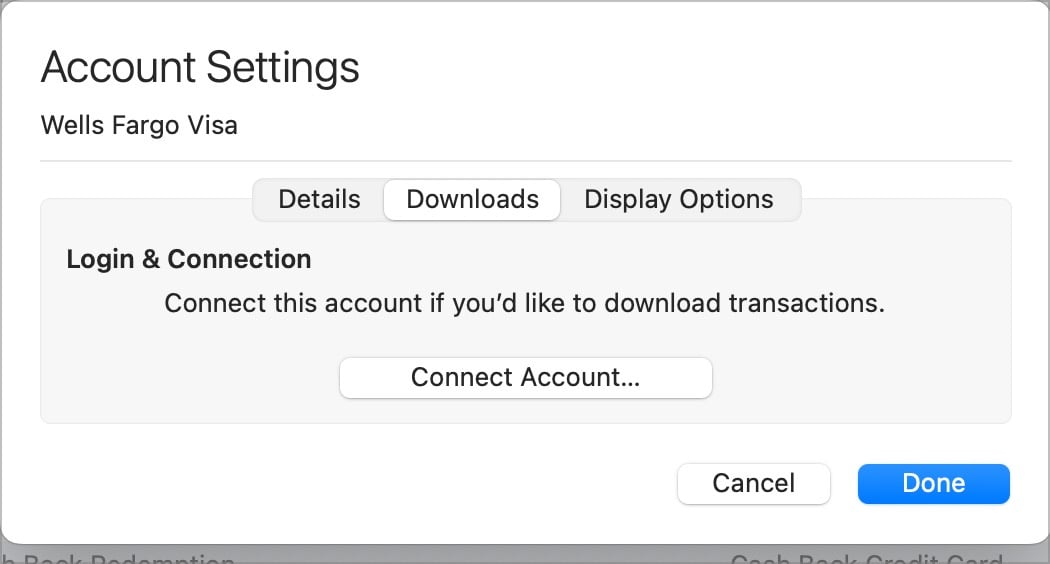
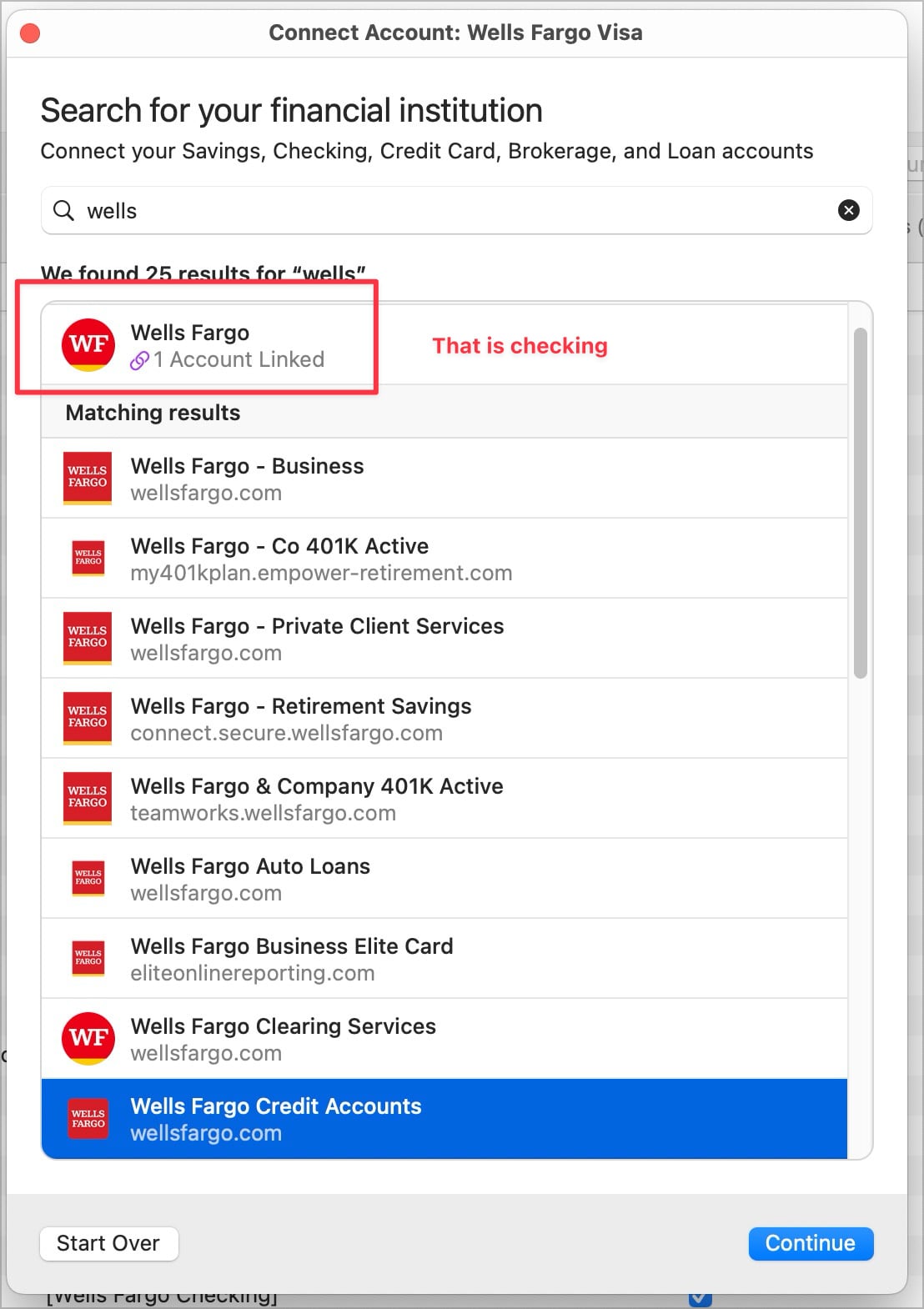
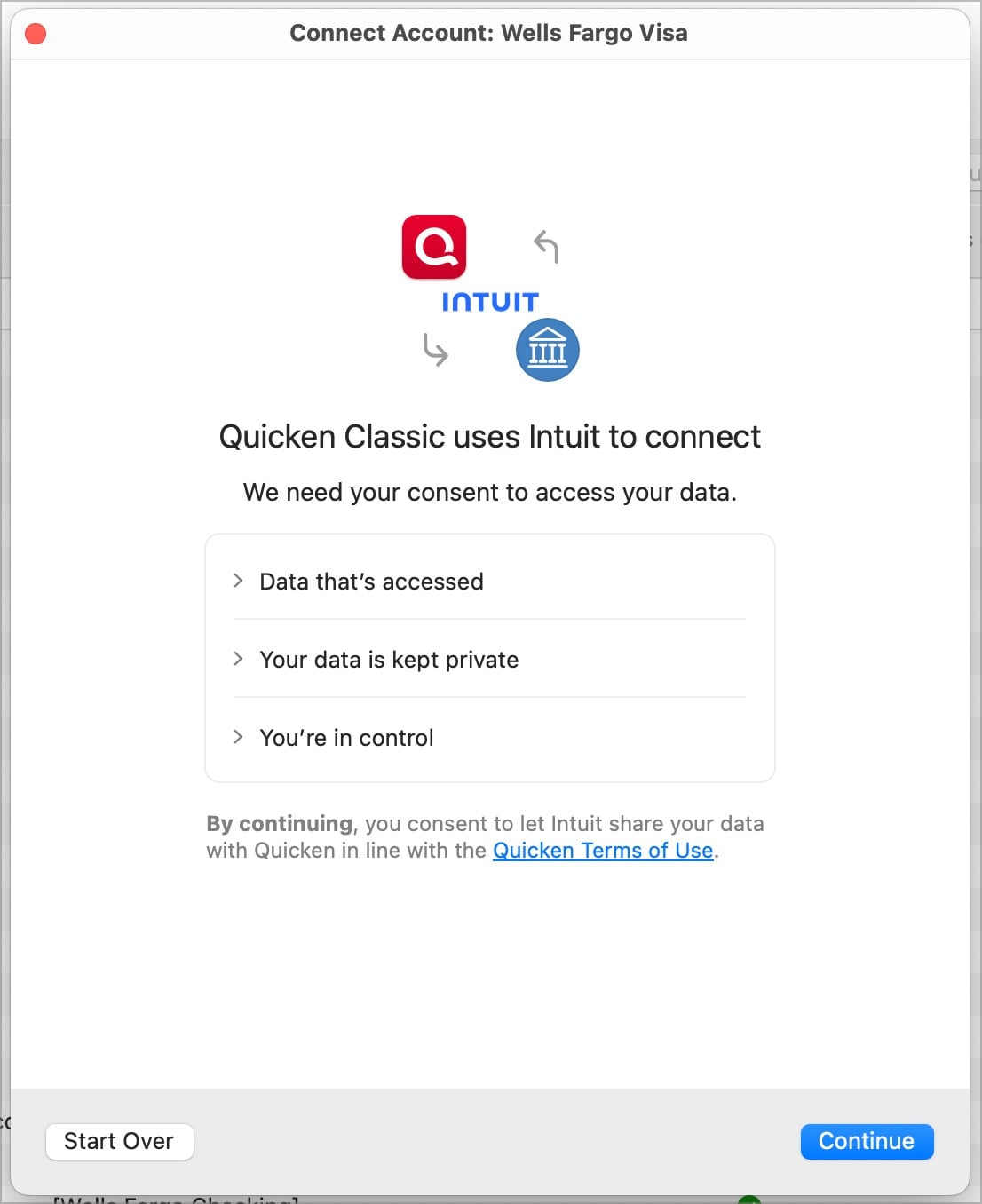
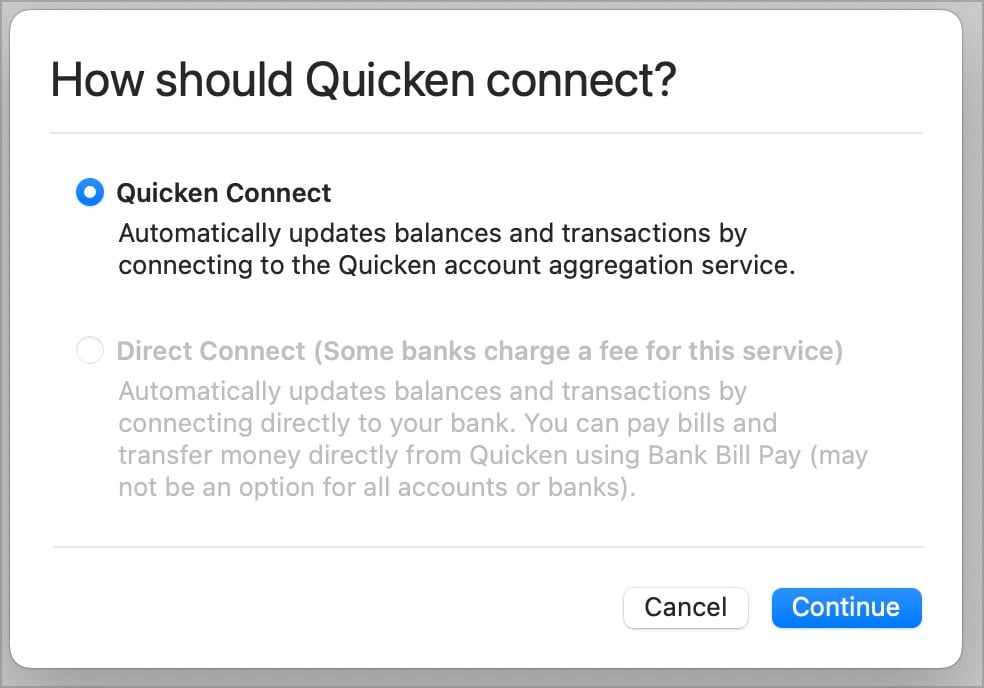
    So, if you feel confident that a backup will bring me back to where I am now I will try the entire process and screenshot any you would like. For example

    CleanShot 2026-04-04 at 20.11.24@2x.jpg CleanShot 2026-04-04 at 20.12.24@2x.jpg CleanShot 2026-04-04 at 20.13.34@2x.jpg CleanShot 2026-04-04 at 20.14.09@2x.jpg CleanShot 2026-04-04 at 20.19.03@2x.jpg

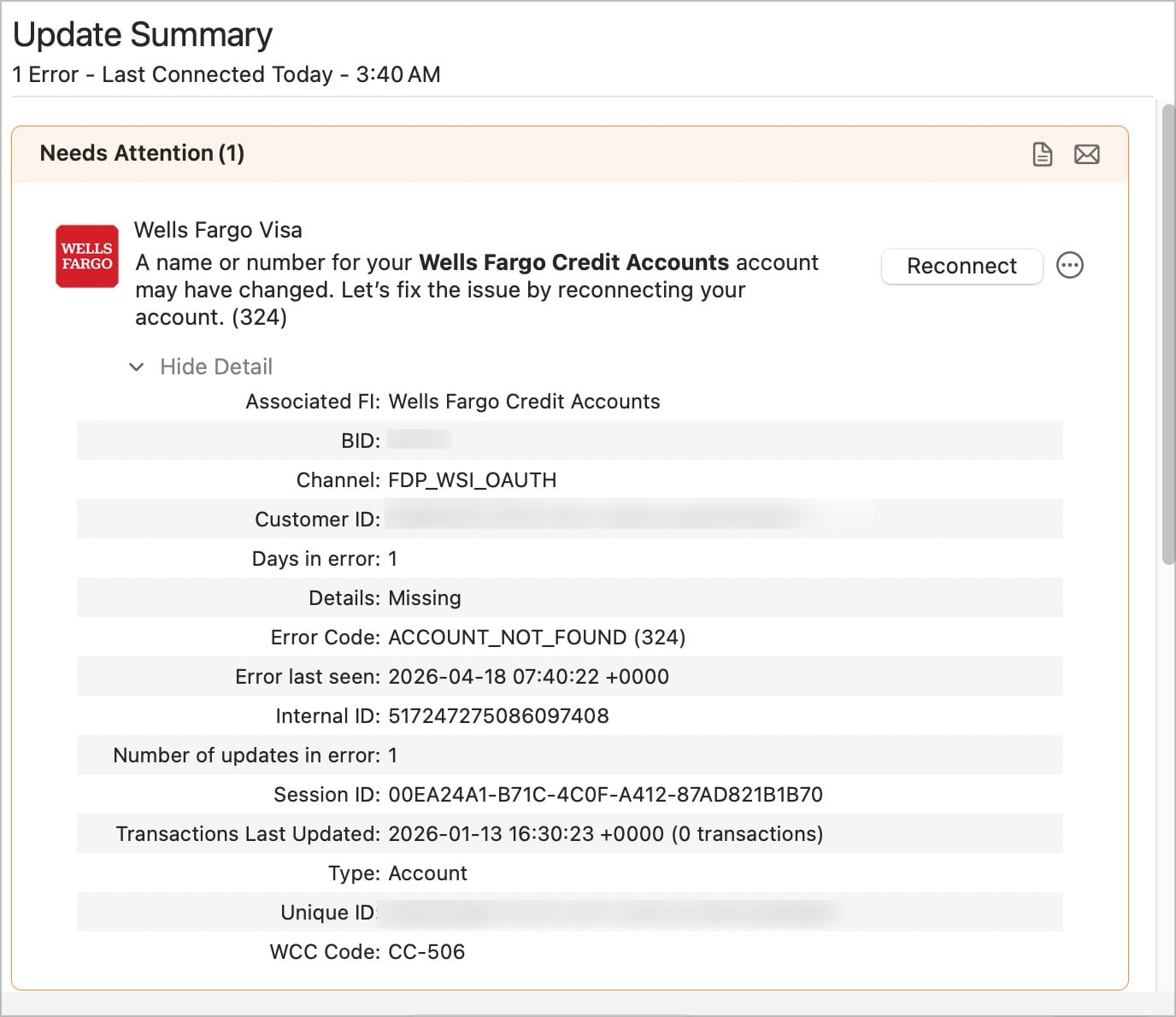
    I'm stopping there for now. Again, low risk tolerance. But the connected services follows:

    CleanShot 2026-04-04 at 20.26.15@2x.jpg

    I got carried away. Maybe something above will help. Again, do not want to risk Checking going Quicken Connect. I do not recall the firsyt time I did this months ago that BOTH accounts were in these dialogs triggered by Online Service in VISA to Quicken Connect.

    Thanks!