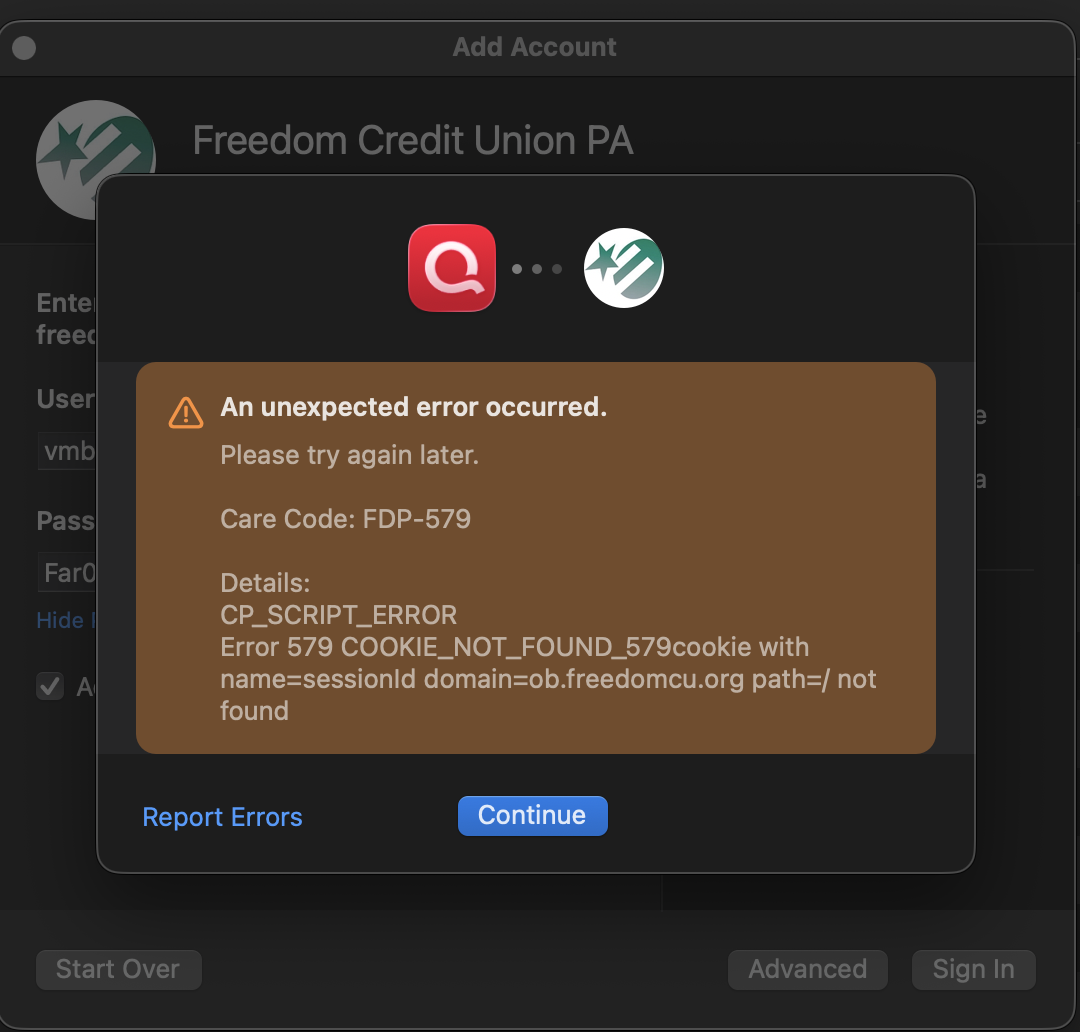
Freedom Credit Union Website updated and broke one-step-update
FYI: Freedom Credit Union PA updated their website over the first weekend of April. This has resulted in breaking the one-step-update option in both Quicken for Mac and a sandboxed version of Quicken for Windows. On the Mac side, the resultant error is as per the attached screenshot below
Comments
-
Have you tried this yet?
If your bank recently changed their website or password requirements please read and follow instructions here:
For online billers please see if you can manage (remove and re-add or repair) the online biller, to see if their profile has already been updated.
If that doesn't resolve the issue:
- It is the bank's or biller's contractual obligation to notify their Quicken download service provider, Intuit Inc., of any changes to their websites and download functions in a timely manner before the change is implemented. Intuit needs a sufficient amount of lead time to review, change and test their programs, to adapt to the changes the bank makes.
- The bank also needs to notify their customers of this change in a timely fashion and provide instructions for any actions that might be required by the customer to regain access after the change was introduced.
- If they didn't do that, complain to your bank's or biller's office of the president.
- You also need to contact Quicken Support via phone at during posted hours of operation and report this as an Online Banking issue, so that Quicken Support can escalate this issue to Intuit Inc. Ultimately, however, the bank or biller must initiate the call and work together with Intuit on solving this update issue.
Please let us know if you were able to get this issue resolved (or not).
[Edited - UKR: Removed obsolete link to Mac instructions above]
0 -
Quicken support was notified - and a ticket has been produced. (FYI: This link for mac is invalid: . I have also reached out to the bank.
Interestingly, as of this morning, the error has changed:Just for clarification, I have attempted the following remediation steps on my end 1) Deleted the Keychain for Freedom Credit Union manually. 2) Deactivated every account with this bank 3) Shut down and restarted Quicken 4) Attempted a fresh add account for one-step-update. The error persists.
0 -
Sorry about the bad URL in my comment. I've updated it as well as my notes for future reference.
Thanks for letting me know.Time to contact both Bank management as well as Quicken Support, as noted above, to get the ball rolling.
0 -
Hello @Jordbarnet,
Thanks for posting these details. The FDP-579 error falls under Quicken’s Financial Data Platform (FDP) connectivity errors, which generally mean Quicken is being blocked from connecting to the bank on the bank’s side.
As explained in this support article, FDP errors like FDP-579 occur when the FDP service cannot retrieve transaction data from the financial institution. This is most often caused by:
- A temporary outage or maintenance on the bank’s servers
- The bank blocking or limiting third-party aggregation traffic
- Security or API changes made by the bank
What to do
- Wait 24 hours and try updating again.
- If the error persists after that window, contact Quicken Support and report:
- Error code: FDP-579
- Institution: Freedom Credit Union PA
Support may need to review your logs to determine whether this is a bank-side block or a connectivity issue that needs to be escalated.
Unfortunately, there isn’t a user-side fix for this error—it requires either the bank or an escalation on our end to resolve.
Hope this helps!
-Quicken Anja
Make sure to sign up for the email digest to see a round up of your top posts.0 -
Thank you for your help! Also - similar error on Windows side: cc-501. I contacted support and have a ticket open
1 -
Thank you for following up.
We are happy to hear you contacted support and got a ticket opened for this issue.
If you need more help, let us know!
Thanks again!
Quicken Alyssa
Make sure to sign up for the email digest to see a round up of your top posts.
0