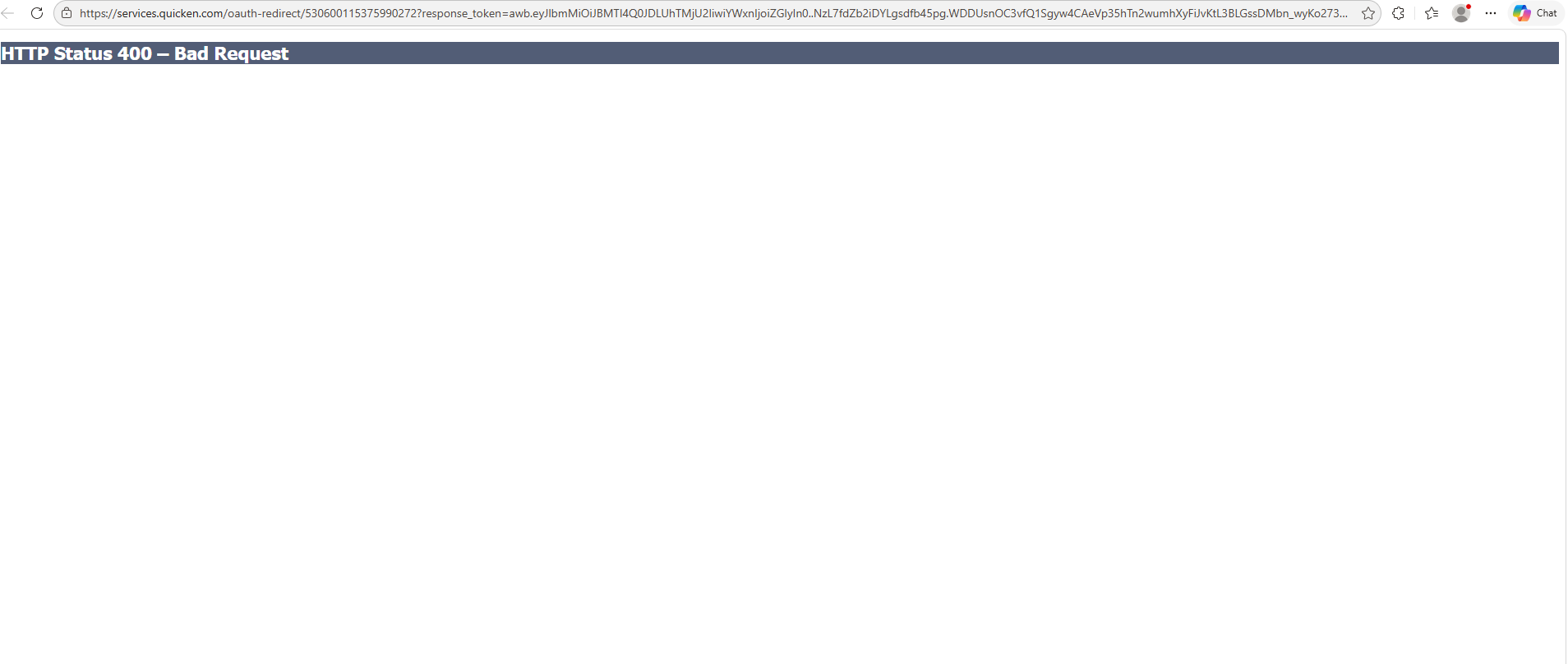
This morning BOA requested I re authorized my account. During the setup process when I selected all accounts and entered, I got a 404 page can't be found. This is the last of my banks that work with Querken.
Hello @jralyea,
Thanks for reaching out!
Just to clarify what’s happening—are you receiving the 404 error inside the Quicken program itself during the reauthorization flow, or does it occur after Quicken redirects you to your web browser to complete the Bank of America sign-in/authorization step?
If you’re able to, please also attach a screenshot of the error page so we can better pinpoint where the issue is occurring and what step is failing. If needed, please refer to this Community FAQ for instructions on how to attach a screenshot. Alternatively, you can also drag and drop screenshots to your response if you are not given the option to add attachments.
Once we can confirm where the breakdown is happening, we can point you in the right direction for next steps.
Thank you!
This happens inside the Quicken program just after I sign in to BOA and select the accounts I want to share.
@jralyea Thanks for the clarification and for providing the screenshot!
Based on what you shared, it looks like the error is actually occurring in the Chrome browser window that opens during the authorization process (even though it’s launched from Quicken). This helps narrow things down a bit.
A 404 error at that stage typically indicates the authorization page isn’t loading properly after the account selection step.
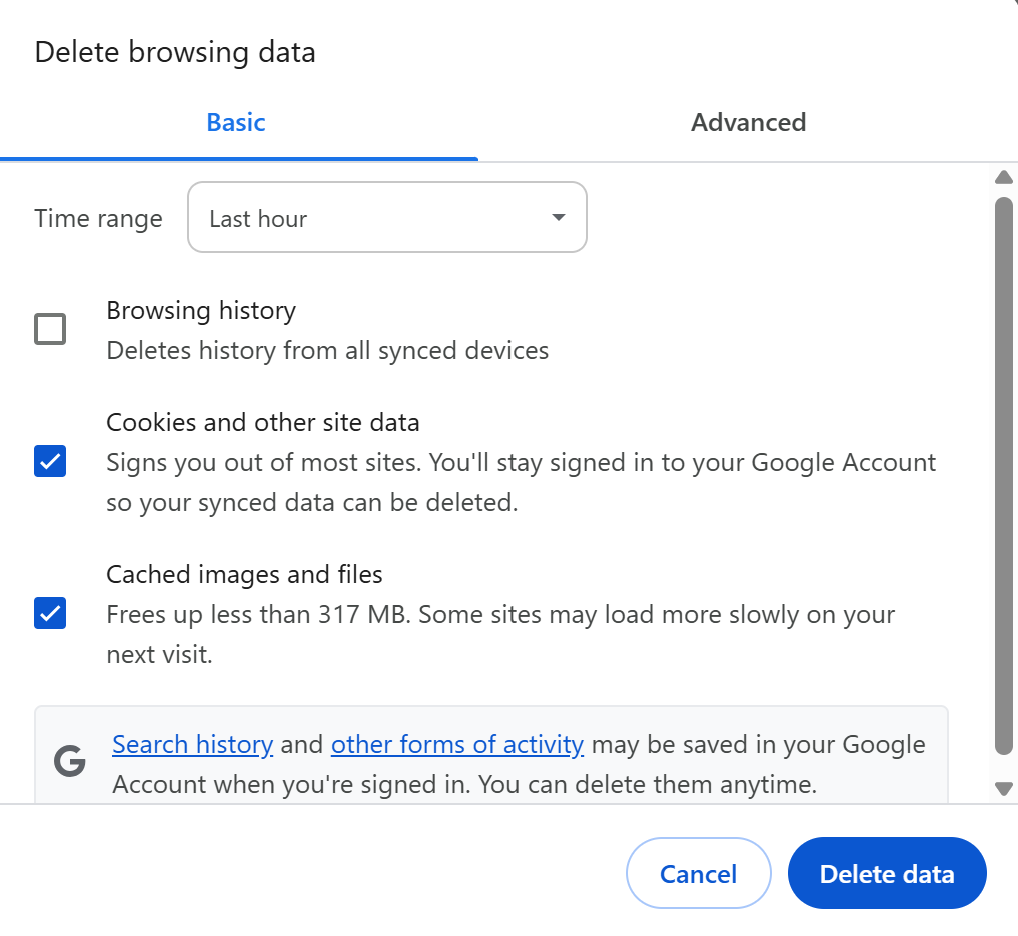
I’d suggest trying the following:
2. Confirm no browser extensions are interfering
Ad blockers, script blockers, privacy extensions, etc., can prevent the redirect from completing.
If you use extensions, try temporarily turning off any security/privacy extensions before retrying.
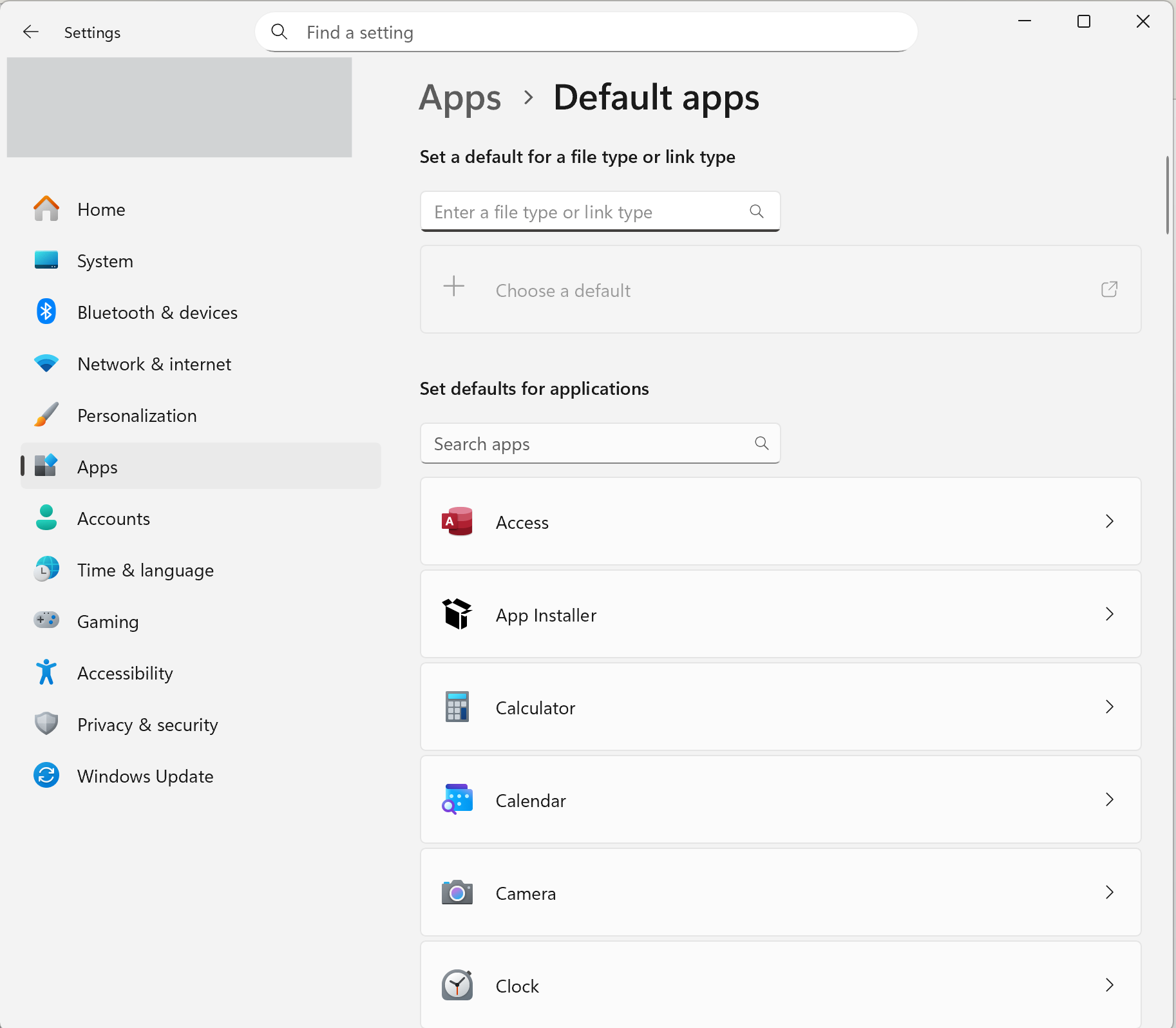
3. Test the reauthorization using a different default browser temporarily
Even though Chrome is generally the most compatible, switching the default browser just for the reauthorization can help identify whether the issue is tied specifically to Chrome’s handling of the redirect on your system.
If you’re willing, try setting Microsoft Edge or another browser (avoid Brave or DuckDuckGo) as the default browser:
After doing that, go back into Quicken and reattempt the authorization.
If the page continues to throw the same error even in a clean browser session, that points to an issue on Bank of America's side with their authorization service, and you may need to wait and retry later or contact Bank of America support directly.
Hope this helps!
I will try that but I just tried to setup Paypal and several other accounts same issue.
Thanks for those additional details, that's helpful to know!
If you’re seeing the same 404 error when trying to authorize multiple financial institutions (not just Bank of America), that points more toward a browser/authorization flow issue on the system rather than something specific to one bank.
Please still continue with the troubleshooting provided above. If the issue continues across multiple banks even after trying a different browser, the next step would be to contact Quicken Support directly so they can investigate further and escalate if needed, as that would indicate a broader issue with the authorization process.
Please let us know how it goes after trying those steps!
Thank you Anja, your magic solved the problem.
A+++ customer support
@jralyea Thanks for following up and confirming! Glad to hear that solved the problem for you.