Add Setting to STOP Monthly Budget Amount from automatically changing to Actual Amount at EOM (Q Mac

PSmacintosh2
PSmacintosh2 Quicken Mac Subscription Member
edited April 15 in Budget and Planning Tools

I'm astonished at how Budgets in Q for Mac are now operating: that at the end of each month the Budget Amount gets automatically removed forever and changed into the Actual Amount spent/earned in that category.

I want to be able to look back at the prior months of the year and see how my Actual Monthly Income & Expenses measured up against my Planned Budget for that category in those prior months. Was I successful in meeting my budget or not? I don't want that information to disappear and get wiped out in an irretrievable fashion!

There must be a LOT of people that want to have the Budget Amount remain FIXED, like I'm describing! Am I right?

In fact, I can't see any reason at all why I would want the Monthly Budget Amount to change once the month is past. (There must be some reason someone thinks it's a good idea …. because that's the way Budgets has been programmed to operate.) But please don't explain this "reason" to me, because I'm not interested in having it operate that way at all: I think that method sucks. If it is such a vital need for some people to have the Budget Amount wiped out, then allow us to have a CHOICE as to which method we would like to have for ourselves by making this behavior controllable by a SETTING (or maybe a TOOGLE switch).

A BUDGET AMOUNT that disappears on you is …… well, ridiculous. Sorry to have to be so blunt!

Right now, your entire Budget Section is worthless to me!


How long is it going to take to fix this basic fundamental problem in Budgets!?! Please give me a timeframe on this. (It can't be that hard to fix.)


1
1 votes

Reviewed · Last Updated

Comments

  • jacobs
    jacobs Quicken Mac Subscription SuperUser, Mac Beta Beta

    @PSmacintosh2 I'm not observing anything like what you're describing. Are you saying that at the end of each month, the budget amount for each category is changing to be the actual amount? So you see budget and actual amounts which are the same, in every category?

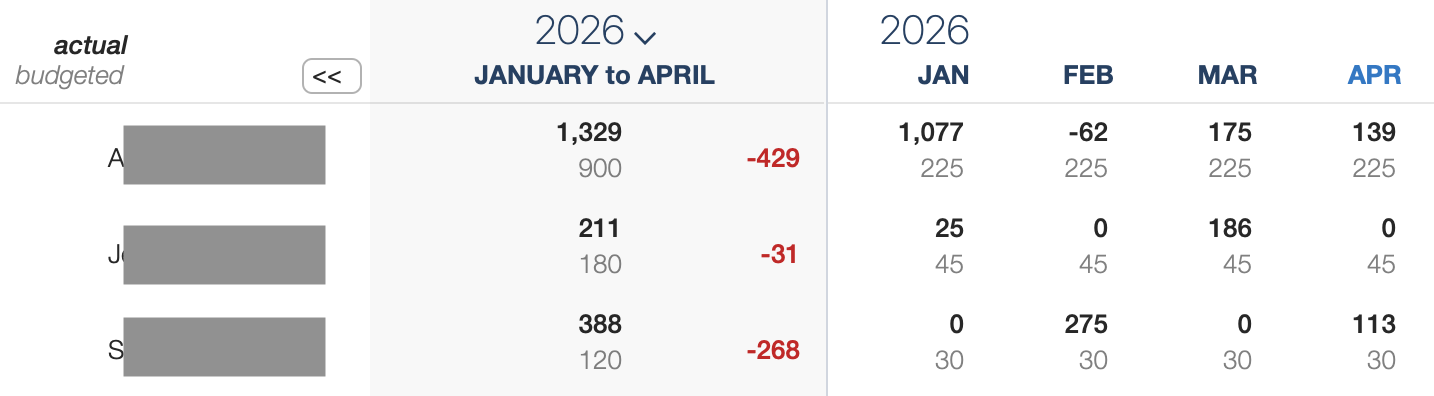
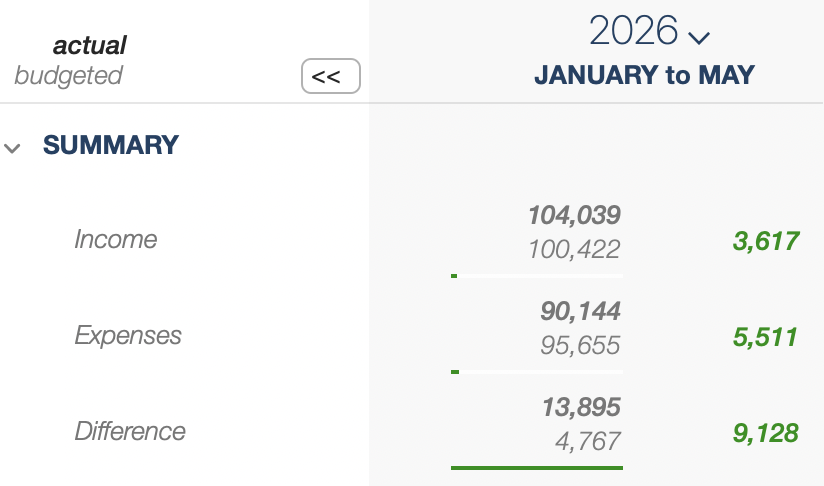
    When I look at my budget, the values for the budget amount and actual amount are different. I don't know if you have your budget configured to use side-by-side or stacked view, so here are screenshot of both formats for three categories in my budget so far this year:

    Screenshot 2026-04-16 at 11.11.00 AM.png Screenshot 2026-04-16 at 11.11.48 AM.png

    In either view, you can see the actual values, in bold, compared to the budget values (in gray) underneath or to the right of the actual. In no place has the budget amount been reset to be the actual amount. Budget amounts never change unless you go to the Edit Budget screen and manually change them.

    (In fact, one of the features many people have asked for is the capability to "rollover" from month to month, which would push the budget overage or shortfall from month to month — but this feature option doesn't yet exist in Quicken Mac.)

    So I'm not sure what you're seeing and railing against. Could you show an example, or further explain?

    Quicken Mac Subscription • Quicken user since 1993