Cash Flow Report questions

h stansfield
h stansfield Quicken Windows Subscription Member ✭✭

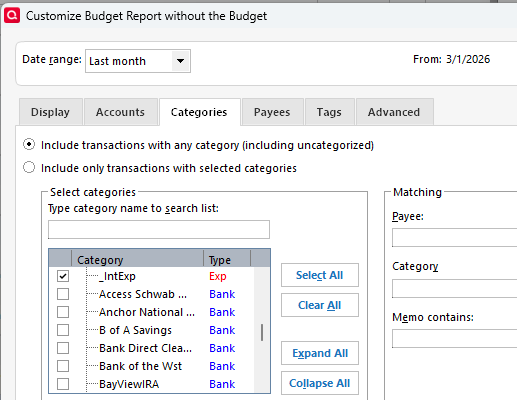
I have read the article from January, 2026 about optimizing the cash flow report to show the mortgage principal payment as cash flow and I've run into a hitch: When I open the category tab in settings, I don't see any of the FROM/TO categories to select or not select. Where are they? How can I get them to show up?

Comments

  • Tom Young
    Tom Young Quicken Windows Subscription SuperUser ✭✭✭✭✭

    When you customize a report and select the "Categories" tab, what you should see is first all the income Categories, then all the expense Categories, followed by the asset Accounts, and after that the liability Accounts.

    As you'd expect the Bank Accounts come first as shown:

    image.png

    You're not seeing this?
