Stock Split Entry

JMHEFF
JMHEFF Quicken Mac Subscription Member

Today I had a 4-1 stock split. When I manually enter the 4-1 split, the result is a reduction in all prior dates shares instead of increasing the current share. For example 250 share split should result in 1000 shares at the new price, but what is occurring is the the past shares are reducing to 62.5 number at the older price and now my account is off.

thanks for any assistance in correcting.

PS I also tired to just add shares but any share added is deducted as you go back in time.

Best Answer

  • Jon
    Jon Quicken Mac Subscription SuperUser, Mac Beta Beta
    Answer ✓

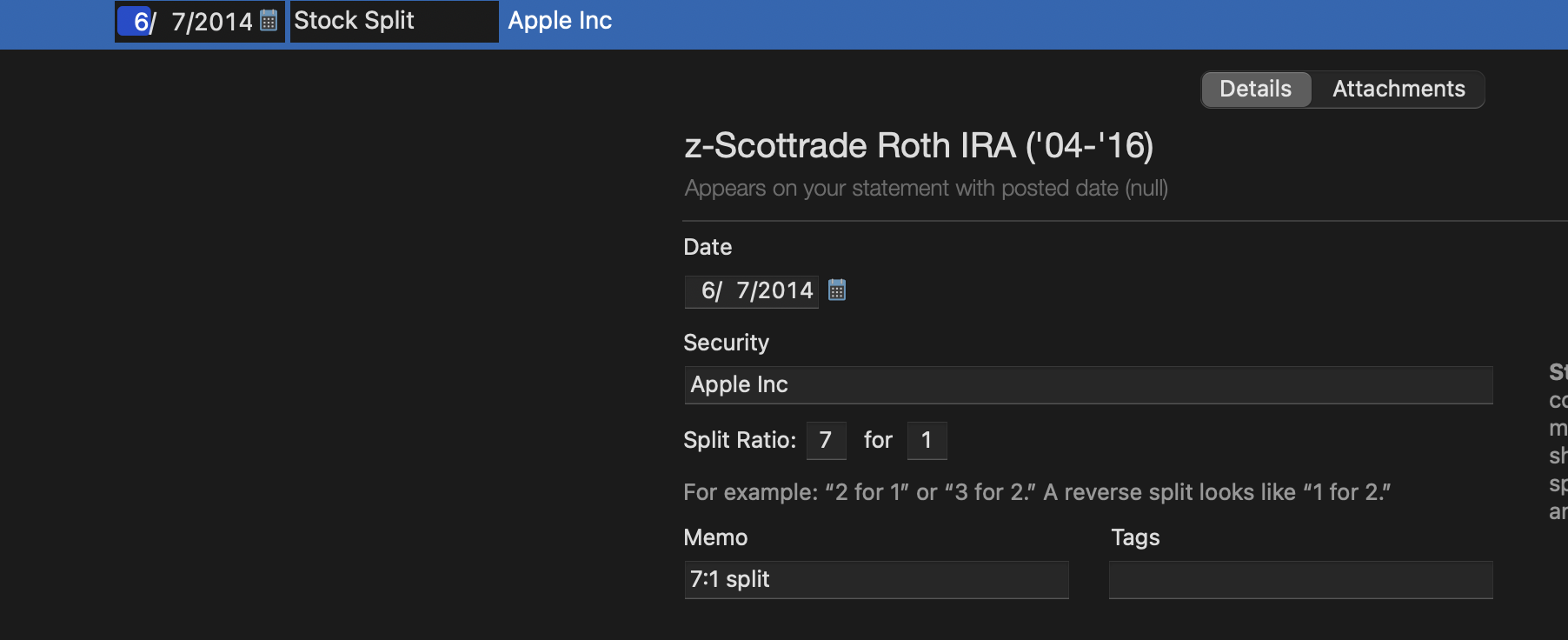
    How did you enter the split? It should look like this (just with a "4" instead of a "7"):

    Screenshot 2026-04-21 at 5.19.29 PM.png

Answers

  • Jon
    Jon Quicken Mac Subscription SuperUser, Mac Beta Beta
    Answer ✓

    How did you enter the split? It should look like this (just with a "4" instead of a "7"):

    Screenshot 2026-04-21 at 5.19.29 PM.png
  • NotACPA
    NotACPA Quicken Windows Subscription SuperUser ✭✭✭✭✭

    @JMHEFF It looks to me like you input a 1 for 4, instead of a 4 for 1.

    Q user since February, 1990. DOS Version 4
    Now running Quicken Windows Subscription, Business & Personal
    Retired "Certified Information Systems Auditor" & Bank Audit VP

  • jacobs
    jacobs Quicken Mac Subscription SuperUser, Mac Beta Beta

    It sometimes takes a few days past the date of the stock split for Quicken's price history provider to update prices correctly for the split.

    Quicken Mac Subscription • Quicken user since 1993
  • JMHEFF
    JMHEFF Quicken Mac Subscription Member

    yes I did like the stock split screen using a 4 to 1 split, I had 250 shares now I have 1000 total.

  • JMHEFF
    JMHEFF Quicken Mac Subscription Member
    edited April 22

    ok I just did the stock split this morning and it worked, I guess needed to wait one day for it to go thru on Quicken thanks for all comments,