Why are hidden categories still showing in budget??

TJennings
TJennings Quicken Mac Subscription Member ✭✭

As I'm working in the budget, I'm seeing categories that were previously marked as hidden. I don't want to see them - that's why I hid them. My Quicken file has been used for many years. I mean, I'm still seeing Stimulus income categories from the pandemic! How do I fix this?


Comments

  • Quicken Laura
    Quicken Laura Quicken Windows Subscription Moderator mod

    Hi @TJennings,

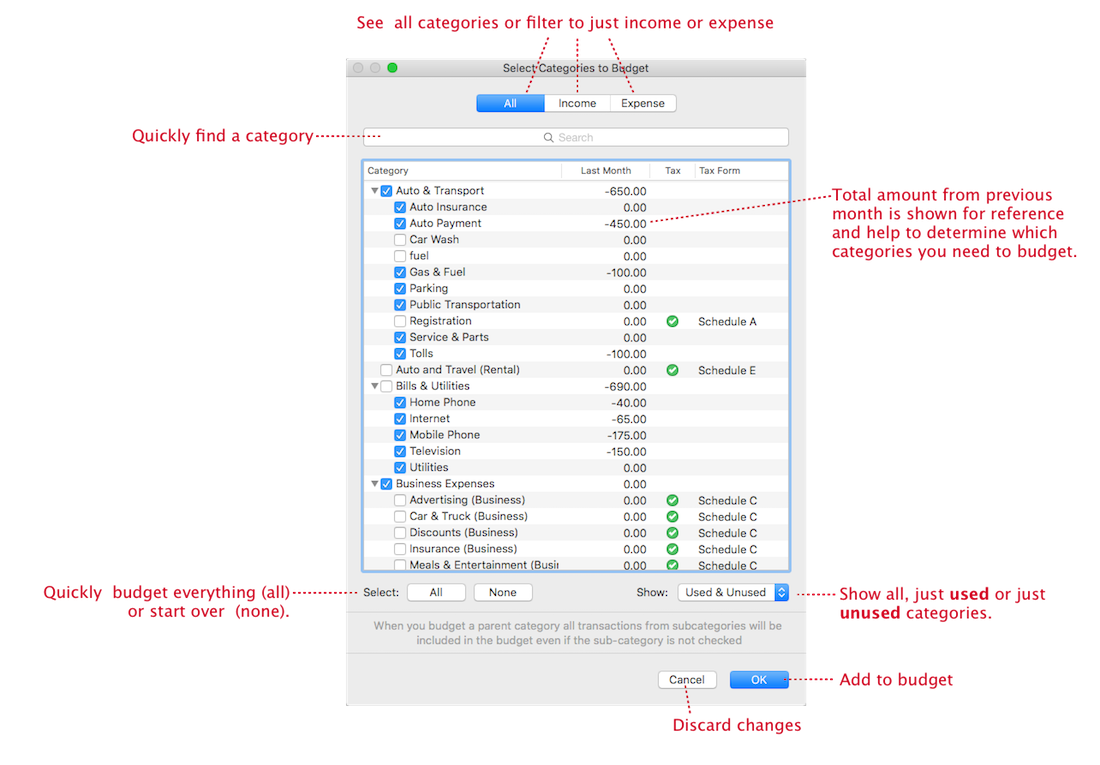
    Thank you for reaching out. You can customize your budget categories through the Select Budget Categories menu. This menu displays all available categories, including those that are currently hidden. You can also use the filters to view used and unused categories, making it easier to select or deselect the ones you’d like to include.

    To customize your budget categories:

    1. Go to the Budget tab
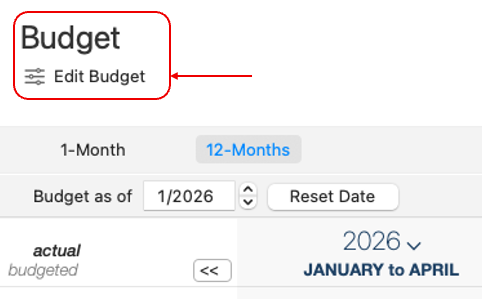
    2. Click Edit Budget in the upper-left corner Screenshot 2026-04-27 at 7.11.37 AM.png
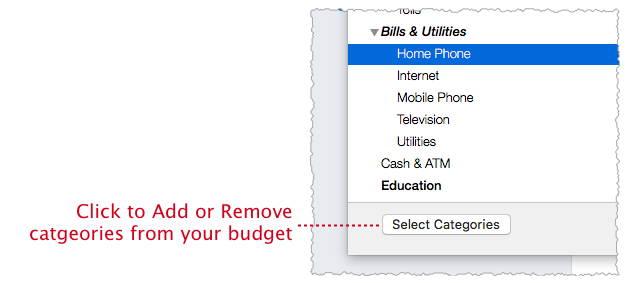
    3. Select Categories image.png
    image.png

    I hope this helps! Please feel free to reach out if you have any questions or need further assistance.

    Quicken Laura

    Make sure to sign up for the email digest to see a round up of your top posts.

  • jacobs
    jacobs Quicken Mac Subscription SuperUser, Mac Beta Beta

    @Quicken Laura I think the problem being noted here is that when users select a category(ies) to Hide in Quicken, they must also remember to go to their budget (or multiple budgets) and remove the same category(ies) from their budget(s). That's (a) not intuitive, and (b) annoying because it doubles the work needed even if you know & remember to do it.

    Perhaps a budget setting could be added: a checkbox for "Automatically remove from budget if a category is changed to Hidden".

    Quicken Mac Subscription • Quicken user since 1993
  • Quicken Laura
    Quicken Laura Quicken Windows Subscription Moderator mod

    Thank you for the clarification, @jacobs

    @TJennings If you’d like to see this feature added in the future, you’re welcome to submit an official request by creating an Idea post. This allows other users with similar needs to view and vote on your suggestion, helping our teams better understand community interest.

    Quicken Laura

    Make sure to sign up for the email digest to see a round up of your top posts.