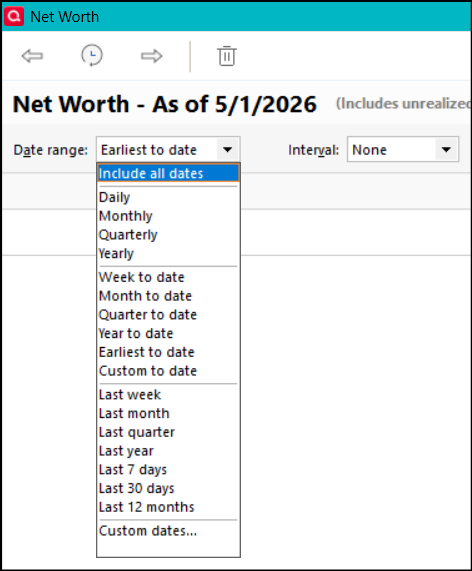
How can I show my Net Worth longer than five years ago?
If you are trying to do this with the Net Worth report: Above and toward the left of the report you can click on the Date Range drop-down menu to select the date range you want.
If you are referring the Net Worth view in Quicken: Click on the Gear icon above and toward the right and then click on Customize This Graph. This will open the customization popup where you can then select the date range you want.
Did this answer your question?
I should have also mentioned that when you open the report customization popup you should also review each of the customization tabs to make sure that all accounts, securities, categories, payees, tags, etc….including closed/hidden selections so applicable closed and/or hidden accounts, hidden categories, payees, securities, etc….are included in the updated net worth. You can also include accounts that are held separately if that is appropriate for your situation.
If you are talking about the net worth card on the Home tab dashboard. I agree that there should be an option for a longer period view than 5 years.
If you're talking about the HOME tab itself, you can use the Gear icon in the upper right of the Net Worth display to set anything you want. I've got it set back to 1/1/14.
Thanks @NotACPA . For some reason I had "Classic Dashboard" turned off and was only seeing the Home Dashboard. Turning it back on revealed all of the views I had previously set up including a longer view of net worth.