I got the following yesterday and again this morning
I also got this 10 days ago. Quicken used to be very good. Why is this happening?
Charles
[Edited Readability]
Hi @chusoft,
Thank you for sharing the details of what you’re experiencing.
The cc-506 error occurs when Quicken is unable to identify the account in Quicken to which your downloaded information belongs. This could be because the account at your financial institution is closed, or because the account number or nickname was changed on the financial institution website. This error also occurs if there is an older account still activated in the file that is no longer available at the financial institution.
To resolve the issue, please follow the steps below:
Update to the latest release of Quicken
Refresh your account information
Deactivate all accounts for this financial institution, then force Quicken to "discover" all available accounts:
If the account was closed, deactivate it from future online updates
If the problem persists
Contact Quicken Support for assistance. Your financial institution cannot resolve this issue.
Thanks for info, but it did not work
"did not work" tells us nothing that can be used to further assist you.
What EXACTLY happened, step-by-step?
Thank you for your reply,
This issue has been reported to our Development and Product teams for further investigation and resolution. Though we do not currently have an ETA, you can bookmark the Community Alert linked below to get updates when available and to know when the issue is resolved. If you do not see the bookmark icon at the upper right, please make sure you are logged into the Community.
Thank you!
(Ticket #12432719/CTP-17431)
Hello All,
The issue with CC-506 errors should be resolved.
Please let us know if you're still seeing this issue!
It started working the last week of June, but after I installed the last release R 68.25, I could still connect to RBFCU, but it did not download any transactions. Also, I noticed that when I connected, the OTP showed the following. When it did work, the crazy symbols were not there.
[Edited - Readability]
To clarify, you're no longer seeing the CC-506 error, but transactions aren't downloading? Was the unusual OTP screen a one-time occurrence, or does it appear that way every time you need to perform multi-factor authentication?
To troubleshoot the missing transactions, please follow these steps from our article on missing transactions/transactions not downloading:
Be sure to follow these steps in order:
1. Go to Edit > Preferences > Downloaded Transactions. The option Automatically add to banking registers needs to be unchecked.
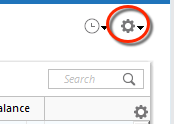
2. Refresh your online account information by clicking the Actions Gear Icon on the upper right of the register, and select Update Now. Follow the on-screen instructions to complete the update.
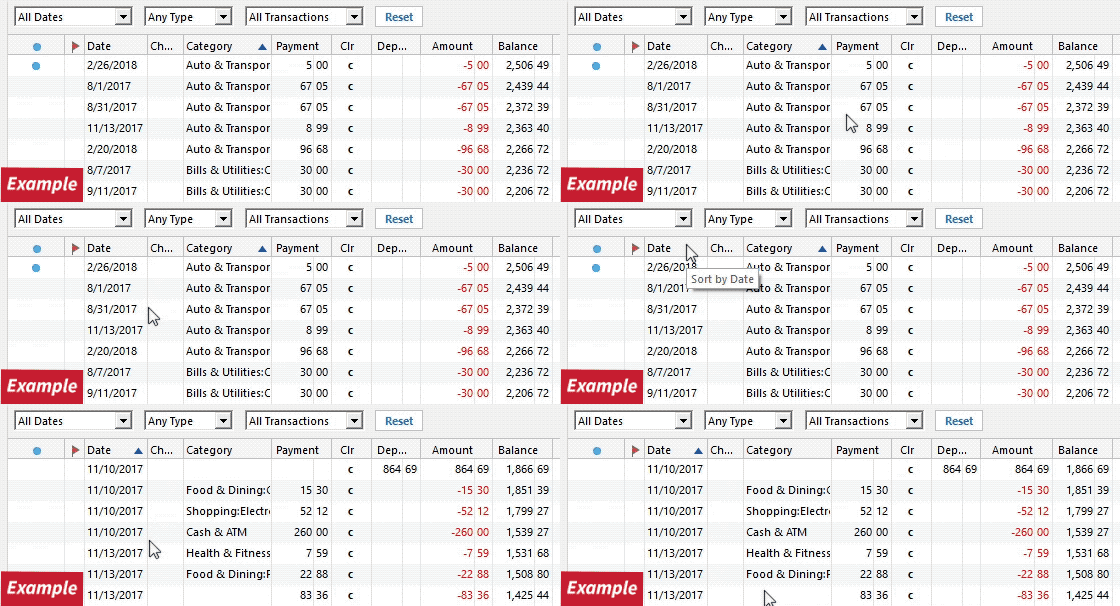
3. Confirm that the Sort Order in your account is by Date; just click the top of the Date column in your account register. It's possible the transactions are in your register, but not where you thought they'd be.
4. Click the Reset button at the top of the register. This will confirm that there's no filtering in your account register.
5. Try refreshing your login session: To do this, go to Help > Refresh Sign in. After completing the log-in process, try running a One Step Update again.
6. Go to Actions (Gear Icon) > Register Columns > Check Downloaded Payee in the account register. This allows you to search by Payee to confirm the transactions haven't been renamed unexpectedly.
7. Go to Tools > Account List and check Show Hidden Accounts at the bottom left. Confirm the missing transactions haven't been added to a hidden account by clicking on the name of any account that appears with a check mark in the Hidden column.
Please let me know how it goes!
Hello @chusoft,
Following up on my earlier post, our teams are aware of the issue and are currently investigating the problem. To contribute to the investigation, please navigate to Help>Report a Problem and send a problem report with log files attached.
Please include 3 sample transactions (Date/Payee/Amount), a screenshot from the financial institution website showing that the transactions are posted, and a screenshot from Quicken, showing that they're not yet in your file.
Note: Problem reports allow a maximum of 10 attachments. If you need to send more than 10, you can remove any log file with OLD in the filename, or you can send a 2nd problem report with the additional attachments.
To be notified of updates, please bookmark the alert linked below:
(Ticket #12492491/CTP-17718)