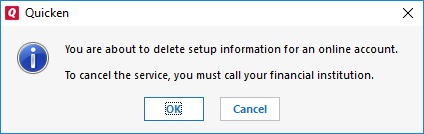
For some reason, Quicken PC and Quicken Mac have lost the ability to access Fidelity accounts requiring authorization. Even worse, when I attempt to reauthorize some of my Fidelity accounts, I get an error and cannot connect them.
When using Quicken Connect with Fidelity, it will require periodic "reauthorization" to make sure it's still you accessing the accounts. Has it been about 1 year since your initially authorized access?
I had to reauthorize this weekend as well-and it has been roughly one year since the Quicken Connect migration began. (I was one of the early adopters.) I had no issues reauthorizing.
I can't speak on the "errors" you are getting-you might be better served asking the question with details in a forum dedicated to online connectivity.
Okay. Thanks. I don't remember last time I had to authorize accounts. However, There are still 3 accounts that when I attempt to reauthorize, I get an error. Where would I connect to the online connectivity forum?
How about this to make things easier: post your issue with details/errors here, and a moderator can move it to a more appropriate forum. That should make it easier for you.
I had the same issue. Quicken would not connect any of my accounts when reauthorizing. So I did it again and was finally able to connect to my existing accounts, though Quicken had recognized only one out of six as "Link to existing account." The others I had to tell Quicken which account to link. Luckily I put the account numbers in the account names to make this easier since the original Fidelity debacle . Also had to re-answer how to treat money market funds for one account. This is way too much work for a product that calls itself Quicken.
I have applied Allysia' 3-step deactivate, Fidelity delete access and re-add. I was at first optimistic, but that optimism was misplaced. All comments and postings on the Fidelity Reauthorization problem have been deleted, but it still exists. Wondering if Quicken has been hacked!
Latest is reauthorizations persist. CDs are being downloaded as new bonds and shown as face-value in day gains.
I'm having the same problem. Is Quicken working on this?
Hi everyone,
Thank you for sharing what you're experiencing. To help us better understand and address your situation, could you please provide a bit more information?
If needed, please refer to this Community FAQ for instructions on how to attach a screenshot. Alternatively, you can also drag and drop screenshots to your response if you are not given the option to add attachments.
I look forward to your response!
Started about July 26.
All Fidelity accounts (brokerage, retirement)
At completion of One Step update.
Error message:CC-901. It is saying my requested bank is requesting that I reauthorize. I do that, Fidelity shows all my accounts for me to reauthorize, I agree to terms, it automatically goes back to Quicken, and then Quicken says it can't find any accounts to reauthorize. I have done this numerous times now, with the same negative result.
Hi @spyderalfa,
Thank you for your response.
I checked your account, and it appears that two of your Fidelity accounts are connected and are returning the CC-901 error you mentioned.
To help resolve the issue, please deactivate all Fidelity accounts in Quicken, including any hidden or inactive accounts, and then reactivate them (make sure to save a backup first).
1. Select the Tools menu and select Account List....
2. In the Account List, select the account you want to deactivate, and then click Edit. 3. In the Account Details window, click the Online Services tab. 4. Click Deactivate next to the service you want to disable.
5. Click Yes to the message confirming if you want to disable this service. Note: If you do not receive this message, additional information is available below.
6. Click OK to the confirmation message. 7. (Optional) If you do not intend to reactivate, contact your financial institution to cancel any fees they may charge for access to Quicken's online services. Deactivating the account in Quicken typically will not stop the service fee.
If you have an investment account that is linked to a cash account, you need to deactivate the online services from the investment account which will automatically deactivate the linked cash account.
Important: If you are deactivating/reactivating an account to fix an issue, you'll need to deactivate all the accounts with the affected financial institution that you have activated in Quicken (including hidden ones). Once they're all deactivated, then you can follow the steps to reactivate.
Please let me know if the issue persists. I look forward to your response.
Just checking in; we haven't heard back from you in a while.
Do you still need assistance?
Thank you!
Hello again,
I'm checking in once more before this thread gets closed. If you need assistance, let us know.
@Quicken Laura I have a new report of this:
I was thinking this thread had been closed already.
Hi @EvDob,
I’ve responded in the new thread with more information. Please take a look when you have a chance.