This discussion was created from comments split from: Bank of America not downloading, no errors, nothing..
I'm on the latest version of Quicken Classic for Mac and I'm seeing the same problem. This just started happening with my Chase credit card account.
Hello @Will Fiveash,
Thank you for letting us know you're encountering this issue. To troubleshoot missing transactions, please follow these steps from our article on missing transactions/transactions not downloading:
Be sure to follow these steps in order:
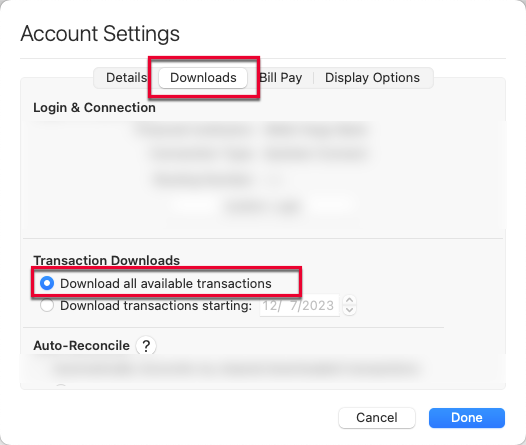
1. In the affected account, click the Settings icon in the bottom right corner of the screen. Go to the Downloads tab and, under Transaction Downloads, confirm Download all available transactions is enabled.
2. Refresh your online account information by clicking on the Update Icon, located on the upper left-hand side of Quicken. Follow any on-screen instructions to complete the account update.
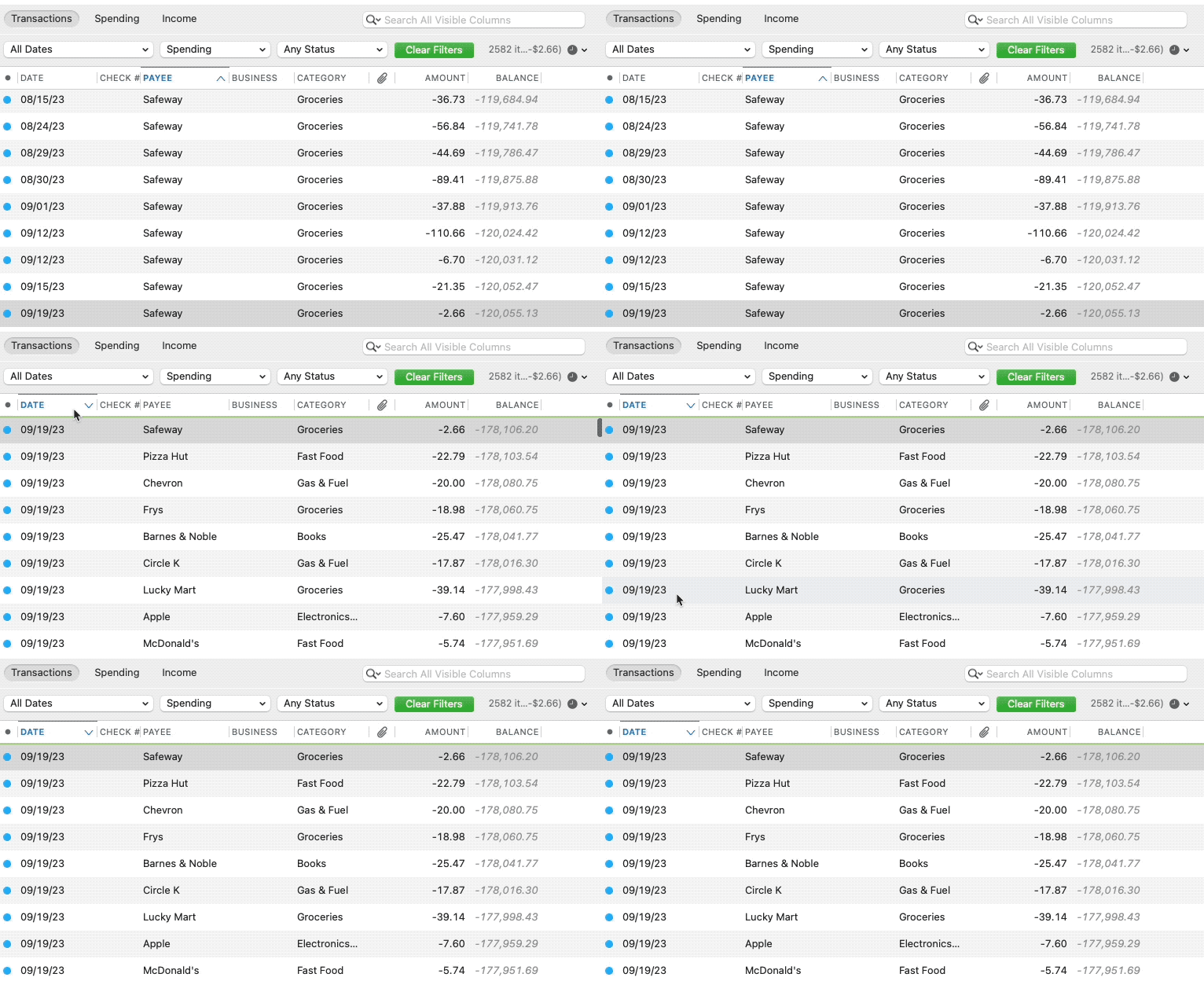
3. Confirm that the Sort Order in your account is by Date; just click the top of the Date column in your account register. It's possible the transactions are in your register, but not where you thought they'd be.
4. Click the Clear Filters button to the right of the account register’s filter dropdowns. This will confirm that there is no filtering in your account register. Note: If you do not see a green Clear Filters button, it means you do not have any filters active in your register.
5. Click Columns in the bottom right of the register, then check the Statement Payee box. This will allow you to search for the downloaded Payee name to confirm that a transaction was not renamed unexpectedly.
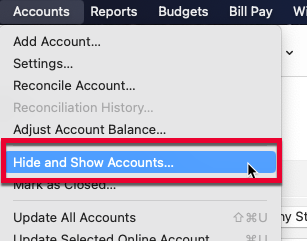
6. Go to Accounts > Hide and Show Accounts…. You can confirm if missing transactions have been downloaded into a hidden account by unchecking the Hide In Lists box next to the account that is marked as hidden.
Please let me know how it goes!
We haven't heard back from you in a while. Do you still need assistance?
Check back and let us know! Thank you.
No, I do not need assistance, thanks.
Thank you for the follow-up!
If you need assistance later, please feel free to reach out!