This discussion was created from comments split from: Issues Downloading to PFFCU.
I'm having an issue with my PFFCU accounts not downloading transactions since June 30. Quicken connects fine after 2FA, but there are no transactions downloaded to my accounts. I tried disconnecting the account and reconnecting, but that didn't help.
Hello @newittja,
Thank you for reaching out! To troubleshoot this issue with transactions not downloading, please follow these steps from our article on missing transactions/transactions not downloading:
Be sure to follow these steps in order:
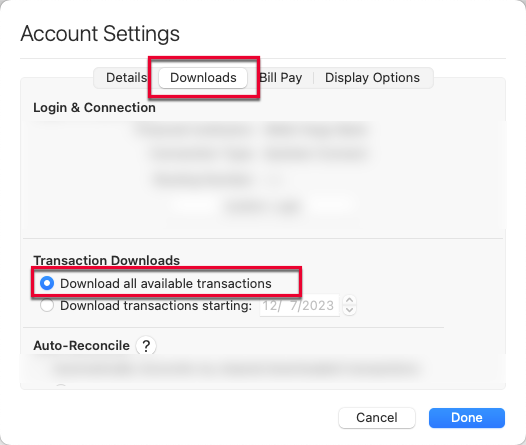
1. In the affected account, click the Settings icon in the bottom right corner of the screen. Go to the Downloads tab and, under Transaction Downloads, confirm Download all available transactions is enabled.
2. Refresh your online account information by clicking on the Update Icon, located on the upper left-hand side of Quicken. Follow any on-screen instructions to complete the account update.
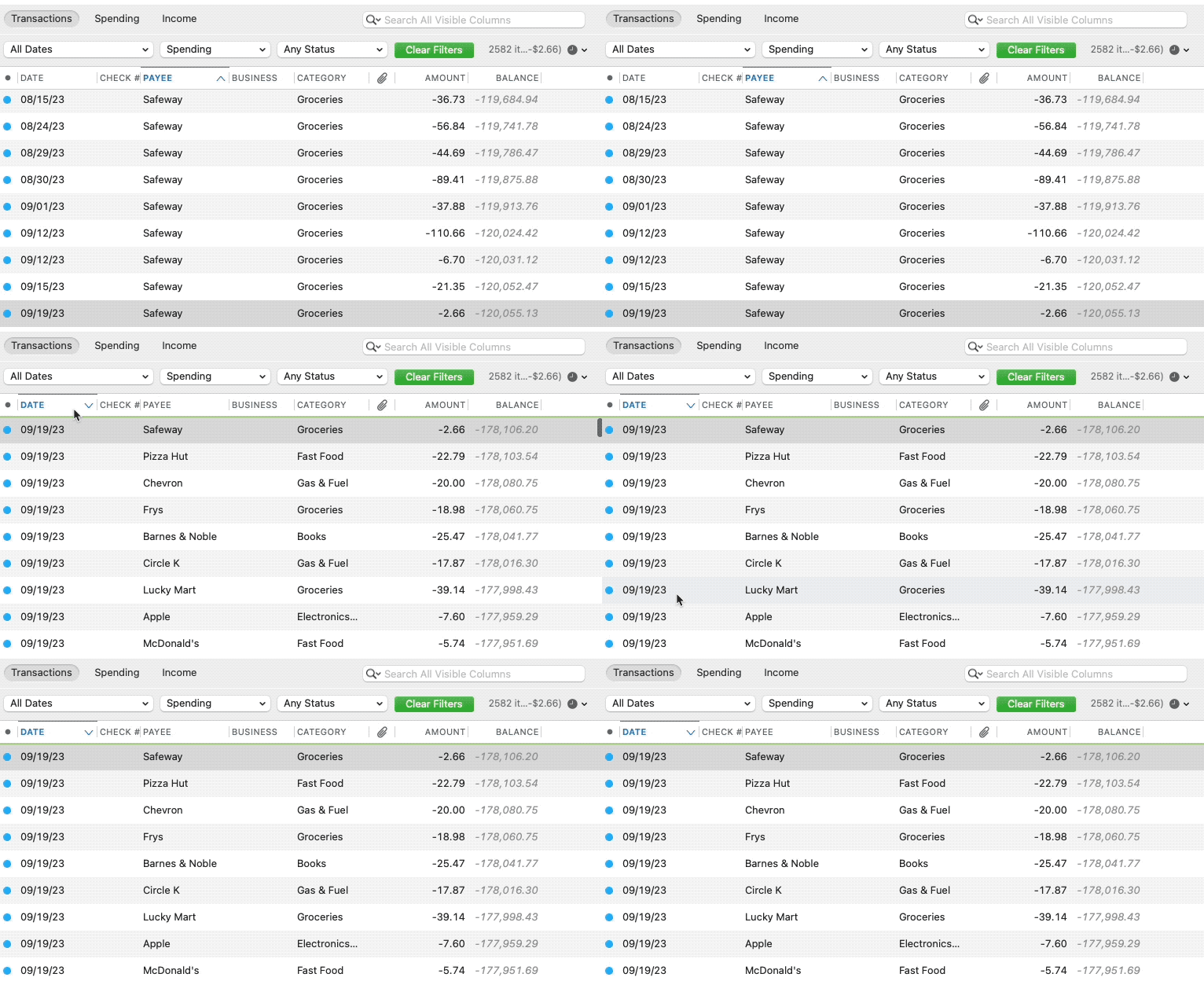
3. Confirm that the Sort Order in your account is by Date; just click the top of the Date column in your account register. It's possible the transactions are in your register, but not where you thought they'd be.
4. Click the Clear Filters button to the right of the account register’s filter dropdowns. This will confirm that there is no filtering in your account register.
5. Click Columns in the bottom right of the register, then check the Statement Payee box. This will allow you to search for the downloaded Payee name to confirm that a transaction was not renamed unexpectedly.
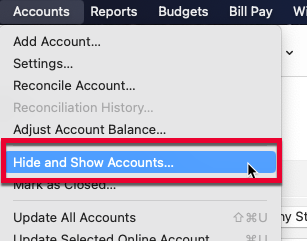
6. Go to Accounts > Hide and Show Accounts…. You can confirm if missing transactions have been downloaded into a hidden account by unchecking the Hide In Lists box next to the account that is marked as hidden.
Please let me know how it goes!
We haven't heard back from you in a while. Do you still need assistance?
Check back and let us know! Thank you.
Hello again,
Checking in once more before this thread is closed. Let us know if you still need assistance.
Thank you!
I am also having the same issues. It seems to be more with my savings account than my checking account.
[Edited - Readability]
Hi @Mrfriday, Thanks for letting us know about the issue you're experiencing with missing transactions. This issue has been escalated internally, and our team is actively working toward a resolution. At this time, we don't have an estimated timeframe for a fix.
I recommend monitoring the Community Alert for updates as new information becomes available.
Thank you for your patience while our team works on this issue!