Hi All -
How do you reduce the size of your data file?
Thanks
Hi @rbridges01,
Thank you for your question! There are a couple of ways to reduce the size of your Quicken data file, including archiving older information or creating a copy of your file that contains fewer transactions. Please note that either approach may require some manual adjustments afterward.
Option 1: Archive older informationYou can follow the instructions in this guide to archive your data: How do I archive Quicken information at year's end?
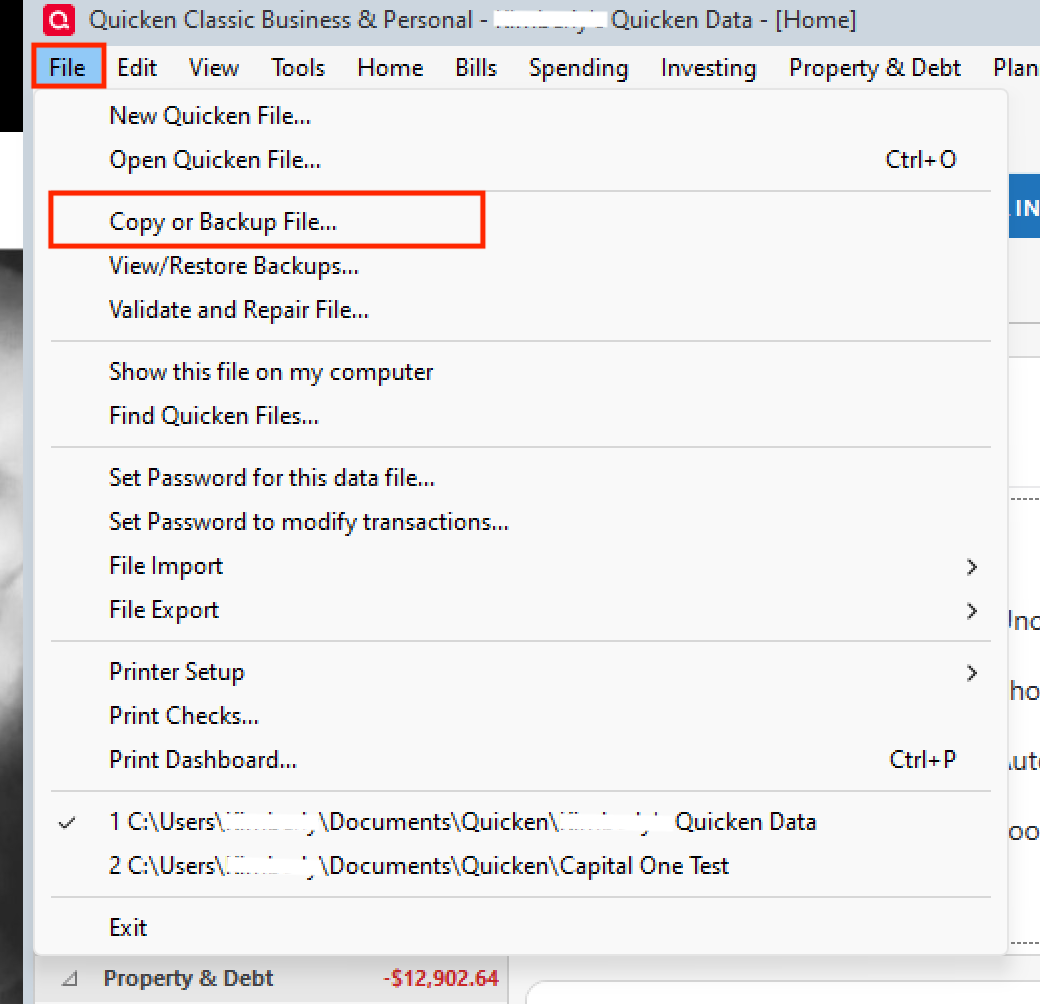
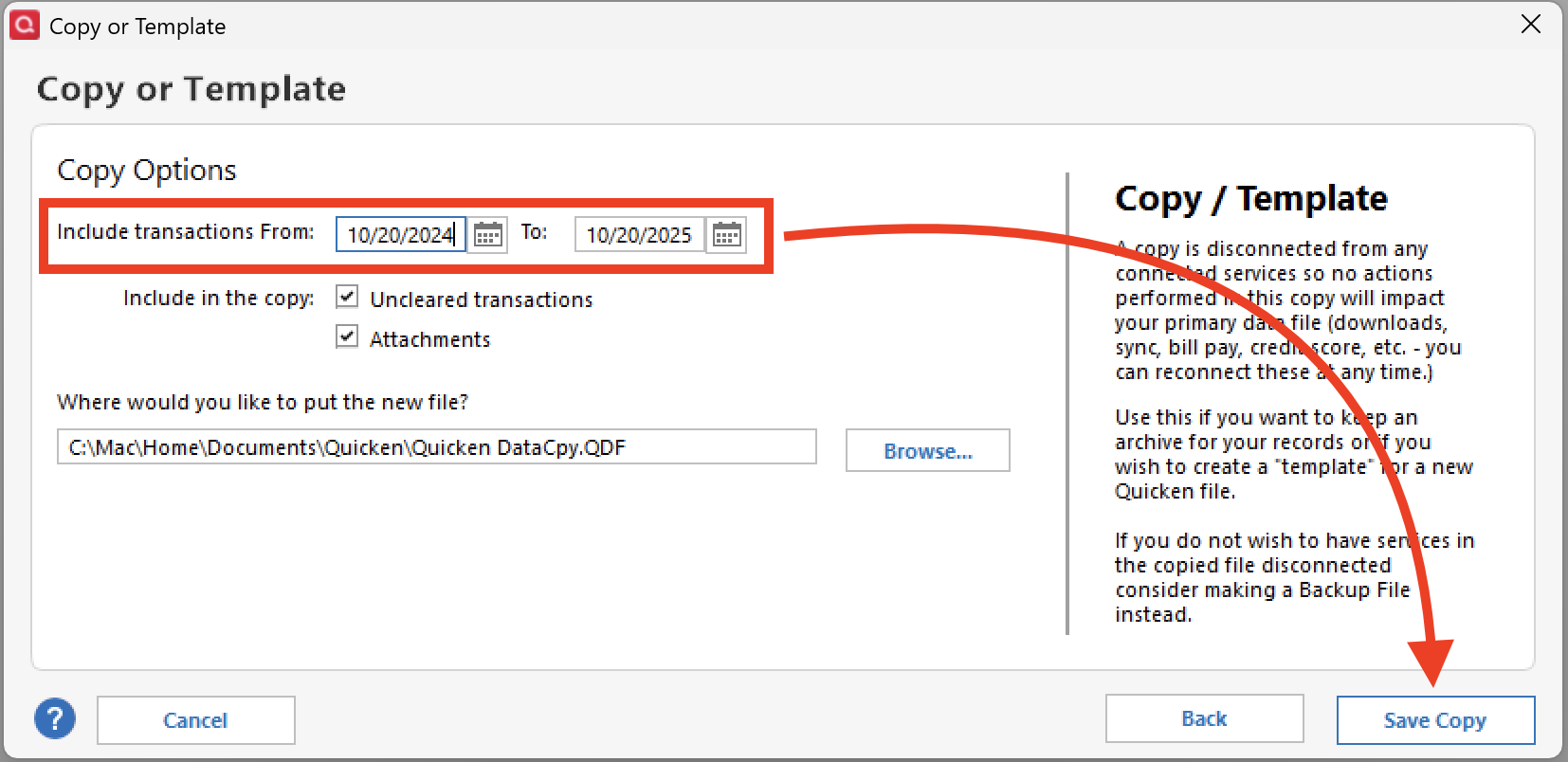
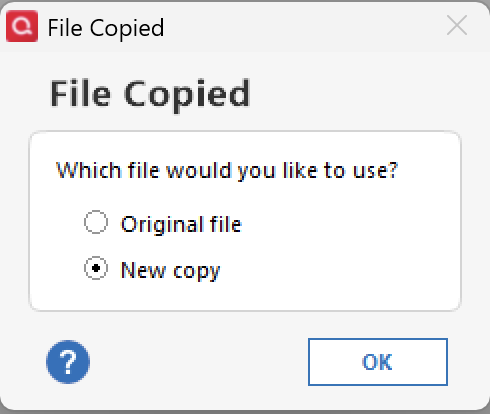
Option 2: Create a copy of your data fileTo create a smaller file containing only transactions within a specific date range, follow these steps:
A few important things to keep in mind:
You may also find this article helpful if you'd like to review the size and capacity limitations of a Quicken data file before deciding which option works best for you.
I hope this helps! Please feel free to reach out if you have any additional questions.
@rbridges01 can you tell us why you are wanting to reduce your data file size? Is your Quicken having slow performance?
Before you do any of the above actions, please provide more details about your Quicken data file.
About file size and number of transactions:
You can find out how many transactions you have in your data file by doing this: - Click Tools / Account List. This should tell you how many transactions you have in each of your accounts in an optional column, "# of Transactions". If this column is not shown in the Account List, click the Options button at the bottom of the Account List window, then click "Number of Transactions" to add the column.
- File Information: Click Help in the Menu Bar. Shift+click About Quicken and it'll give you a File Information box. Please capture an image snapshot of this File Information box and attach it here. The Windows Snipping Tool can be used to capture a partial screen image and save it to a file of file type PNG or JPG only.
To attach the image here please review
How do I post a screenshot in the community from a mac
How do I post a screenshot in the community from windows
Please save images to files of file type PNG or JPG only.