why does quicken not download ANY transaction?

The last downloaded transaction on ANY of my accounts is 4/20.
I am working on a Windows 11 OS, have the latest update for Quicken as well as windows OS11.
Best Answer
-
Have you tried Resetting the accounts?
0

Answers
-
Have you tried Resetting the accounts?
0 -
i just did and it worked, the only problem is that a lot of transactions did not have a category assigned anymore. This gave me a lot of work to fix.
1 -
Categories are never downloaded. Your bank has no idea, and thus no way of providing to Q, the category/sub-cat combination that you use for, say, gasoline or groceries or whatever.
The Cats CAN come from memorized transactions and scheduled transactions. See if those might have changed somewhere along the line.
Q user since February, 1990. DOS Version 4
Now running Quicken Windows Subscription, Business & Personal
Retired "Certified Information Systems Auditor" & Bank Audit VP0 -
Here are some of the Preferences you might want to consider using to have categories automatically assigned to downloaded transactions. Note that Quicken assignment of categories is a best "guess" based upon historical data. Quicken has no idea of what you actually purchased so whenever new transactions download with categories pre-filled they should always be reviewed to see if they are accurate or need to be corrected.:
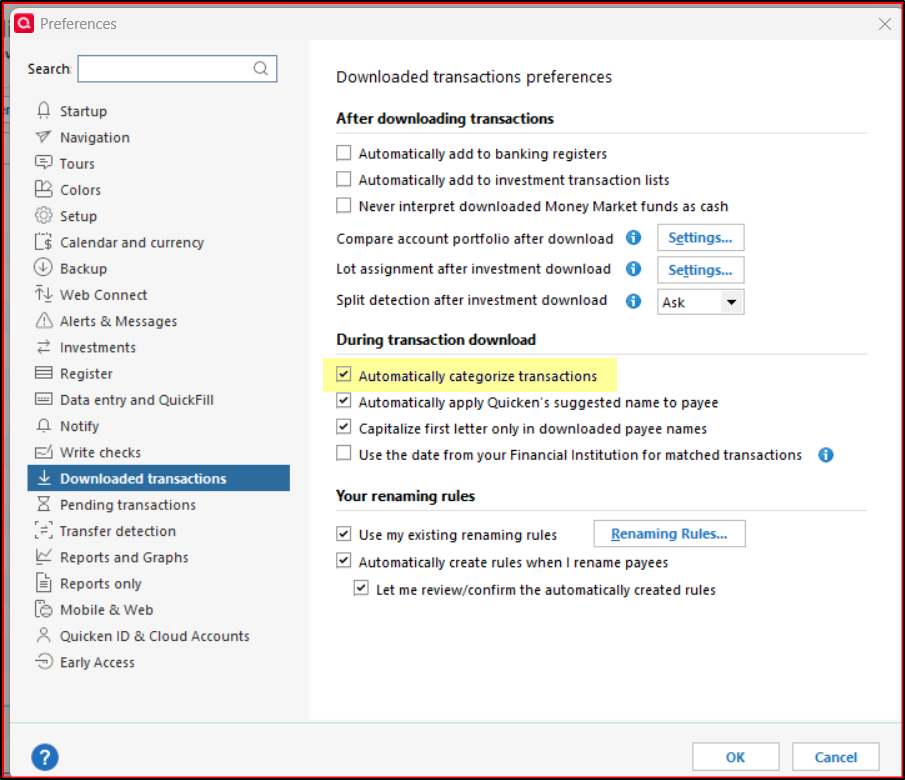
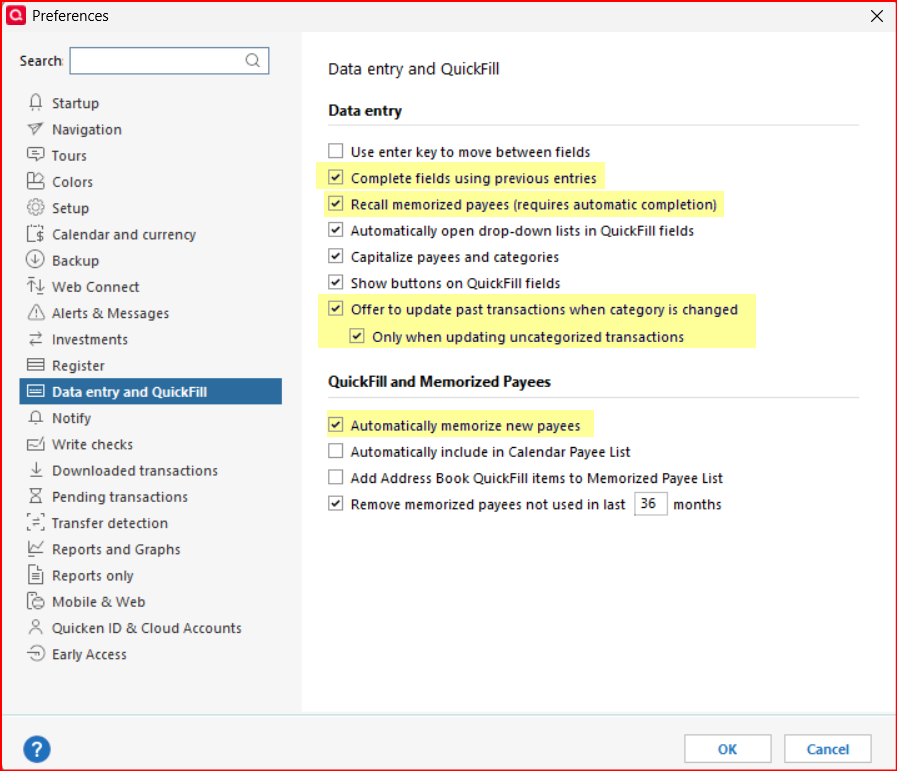
You can also review your Memorized Payee List to see if you might want to consider Locking some payees so that the category that is always used by Quicken is what is shown there. For instance, if you want all transactions for a grocery store to be categorized every single time as "groceries", you can Lock that payee by right clicking on the payee and then clicking on Lock. (Be sure to clear the Memo field before locking the payee if you do not want that memo also automatically populating the memo field in newly downloaded transactions for that payee.)
Quicken Classic Premier (US) Subscription: R66.23 on Windows 11 Home
1

