Quicken/TD Bank security update resulted in duplicate accounts

Quicken/TD Bank security update resulted in duplicate accounts in my account list, with the old account disconnected and the duplicate account connected waiting for new transactions which will show up tomorrow. How can I combine these separated accounts — one is pre-update and inactive, the 2nd is post-update, empty and active. I don't want to Quicken accounts for each of my bank accounts.
Windows 11, TD Bank
Comments
-
Hello @Ralph03894,
We appreciate you bringing this to our attention!
Before starting any troubleshooting, I recommend saving a backup of your file—just in case.
The simplest fix would be to delete the duplicated account. To do this:
- Right-click the duplicate account name in the account list.
- Select Edit/Delete Account.
- Click Delete Account in the bottom left, type Yes, and click OK.
Once the duplicate account has been removed, reconnect the original account by going to:
- Tools > Add Account...
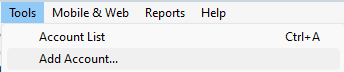
- Search for your financial institution
- Follow the prompts to connect your accounts
When your accounts are found, be sure to link them to the existing (original) account in Quicken, rather than adding them as new.
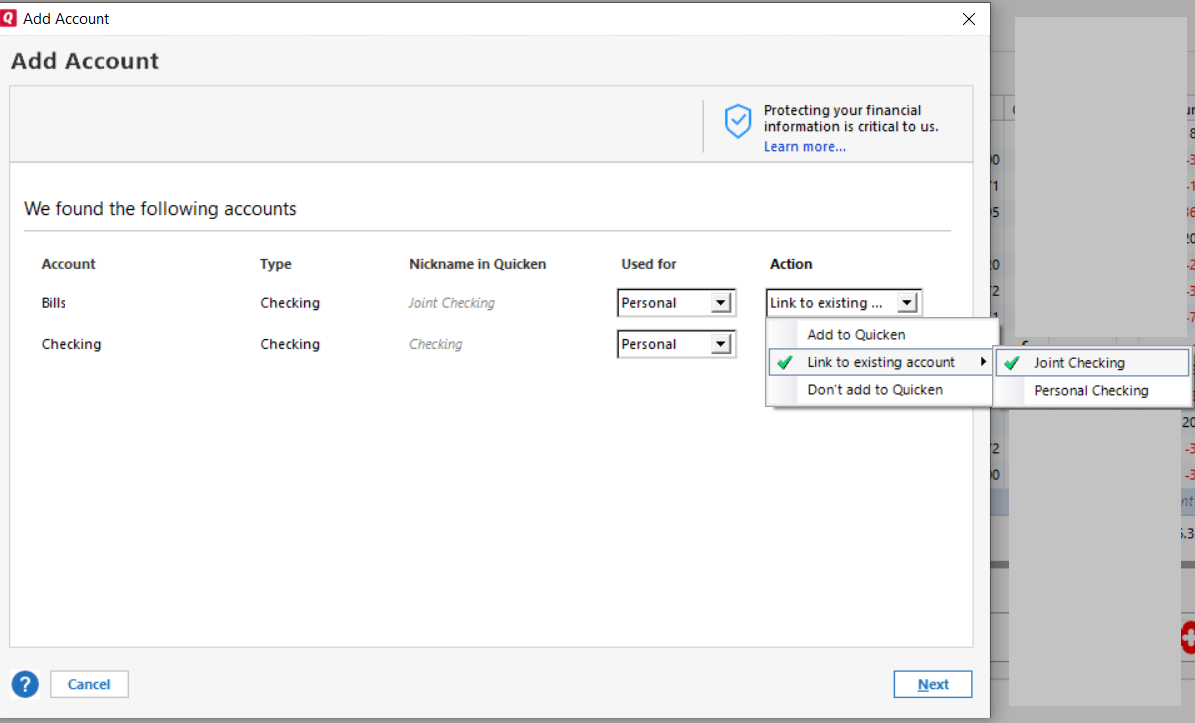
I hope this helps!
-Quicken Anja
Make sure to sign up for the email digest to see a round up of your top posts.0 -
I did exactly all of this today. Quicken still does not download any new transactions. It just says download complete but no new transactions since 5/16/2025 when I did the requested security update for TD/Quicken.
0 -
Thanks for following up!
Next, I suggest you try to deactivate all accounts for this financial institution again, then force Quicken to "discover" all available accounts and see if this will help resolve it. Please, follow the instructions below in order to do so.
- Open the Account List in Quicken (Tools > Account List OR Ctrl + A)
- If present, select the Show Hidden Accounts checkbox at the bottom of the Account List
- Edit each account with this financial institution to Deactivate (or Remove From One Step Update) on the Online Services tab
- Click on the General tab and remove any info displayed in the Financial Institution, and Account/Routing Number fields. Note: The account must be deactivated first before these fields can be edited.
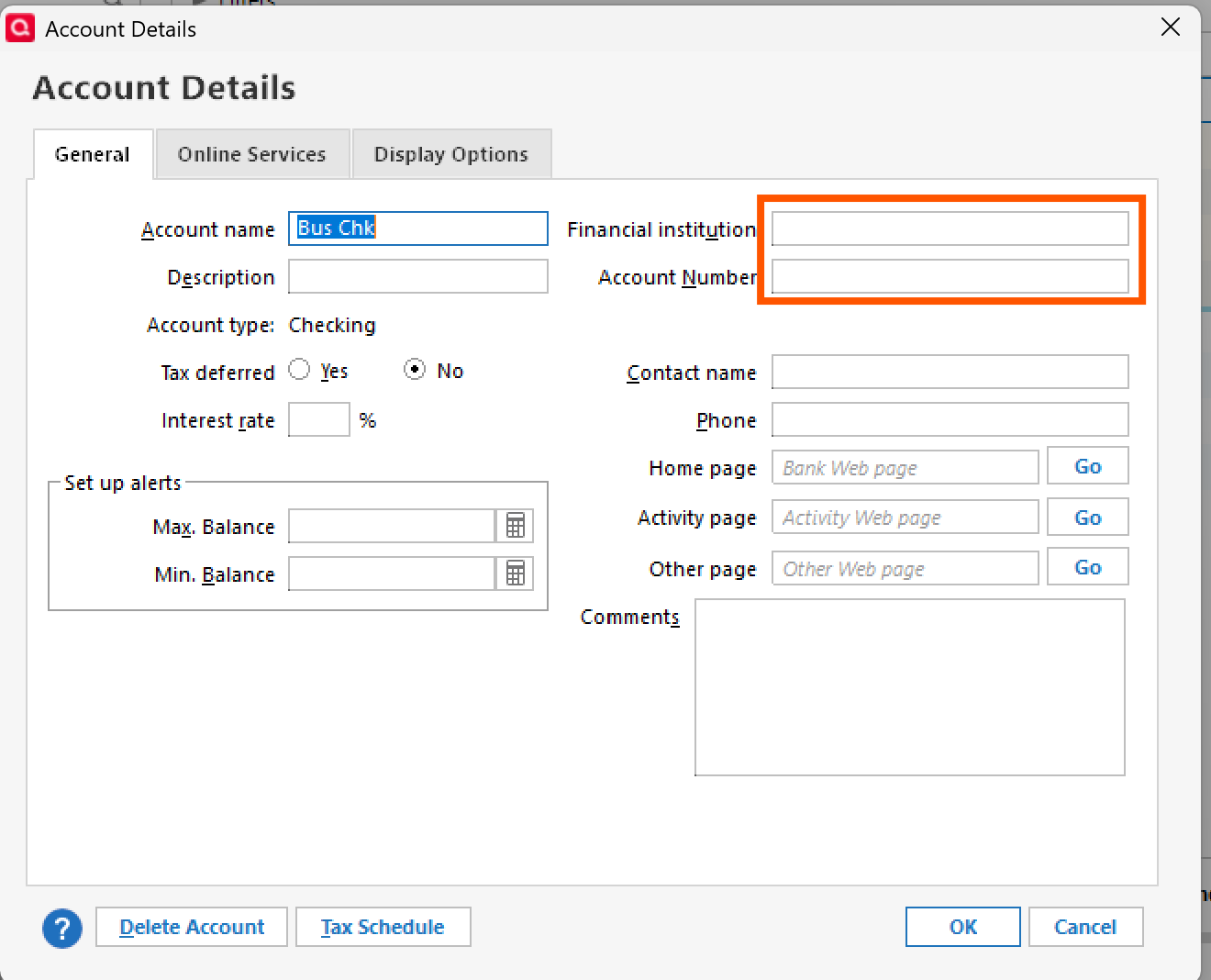
- When finished, close the Account List
- Close, then re-open Quicken
- Navigate to Tools > Add Account
- Walkthrough this process as if you were going to add a new account, providing the login credentials and answering any security questions/processes presented until you reach the screen where Quicken displays the Accounts Discovered at the financial institution
- Very carefully LINK each of the found accounts to the appropriate account you already have set up in Quicken.
Be sure not to skip any steps at doing so can alter the outcome. Once that is done, see if the issue still continues to persist.
Let us know how it goes!
-Quicken Anja
Make sure to sign up for the email digest to see a round up of your top posts.0 -
I continue to have connection issues with my TD accounts. When quicken goes to use the browser to log in TD does not allow. This has been happening for almost 1 year. There was an open request but Quicken cloed it. It had to do with OFX access using direct connect.
I have no problem logging into my TD accts through browser but not through quicken trying to get access. No VPN or fire wall nakes adifference when done through quicken.
Any new info on these issues on MAC Classic version?
Thank you
0
