Categories question

I shop at a grocery store with a pharmacy and also a liqueur isle. I wish to keep groceries, alcohol and pharmacy separately categorized. I understand I can split categories, and that's what I end up doing when needed.
However - the majority of shopping there is Groceries, alone.
Right now due to memorized categories, Quicken always populates the category with Pharmacy, when my preference would be Groceries. I can change it from there if needed.
Since I have auto memorizing on, all three categories can be found in the memorized list.
Is there a way to get the Groceries item to be the "default"?
Answers
-
Similarly, I stop at a gas station and Quicken categorizes the sale as Gas. If I later stop at the same place and buy just snacks, I'd like Quicken to not start categorizing that sale as Fast Food.
0 -
How about memorizing a split transaction with all of the categories that you'd normally expect … and when you input the actual transaction just delete the split lines that don't pertain to that transaction?
Then, delete the other memorized transactions for that payee
Q user since February, 1990. DOS Version 4
Now running Quicken Windows Subscription, Business & Personal
Retired "Certified Information Systems Auditor" & Bank Audit VP0 -
To answer one question, No, there is no way to have a "preferred" memorized payee have precedence over ones with the same payee.
That place you stopped at on a trip and will never stop at again, do you really need it memorized? So, I would turn off auto memorizing and delete the non-preferred memorized payees. When I have one of these situations where it could be multiple categories, generally, only one of them is used most of the time, so it is easier to have it populate with the preferred category and change those that aren't the preferred as needed.
My grocery is also my pharmacy, so I only have the grocery memorized and the few times I get medicine, I change it as I accept it. Groceries are every week, medicine is more like every 8-10 weeks.
I also have all of my memorized payees locked and a $0 amount.
-splasher using Q continuously since 1996
- Subscription Quicken - Win11 and QW2013 - Win11
-Questions? Check out the Quicken Windows FAQ list2 -
On your second post, there is a potential opportunity to make that work with the recent R63.19 version of Quicken. Assuming that you typically spend over a certain minimum amount on Gas (say over $20), and then certain small amount on snacks (say under $10), you can use this new feature from the R63.19 release notes:
Release R63.19 (US Versions, June 2025)
Memorized Payees and QuickFill
NEW - Create Categorization Rules based on account or amount.You can now define categorization rules that apply based on the account used or the transaction amount.For example, a Costco purchase on a personal credit card can be categorized as Shopping, while the same payee on a business card is categorized as Business Expense.You can also create rules based on amount—for instance, categorize Exxon transactions under $20 as Snacks, and over $20 as Fuel.See the Memorized Payee List or check the Help for more details.
And on your first post, if you are willing to pay for the pharmacy purchase separate with a different credit card, you can make that work too using the same new feature described above. Then again I understand that requires extra effort at the store which I personally wouldn't bother. But just a thought.
- Q Win Deluxe user since 2010, US Subscription
- I don't use Cloud Sync, Mobile & Web, Bill Pay0 -
Delete the two memorized items you don't want, leaving only one = default.
0 -
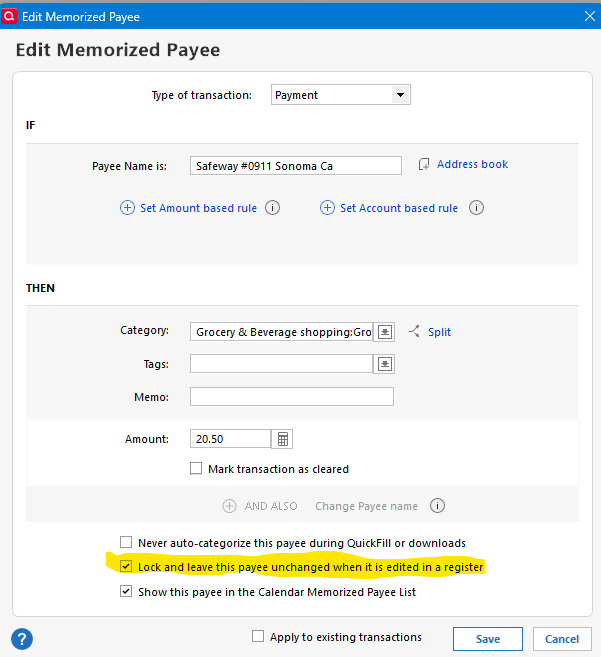
Is there a way to get the Groceries item to be the "default"?Yes there is, but to keep it that way, you need to take these 2 actions:
- In your memorized payees list, delete all entries for that merchant except the one that automatically categorizes it as groceries.
- Edit the memorized payee and select the option highlighted in yellow in the screenshot below. ("Lock and leave this payee…")
Marc
 0
0 -
BTW, if there is ANYTHING that is unique between the Payee + Memo fields to differentiate them, it can be used in the Renaming Rules to make the Payee slightly different so that it will match up to the correct Memorized Payee.
-splasher using Q continuously since 1996
- Subscription Quicken - Win11 and QW2013 - Win11
-Questions? Check out the Quicken Windows FAQ list1 -
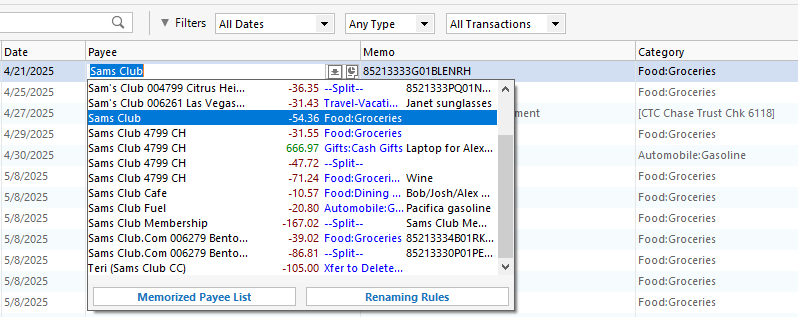
My method is different — I allow Quicken to memorize multiple categories for a payee. When the transactions download, I do not allow Quicken to automatically apply them, but I quickly glance at each one. If I don't like the category it recommends, I click on the payee and select the better memorized category from the drop-down list.
 0
0 -
I have this same issue and I don't understand why Quicken cant add a Radio button to mark ONE as default. it technically a really simple add.
I even tried to play their game and gave a rule. Like others using my grocery store for example.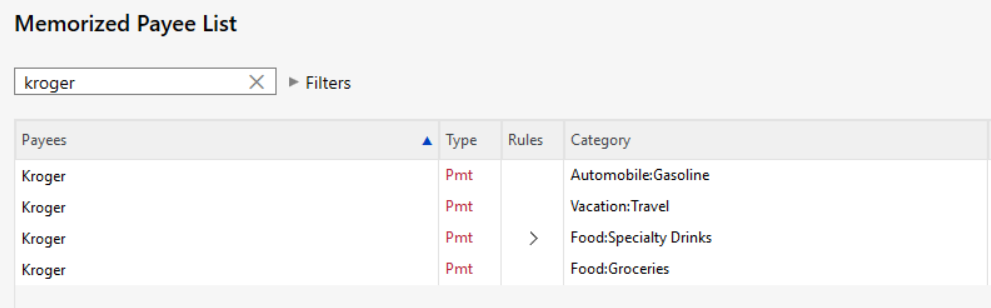
and made a rule:
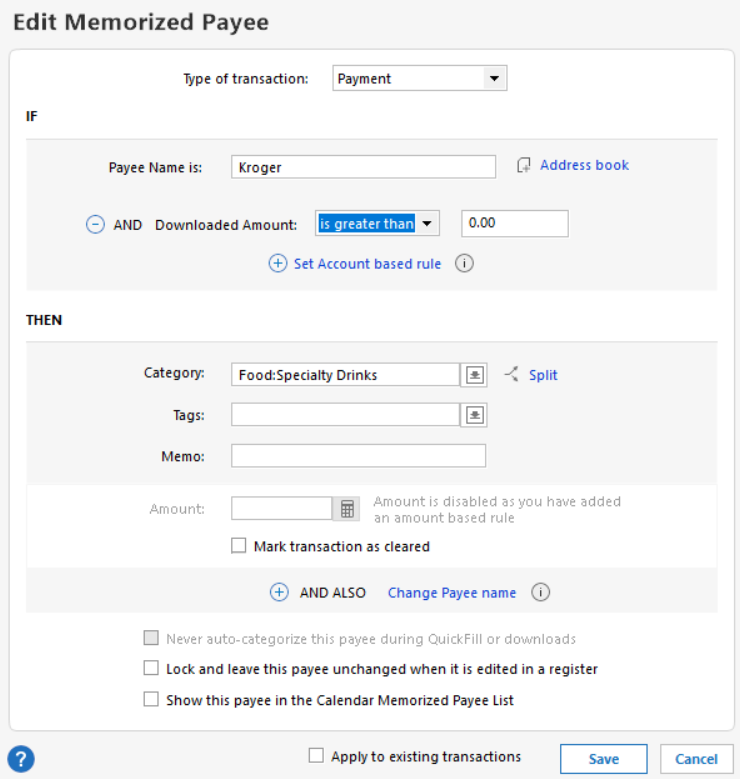
but this didn't work on my last import :(.
maybe I have to reboot the program as I jumped right into my next month and imported transactions.
any new advice would be great.
I am current as of this post: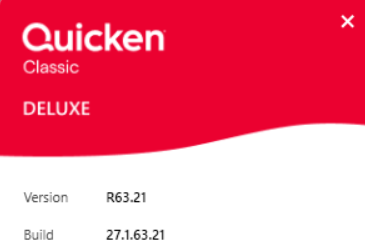 0
0


