CC-503's Rise Again

Anyone else seeing this?
Quicken Classic Windows 11 R62.16 Build 27.1.62.16 (latest as of date of writing), Windows 11 fully updated (just before any Quicken rep asks).
I'm seeing several CC-503's rising when attempting to connect OR RE-connect some accounts - mostly credit cards.
Here's the kicker: One credit card company, I have 3 different branded cards with. Two of those cards interface perfectly and I've never had do deactivate/reactivate. The latest one however, keeps throwing CC-503's even though (again before you ask) I have absolutely verified the correct username/password (particularly because I can successfully log in to the card's site using the same credentials I'm attempting to use with Quicken).
Others include PayPal credit accounts (not Paypal "bank"), that USED to connect to Quicken with no problems but now will not.
I even attempted to try connecting by closing Quicken, restarting my PC (twice), verifying that no weird software that could possibly interfere with Quicken was running, and to test if it was my existing Quicken file, instead created a whole new "test" file with absolutely nothing in it, so I could see if "adding" an account and letting activation go through would work. It didn't. CC-503, folks.
So, all that to say: hey Quicken folks - is there something going on with certain financial institutions right now that's forcing Quicken to throw a CC-503? Or is it a bug that needs worked out?
Comments
-
I've noticed that my accounts that use Express Web Connect (or Quicken Connect in Quicken for Mac) are the ones that are consistently throwing the CC-503 "incorrect credentials" errors. I now have EIGHT accounts that are experiencing this issue.
Discover Card in particular is a problem because they do not offer an option for using Web Connect to Download Transactions as a QFX file from their website, and only one of my two Synchrony accounts have that option.
However my accounts that use Express Web Connect Plus (you are taken from Quicken to the bank's website where, after successfully signing in, a secure token is passed to Quicken and stored by the aggregation service) have no problems.
So it appears that the problem has to do with Express Web Connect (or Quicken Connect in Quicken for Mac).
2 -
jtomalley: I agree with your assessment. Somehow something has "broken" the standard EWC.
I just wish that others would call out this issue if they're experiencing it (or if they're not, what they may be doing "differently") so that the Quicken techs would recognize this issue publicly and announce at least that they're working on a fix.
1 -
Hello @BereanPK,
Thank you for letting us know you're seeing CC-503 errors. For the financial institution you specified, PayPal credit (PayPal Credit, MasterCard and Crypto), there is a known issue where customers receive CC-501, "not your fault" errors, or CC-503 errors when attempting to connect.
What other financial institutions are you seeing this issue happening with?
I look forward to your reply!
Quicken Kristina
Make sure to sign up for the email digest to see a round up of your top posts.
0 -
Most of my other accounts that were previously set for EWC/EWC+ are OK. Key Bank, Wells Fargo, and Bread Financial (besides the previously mentioned PayPal credit entities) are all problems.
I have noticed that previously, Quicken would filter the online setup by reaching the financial institution's login page (or modification thereof specifically for authorizing the setup). Obviously "something" happened and all online setups, regardless of the financial institution, are opening a local (Quicken-generated) username/password screen that shows the CC-503 error after entering the correct credentials.
0 -
Thank you for your reply,
If you have already followed the troubleshooting from the article on CC-503 errors (to see the article, click here), then I recommend following these steps to further troubleshoot:
- Navigate to Tools>Account List. If the Show Hidden Accounts checkbox is visible, select it.

- If there are any hidden accounts that connect to the problem financial institutions, verify that the accounts are still active on the financial institution side. If they are not, please backup your file and deactivate them in Quicken.
- Please try temporarily changing your password with the financial institution, then try adding/re-adding the problem accounts in Quicken using the new password.
If the issue persists after you've tried those steps, then I recommend that you reach out to Quicken Support directly for further assistance, as they have access to tools that we on the Community cannot access, and they're able to escalate the issue as needed. The Quicken Support phone number can be found through this link here. Phone support is available from 5:00 am PT to 5:00 pm PT, Monday through Friday.
I hope this helps!
Quicken Kristina
Make sure to sign up for the email digest to see a round up of your top posts.
-1 - Navigate to Tools>Account List. If the Show Hidden Accounts checkbox is visible, select it.
-
Hi Kristina - I have no "hidden" accounts, and currently my accounts throwing the CC-503 error are as follows:
Amazon Store Card (Synchrony), Chevron/Techron Advantage (also Synchrony), AAA Visa Signature (Comenity / Bread Financial), Discover (*recently acquired by Capital One at about the same time this started happening… related?), GAP Visa (Barclay US).
All of these accounts used "Express Web Connect" (or "Quicken Connect" in Quicken for Mac). All of my other accounts that use "Express Web Connect PLUS" are syncing fine.
0 -
I agree with jtomalley.
This certainly points to a connection error between Quicken and the Intuit interface; in other words, a technical issue that's arisen in the interface, and not an individual subscriber's file problem that needs troubleshooting.
0 -
I came back from a long vacation on 6/22 and updated quicken deluxe. After, when I updated all accounts (through Direct Connect), ONLY Schwab updated. Ameriprise, Ally Bank, Wells Fargo and Capital One failed to provide updated data, although they did not fail to connect. I had to painstakingly reset all of them. My conclusion is that there was a fundamental change in the Quicken update that caused this problem.
0 -
Hello @terry112,
Thank you for letting us know you're seeing an issue. When I check our internal tools, I'm not seeing that you're getting CC-503 errors. If you are not getting CC-503 errors, then please start a separate discussion and provide more details about the exact issue you're encountering, including any error messages/codes you are seeing.
If you are getting CC-503 errors, then please start by backing up your file and following the troubleshooting in this article on CC-503 errors: .
Since I'm not seeing any open alerts for CC-503 errors with those financial institutions, and you already tried the troubleshooting steps, I recommend that you contact Quicken Support directly, as they have access to tools that we on the Community can't access, and they are able to escalate the issue as needed. The Quicken Support phone number can be found through this link here. Phone support is available from 5:00 am PT to 5:00 pm PT, Monday through Friday.
I apologize that I could not be of more assistance!
Quicken Kristina
Make sure to sign up for the email digest to see a round up of your top posts.
0 -
Hi @Quicken Kristina -
I had a (2 hour) call regarding the CC-503 issue with Quicken support yesterday - it was escalated and I received a ticket number.
HOWEVER… now today the LAST TWO accounts I had that were still successfully syncing via Express Web Connect have failed and are now giving me the same CC-503 error.
I tried resetting the account and then I deactivated them and tried to re-add them, which was when I got that dreaded error again.
So now that means that ALL of my accounts that were previously syncing via Express Web Connect are no longer syncing. They were fine yesterday. Now they're not.
0 -
Thank you for the follow-up @jtomalley,
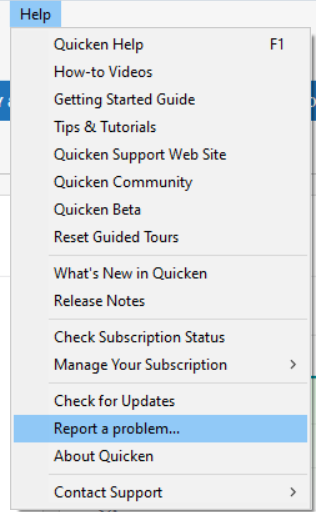
Since the issue has already been escalated, I don't recommend doing further troubleshooting unless the escalated team contacts you (usually by email) with instructions, since the troubleshooting may undermine what they're doing on their end to investigate and resolve the issue. If you haven't already notified the escalated team that the issue is now impacting more accounts, I recommend that you do so by sending a Problem Report with log files attached, and reference the ticket number they provided you in that problem report.
Thank you!
Quicken Kristina
Make sure to sign up for the email digest to see a round up of your top posts.
0 -
I am having this problem with discover and then a credit union credit card called sound community bank. it uses for some reason since that same update I cannot access these accounts plus all my others were out of whack and had to reset most of them.
0 -
August 9, and still no answers.
I've literally done every single thing previously recommended by Quicken staff/help files/etc.
I've even gone so far as to create an entirely new, fresh, unused Quicken file on TWO different Windows PC's, AND on a Macbook. No joy.
Oh, and I also tried out Quicken Personal & Business (web only version) - tried to add accounts that were CC-503'ing in the Desktop Quicken Classic, and still - nothing.
This has now affected Venmo - which was always EWC linked, and even asked for validation codes every time I did a OneStep Update, but Quicken would not import transactions from Venmo - even though there certainly ARE transactions in the Venmo App/Website that I can see - they just won't import into QC. So, after trying to reset that account to refresh the connection? BOOM BOOM! CC-503.
At this point, STOP PLAYING AROUND WITH US. You know you have us over a barrel because there isn't another desktop software out there that can (theoretically) do what Quicken does (when it works right). After everyone else on this thread pretty much saying the same thing, the answer is obvious - QUICKEN'S connection to these institutions is messed up, and it's NOT something the users/subscribers (dare I mention that we're PAYING for this software?) are doing for failing to do.
[Edited - Language]
3 COMPUTERS, 2 OPERATING SYSTEMS, 3 DIFFERENT INTERNET CONNECTION SYSTEMS, NO results.
It's NOT US.
It's YOU.
Fix it.
1 -
I have a Quicken Classic Business and Personal subscription. With the R23.19 update in June, I began having the same problem as BereanPK and jtomalley. I am having no problems with my accounts that use Direct Connect and EWC+, only those that use EWC.
My accounts affected by this problem are: Commerce, Discover Card, and Synchrony Savings. I have tried all the Quicken recommended fixes, the additional items outlined in BereanPK’s August 9 post, plus changing my Quicken ID, and changing both my user ID and password at the Discover (no joy, so did not do that at the other two FI’s). When I run “Validate and Repair”, the log file shows no errors.
I also cleared my browser’s cache, cleared my DNS cache, re-synched my computer clock, tried turning off my VPN, tried using a different laptop, and tried using an entirely different network with no VPN. I even verified that my computer was using TLS 1.2 or TLS 1.3 rather than older security.
I have installed all Quicken updates—currently using 27.1.64.19, as well as all available Windows updates. (I am using Windows 11 Professional).
My understanding is that with EWC, the following takes place: The user inputs his or her credentials in the data file, and that information then goes from Quicken to Intuit to the Financial Institution. The information is verified at the FI which then allows access to the account.
Given that the problem began with the R23.19 update, that it only affects accounts using EWC, and that the solutions we have all tried seem to rule out bad data files and bad or obstructed internet connections, the problem definitely appears to be somewhere in the Quicken to Intuit to FI interface.
I have not called Quicken support yet because I have not had the time available I know I will need to spend on the phone. I share BereanPK’s frustration that this problem has not been recognized as a known issue by Quicken. Doing so may save Quicken having to spend a lot of time of dealing with numerous subscribers individually.
0 -
This is an update to my August 23 post. I was on the phone for an hour-and-a-half with Quicken this morning. The bottom line is that I was also elevated to the next higher level and told I would be receiving an email message. I mentioned this post, trying to emphasize that I was not he only person having this problem and that an issue in the Quicken-Intuit-FI connection chain should be investigated.
We’ll see what happens.
1 -
This is an update to my August 23 and 26 posts. I downloaded and installed the new patch, 27.1.64.23, this morning. I can now connect to the institutions that use EWC. I am not sure if it was the patch or unrelated actions taken by Quicken in regard to my August 26 phone conversation that fixed the problem, but all is now working correctly.
0 -
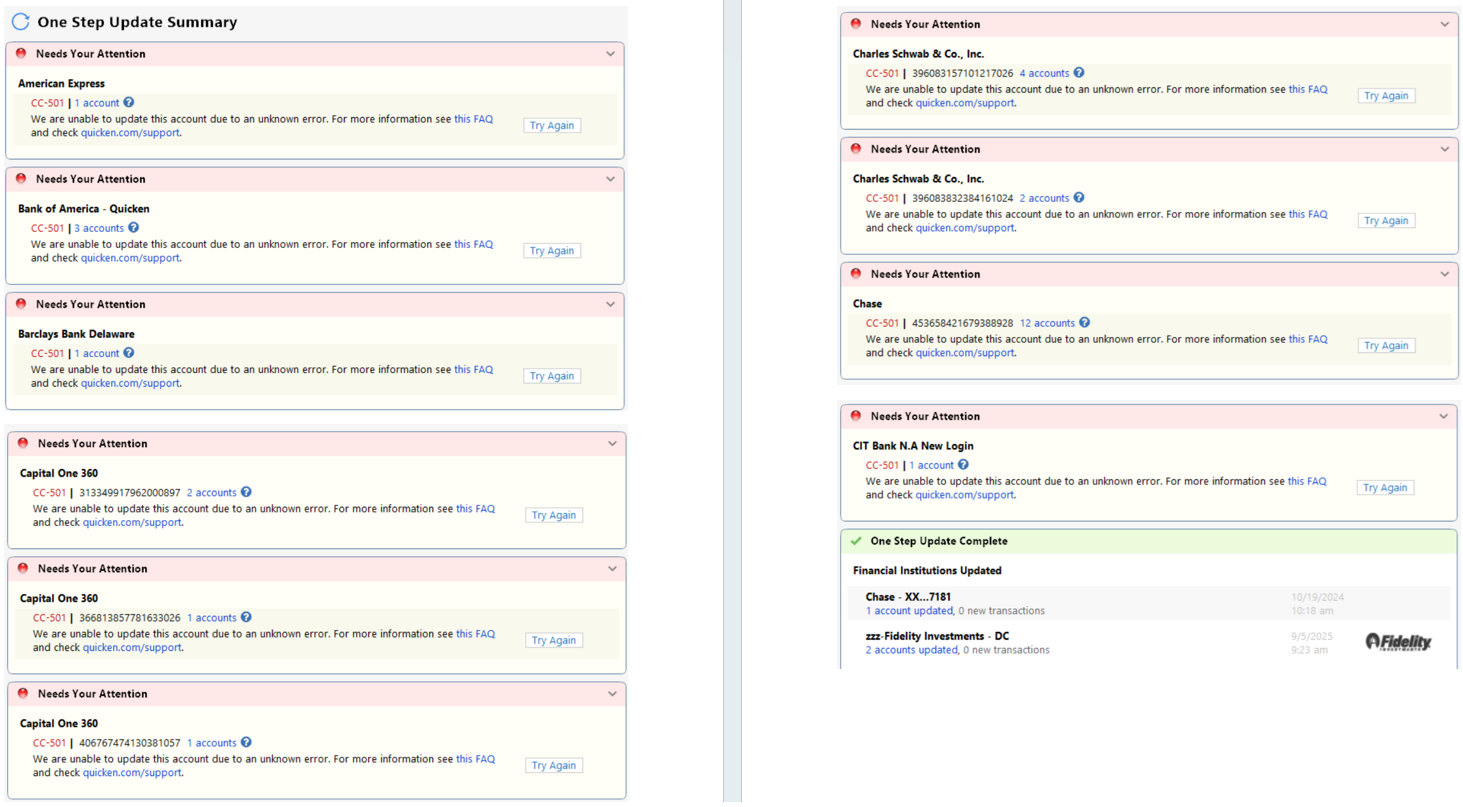
For the last 48 hours I have received CC-501s and have not been able to connect with the majority of my accounts at various institutions such as Chase, AMEX, Barclays, CapOne, Schwab, etc. (see attached screenshots). Interestingly, I am able to connect to SOME. Is anyone else seeing this?
Not sure if this is the right thread being a CC-501, but I saw this error code referenced in several responses, although not the title of the thread.
 0
0

