Is Truist's Quicken Access Restored as of noon 6/30/25

It is 1:30 in the afternoon on June 30th and I cannot get Quicken to reconnect to Truist.
One troubling thing is that the Account Information is now showing as "zzz-Truist Online Banking".
Could you please let us know when Truist access has been restored?
Best Answer
-
Hello All,
Thank you for your continued patience and support.
We do now have an active alert for online banking issues with Truist. You can follow this link to access that alert, which it is suggested to bookmark for all further updates and new information.
We apologize for the inconvenience caused in the meantime!
-Quicken Jasmine
Make sure to sign up for the email digest to see a round-up of your top posts.
0

Answers
-
I'm seeing the same as of about 3pm ET on June 30th
0 -
I'll answer my own question …
As of 3:15 I was able to reconnect my Quicken accounts to Truist Bank.
0 -
As of 3:35 I was still unable to connect. Are you connecting DC or WC?
0 -
Thanks for coming back to update us! Would you mind providing the troubleshooting steps you took to resolve the issue? This is so that other users experiencing this issue may find this answer.
Hello @clr100,
Are you still experiencing this issue?
Let me know!
-Quicken Jasmine
Make sure to sign up for the email digest to see a round-up of your top posts.
-1 -
I was not able to connect to Truist. I do NOT want to use Direct Connect due to the high monthly fee that Truist charges. Prior to this upgrade I was using Web Connect. Does anyone know if Web Connect will still be possible?
0 -
I was able to reconnect to Truist. I'm unable to download transactions. I receive error code OL-297-A. I'm using Direct Connect. All other accounts are working properly.
0 -
It's not working for me as of 6 PM Eastern. At first, I thought it went well, but then realized all accounts were connected with web connect, even though I'm paying the monthly fee for direct connect. Deactivated and reactivated all accounts. Activation hangs with a blank window after hitting connect. I tried the cancel and resubscribe approach described in another thread with same results. So disappointing. The only institution I pay a fee for direct connect and the only one that can't seem to make it work. At least not since the BB&T merger. It worked flawlessly for me at SunTrust.
I'll try again in the morning and report back.
0 -
Another Doug, I had the same symptom. I ended Quicken using Task Manager. When I reopened Quicken. Truist was set to Direct Connect.
0 -
Somehow zzz—- got placed in front of Account Details/General/Financial Institution. I Deactivated and changed it to Truist Bank. This time when I Reactivated it asked me the Financial Institution. I chose Truist Online Banking - DC. Now I'm getting the dreaded OL-393-A error. The next try after a long waiting… message. I got error OL-294-A.
0 -
It is 7:41am (E) on Tuesday 7/1. I continue to receive the CC-502 error. Is anyone from Quicken/Truist looking at this error?
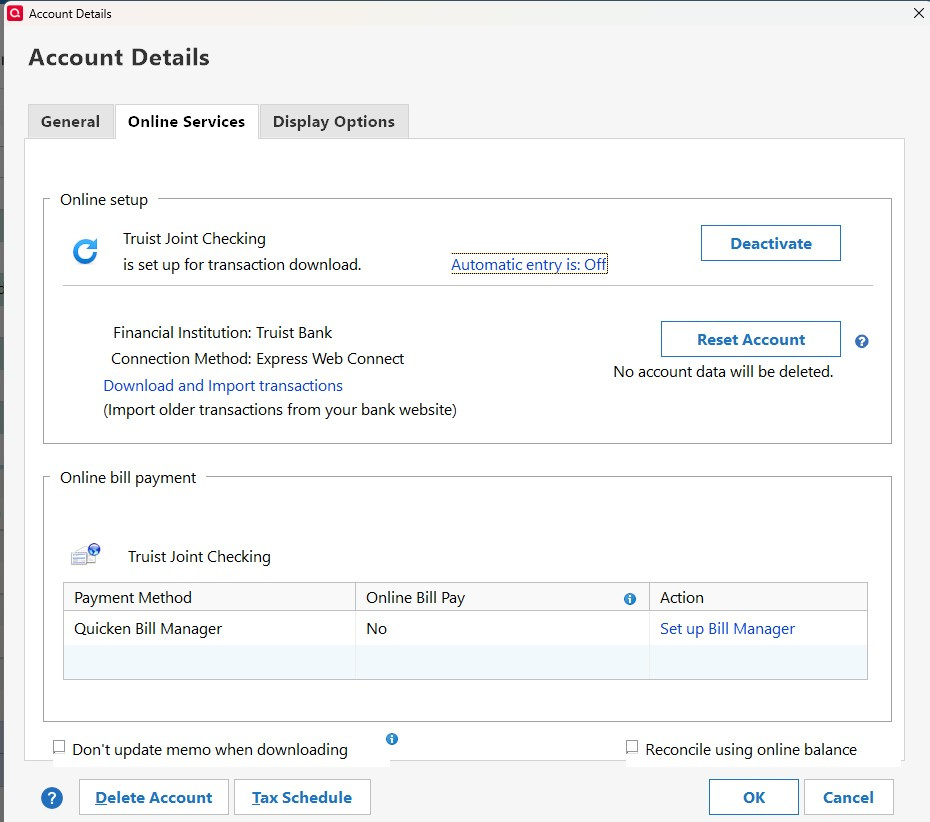
The Financial Institution is Truist Bank (no change)
Connection Method: Express Web Connect
0 -
I got it working by removing the name of the financial institution from the account (ZZZ Truist online banking) and then starting over. Choose Truist online banking DC (for direct connect) as the financial institution and go from there. It's super slow this morning, probably because everybody's trying to get reconnected, but it eventually worked. Not for the faint of heart, though.
0 -
I am using Web Connect and am still having the issue. Can someome please describe the steps to get Web Connect working again? Like others i see the connection going to zzz-Truist Online Banking. It seems to me that someone has implemented some test code into production at Quicken, because that name makes no sense at all.
0 -
Found the possible solution for Direct Connect. you have to activate it on the Truist website just like you did when you started using it. Log in to Truist, go to Profile, Preferences, scroll to either enroll or manage subscriptions. It then gives you 10 minutes to Register a Data File… go back to Qw and select Truist Online Banking - DC. (After Deleting the ZZZ as mentioned above…)
Its currently timing out.. but this time I was able to see my accounts and select which ones to activate.
Still not fully done though.
0 -
Update… as the Spinning circle of death kept hanging… the Next button was active… click next, then X out of the next "same screen". I went back to Qw and rechecked the online banking institution and Low and behold, It registered as Truist Online Banking-DC!
Now to try to send a check!
0 -
Hello All,
Thank you for taking the time to visit the Community to report this issue, though we apologize that you are experiencing this.
I am forwarding this issue to the proper channels to have this further investigated. For now, could you please navigate to Help > Report a problem and submit a problem report with log files, a sanitized data file, and screenshots (if possible)?Please let me know once you have done so!
-Quicken Jasmine
Make sure to sign up for the email digest to see a round-up of your top posts.
0 -
Hello All,
I would like to doublecheck to see if you are still experiencing this issue.
Truist did have online scheduled maintenance yesterday with user action required. You can view the created alert here.
Please let me know if you are still experiencing this issue. Also, if you are, please send a problem report!
-Quicken Jasmine
Make sure to sign up for the email digest to see a round-up of your top posts.
0 -
I still have the issue. I am using Web Connect. the update runs for about 5 mins then gives the error below.
It is still trying to connect to the mysterious label "zzz-Truist Online Banking"

Do i need to delete all the Truist Accounts from the Account List, and then rebuild them through an online login?
0 -
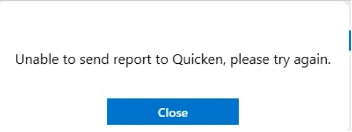
As requested, I tried to open a ticket throught Help > Report a problem, but that fails with the message below.
 0
0 -
I was finallly able to open a ticket through Help > Report a problem. It was rejecting a file i had attached with more details on the problem, but the problem should be clear from my report.
Will that lead to more focus and information in this thread??
0 -
Ed, your above error shows the "zzz-Truist online banking" in front of your financial institution. On the first page of your account edit page, please delete the financial institution, and try to re activate it using Select Truist Online banking- DC (or WC) whichever you prefer. If you use -DC, you'll have to follow my instructions above and log in to Truist and re-activate your DC selection prior to activating, they then give you 10 minuted to register your data file through Qw.
0 -
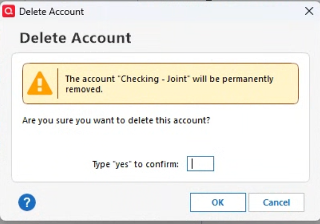
Scott, Just to clarify, i need to go to Account List, select each Truist account, go to the Account Details panel and choose delete account. it shows me the page below and i should answer "yes" and press Ok?
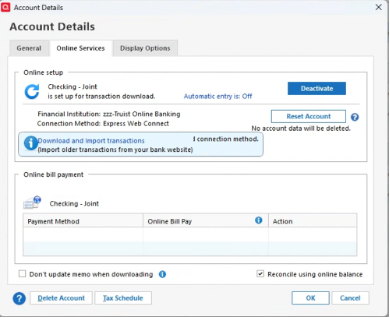
OR… do i go to Account details and choose "Online Services" tab and choose deactivate account as below, or some other step?
Thank you for any detail guidance you can provide!
Ed
0 -
No, do not delete account.. First Deactivate the account you have shown above. Then I would close and re open Quicken/
Right click on the account name on the side Acct bar, or go to tools/ account list, then hit the edit button next to your Truist acct.… choose edit, in the first screen on the upper right you will see Financial institution.. it might still say zzz- Truist. Make that blank. Save that (Enter or OK)
Reopen the Edit screen
Then Go to Online Services page in the Edit screen, and Activate, that is where you will see the window to select your financial institution.
0 -
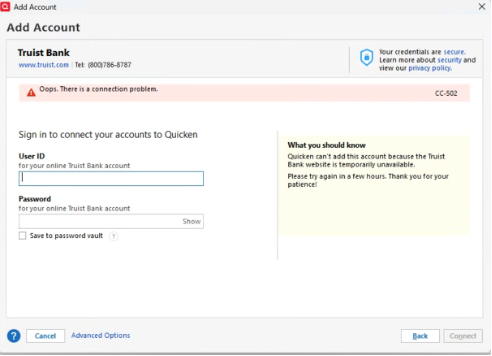
I followed your instructions including erasing the "zzz-Truist Online Banking". i connected to Truist OLB via my login, i go through multifactor authentication find, then the screen displayed "Looking for your accounts at Truist Bank" for about 5 minutes, but then i got this failure message. I tried 3 times; got the same result…. The Truist OLB site is working fine now for me. I can log in with no issue.
 0
0 -
Hello All,
Thank you for your continued patience and support.
We do now have an active alert for online banking issues with Truist. You can follow this link to access that alert, which it is suggested to bookmark for all further updates and new information.
We apologize for the inconvenience caused in the meantime!
-Quicken Jasmine
Make sure to sign up for the email digest to see a round-up of your top posts.
0 -
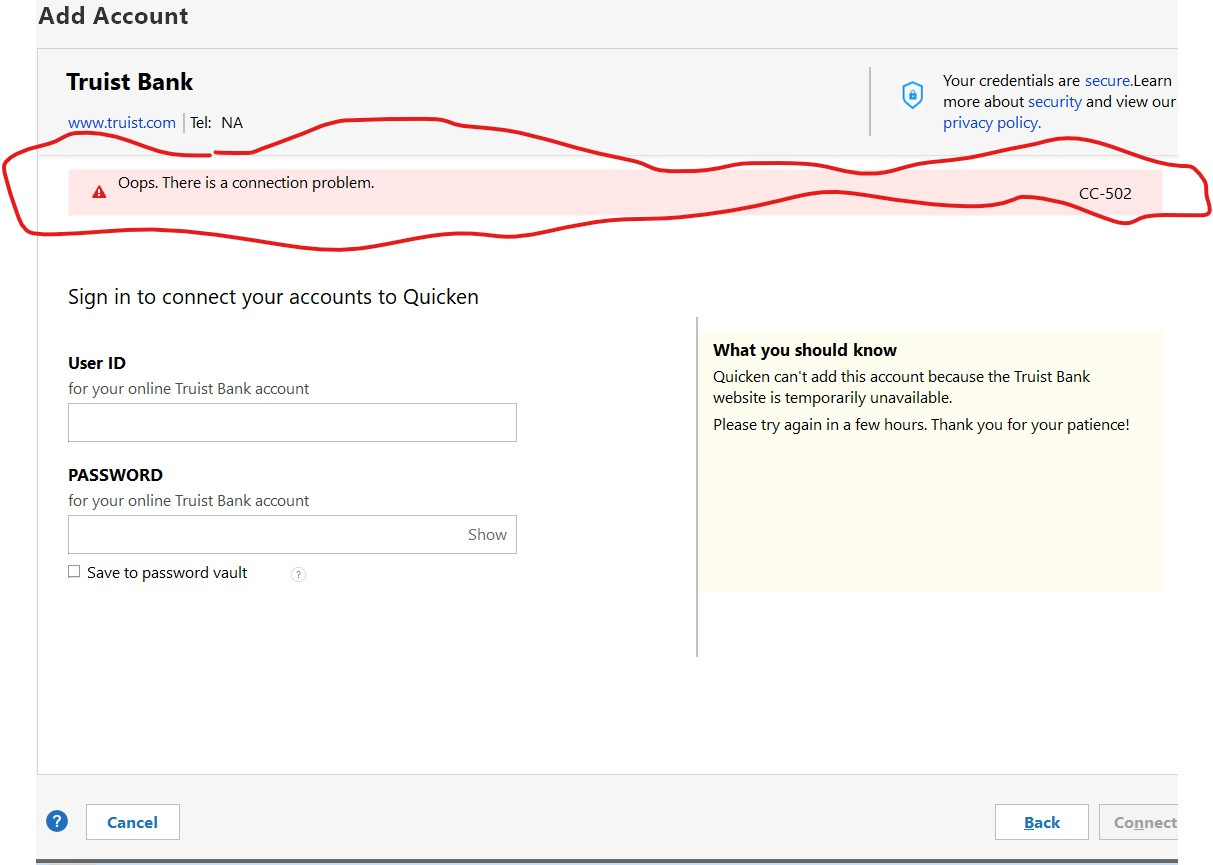
It is now almost 1:50pm(E) on 7/2 and I am still unable to download. I decided to try the 'deactivate' path then do the Online setup.
This did not work for me.
"Oops. There is a connection problem cc-502"
What you should know
Quicken can't add this account because the Truist Bank website is temporarily unavailable. Please try again in a few hours. Thanks for your patience!At this point - I am out of patience.. With the start of the new month, it would be great to download transactions for the past week before trying to reconcile account information.
 0
0 -
Ed yes, that looking for Accounts screen tends to hang… when the red X becomes active.. feel free to cancel out of that screen, Happend to me too, but when I went back to account details, the connection was there!
Knitgirl, I would deactivate again and clear the institution name… restart Qw and The next time you try to activate.. pick Truist Online banking or - WC options
Again, expect the connect window to hang… but if Next is clickable , go ahead and click it.. if not if the red X is clickable, exit out and go back to details and see if the correct Connection Method is shown.
0 -
Scott - I know a new alert have been opened.
The financial information is empty - I made sure to clear that before trying to newly add the online account information.
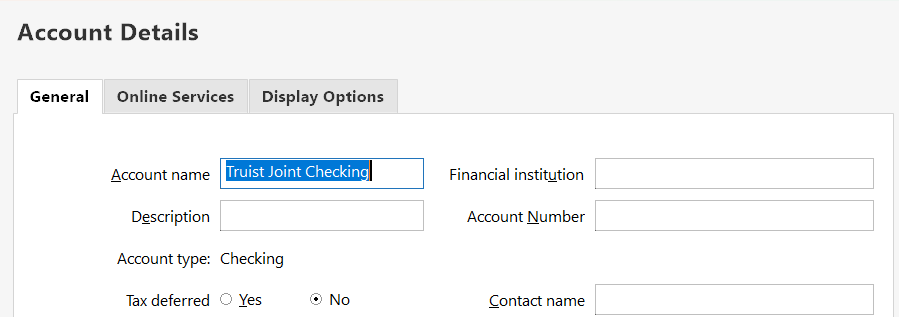
I can't tell you how many times today I have closed and reopened Quicken. I tried once again, selecting the WC connection as recommended in the new alert, It resulted in the timeout, I received the CC-502, and on exiting no financial institution information was saved.
I was originally a Suntrust customer. I don't know if there is a different issue for older ST accounts versus older BBT accounts versus newer Truist accounts.
I have already 'reported the problem" through Quicken and am at this point without a solution. I may contact support later but expect the 'pat answer' - there is an open alert, please wait'.
0 -
I'm still having the same problem. Scott z, I tried canceling out of the search, before it ends with the error but that just caused Quicken to hang. When i get out and back in, i still don't have any connection info.
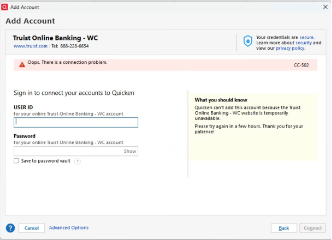
- Does it matter which Truist label you pick? I've tried both "Truist Bank" entries and "Truist Online Banking - WC".
- Do you have to go into Advanced Options and change any option?
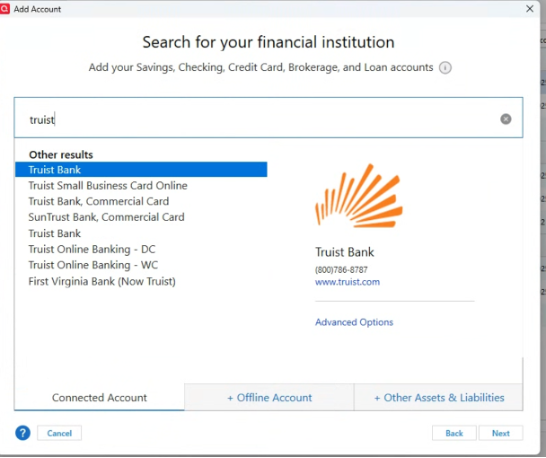
My attempt is definitely connecting to Truist and verifying my ID and Pwd, because it prompts me to send a code to my cell number. i get a code from Truist, enter it, then press next and thats when it goes into the long search which ends with the error.
In an earlier post, a Quicken rep references a link where the recommendation below is given. Is that advice directed to Quicken end users? I don't see where we indicate a "BID" value in our connection.
We advise users to connect using one of the new BIDS:Express Web Connect/Quicken Connect Users:
Truist Bank (BID 68775)Direct Connect Users:
Truist Online Banking - DC (BID 71326
0 -
Waited through last weekend for Truist to finish their "Bank Bill Pay maintenance change whatever" .
I re-established my connection using Truist Online Banking - DC and the simultaneous login to Truist to "register a data file" yesterday, July 1.
It is now 7/2/2025, 4:30 Eastern time. Transaction downloads appear to be working, but I have entered a new check with SEND status (Bank Bill Pay feature) and it does not get sent during a One Step Update. Oddly, I received an email from Truist saying I had registered a new Payee in Bill Pay (the Payee in my unsent check). I guess that is promising.
The Connection Log and OFX log both show "Web service call failed" as the last entry after the transaction download has completed.
As one who lived through the BB&T/Suntrust merger (to Truist), does anyone else ever get the feeling that the IT Department at Truist is a few cards short of a full deck?
I am glad that the Quicken team are monitoring this and hopefully pushing some buttons at Truist.
0 -
Ed, I would try advanced options… I wasn't given that option for -DC. I was a Suntrust customer as well, so I am not sure if there is different protocol depending on where you initiated service??
I had to close out QW as well using task Manager… but when I opened qw, the data was there.
0