Commerce Bank Direct Connect OL-297-A

A few days ago I started getting the OL-297-A for my Commerce Bank accounts and no others. I tried the "Reset" option. It found the accounts and failed later in the process. I changed the connection method to Express Web Connect and that worked.
Does anyone known if Commerce Bank is discontinuing support for Direct Connect?
Comments
-
I have the exact same problem. All my other accounts from other institutions work just fine. I'll try switching to Express Web. I wish Commerce Bank and/or Quicken would provide some documentation specifying issue and how to resolve it.
0 -
How did you change the connection method to Express Web Connect? The "reset" did not work for me.
0 -
Hello @crissnyder,
Thank you for letting us know you're seeing this issue. There aren't currently any open alerts with Commerce Bank. When did you first notice this issue?
If you haven't already done so, I recommend following the troubleshooting in this article on OL-297 errors:
If you want to switch to Express Web Connect, then backup your Quicken file, deactivate your account, then navigate to Tools>Add Account. Search for your financial institution, and click the Advanced Options link.
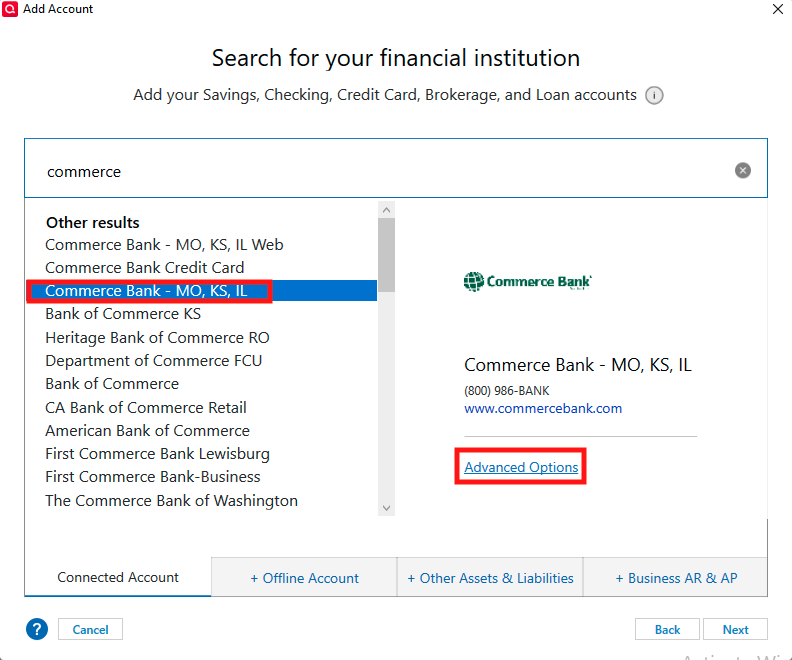
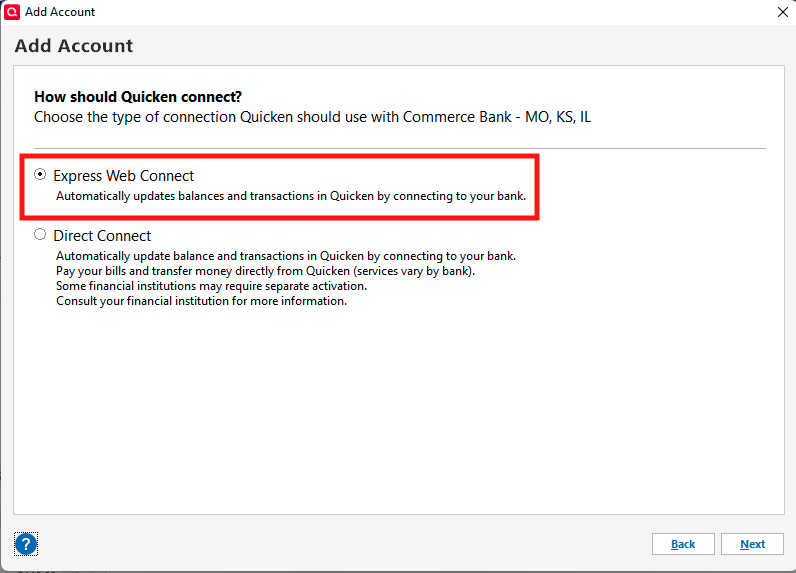
Make sure Express Web Connect is selected and follow the prompts.
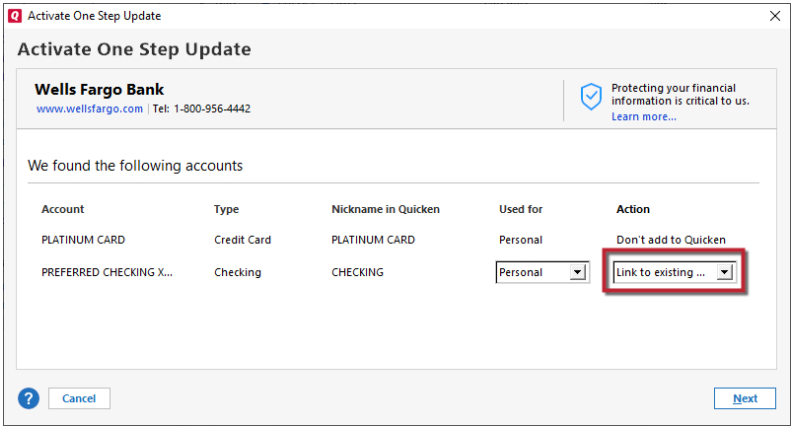
Once you get to the Add/Link screen in Quicken, make sure to carefully link your account to the existing account in Quicken.
Please let me know how it goes!
Quicken Kristina
Make sure to sign up for the email digest to see a round up of your top posts.
0