Can't add new investment retirement account in USD, defaults back to CAD

I'm using Quicken Deluxe Canadian version, and am trying to add an offline retirement account:
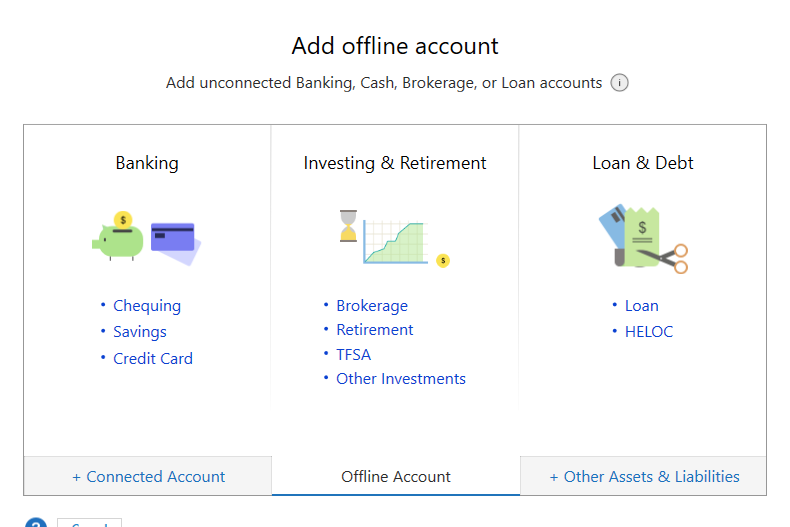
Specifically in USD:
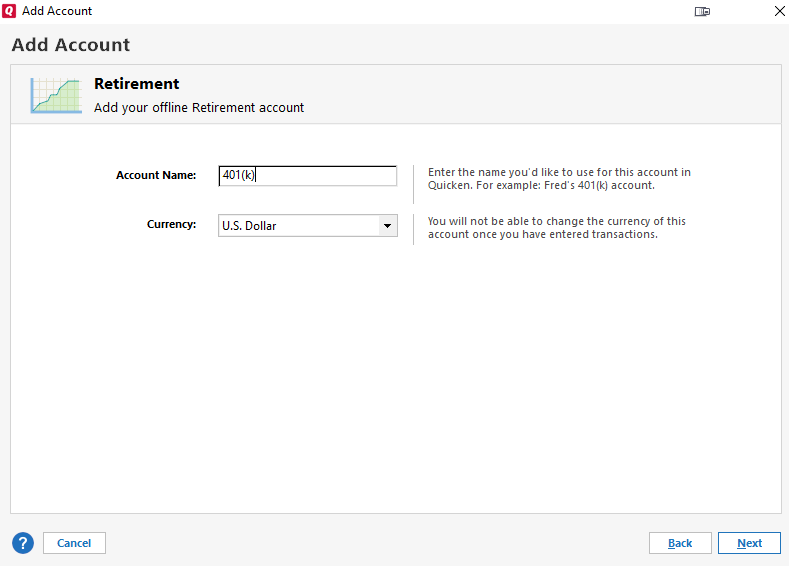
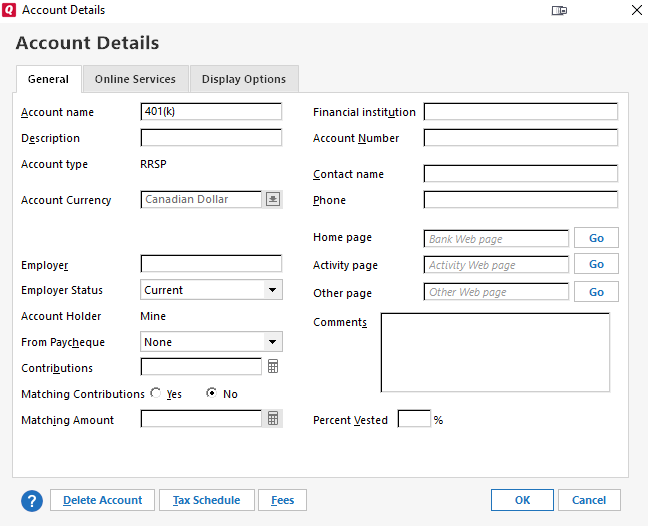
After clicking through all the details it creates it but goes back to CAD:
I can add bank accounts and brokerage accounts in USD just fine, but not this one for some reason.
I've looked through the forums and there are a few suggestions to change "Home Currency" to USD first and add and then change it back. But these options are not available to me (Quicken Canadian).
I've called support and they told me that they "don't" support this anymore. This seems ridiculous, and I feel like something is lost in translation. This is a key feature (ie. adding new retirement investing accounts in USD). All the other accounts are supported to be added in USD, why not this one?
Can someone please advise here?
Comments
-
Ok I tried some older versions (2019) and on retirement account it doesn't even let you choose currency.
I think it's just a buggy interface in that it lets you choose currency but retirement account only supports CAD.
I have old accounts under retirement for USD, so I believe I added these as brokerage accounts, then changed the setting to retirement as the workflow:
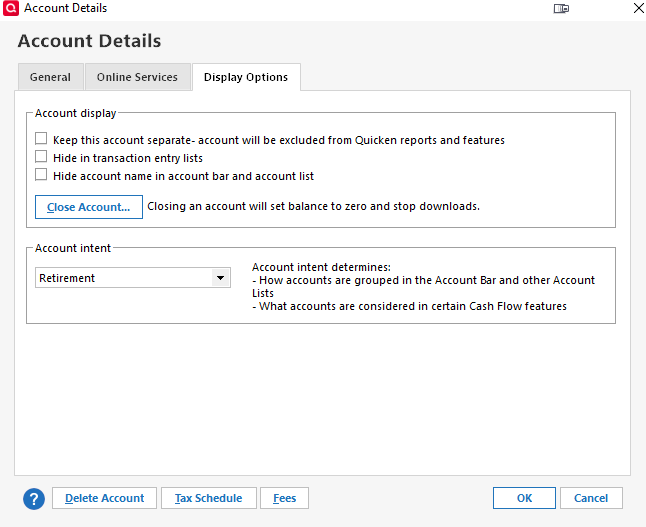
This gets the brokerage account grouped in the retirement section.
0 -
You're calling this account 401(k), which is a US style retirement account, but you show Account type as RRSP, which is a CDN retirement account.
I'm wondering is the RRSP designation is somehow overriding your currency setting?
Maybe trying a different account type (one that's available in the US, or not CDN specific) will get the results you're seeking.
Q user since February, 1990. DOS Version 4
Now running Quicken Windows Subscription, Business & Personal
Retired "Certified Information Systems Auditor" & Bank Audit VP0 -
It populates 401k name by default.
0 -
@buffdaddy I think if you create it first as an offline brokerage account with US dollars and then "convert" it to a retirement account, the US dollar might stick.
0 -
The account name isn't significant. That you want a CDN retirement account to be denominated in USD is what I think might be the issue.
Where is the account actually held? What financial institution? In which country is the account actually located?
AND, Q doesn't create account names … what name are you initially giving the account? Are you downloading into the account? The 401(k) name MIGHT be coming from your financial institution … and if this is truly a 401(k) account, you can't call it an RRSP in Q. They're VERY different animals.
Q user since February, 1990. DOS Version 4
Now running Quicken Windows Subscription, Business & Personal
Retired "Certified Information Systems Auditor" & Bank Audit VP0 -
Canadian retirement funds (e.g. RRSP, LRSP, etc) may be denominated in USD (in actuality and in Quicken) - I have them set up that way. However, I avoid using the "retirement" (RRSP/401K) type of account. Use the (offline) brokerage account. There is no advantage - only disadvantages - to using the built in RRSP account.
Also, there are few to no Canadian financial institutions that support downloading investment account transactions, so that is not an issue. If memory serves me correctly, there are a couple that support basic download with Web Connect.
The 401(k) name is coming from Quicken. The Canadian version of Quicken uses the code for the 401(k) account in the US version and tries to bend it into being and RRSP for the Canadian version, but just best to avoid this entirely and just use the Brokerage account instead.
1 -
I don't recall ever seeing QUS create an account name … and thanks for the corrections re: other matters.
Q user since February, 1990. DOS Version 4
Now running Quicken Windows Subscription, Business & Personal
Retired "Certified Information Systems Auditor" & Bank Audit VP0

