Handling Muni Bond Dividends in a taxable account in Quicken for Mac

I had a half-day discussion with ChatGPT yesterday trying to come up with a convenient way to modify a downloaded muni bond ETF dividend reinvestment transaction to show that the dividend was not taxable. The best that it could come up with was to delete the transaction and reenter as separate dividend and purchase transactions. Not very convenient, so I kept looking for alternatives. Here is what I came up with.
I created a split transaction under Bills & Income that transfers
the dividend amount from Div Income and charges it Div -Tax
Exempt. The dividend amount appears under Int. inc., taxed
only by state on the Tax Schedule. I just need to change the
amount of the dividend each month.
This may be helpful to others struggling with this issue.
BTW, ChatGPT thought this was a good solution when I informed them of it. Maybe they'll start recommending it.
Comments
-
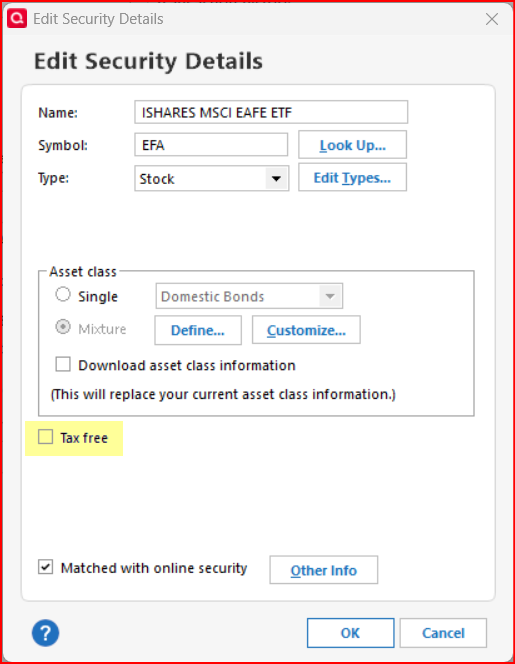
In QWin we can edit each security by checking a box to show that it is "Tax Free". When this box is checked and the security is included in a taxable investment account the dividends will not be reported as taxable income in the various tax reports. Does QMac have a security setting like this?
Quicken Classic Premier (US) Subscription: R66.23 on Windows 11 Home
0 -
What @Boatnmaniac says is also true for Quicken Mac. If you have a security like a muni bond fund which generates tax-free dividends, you simply need to check the box in the security window:
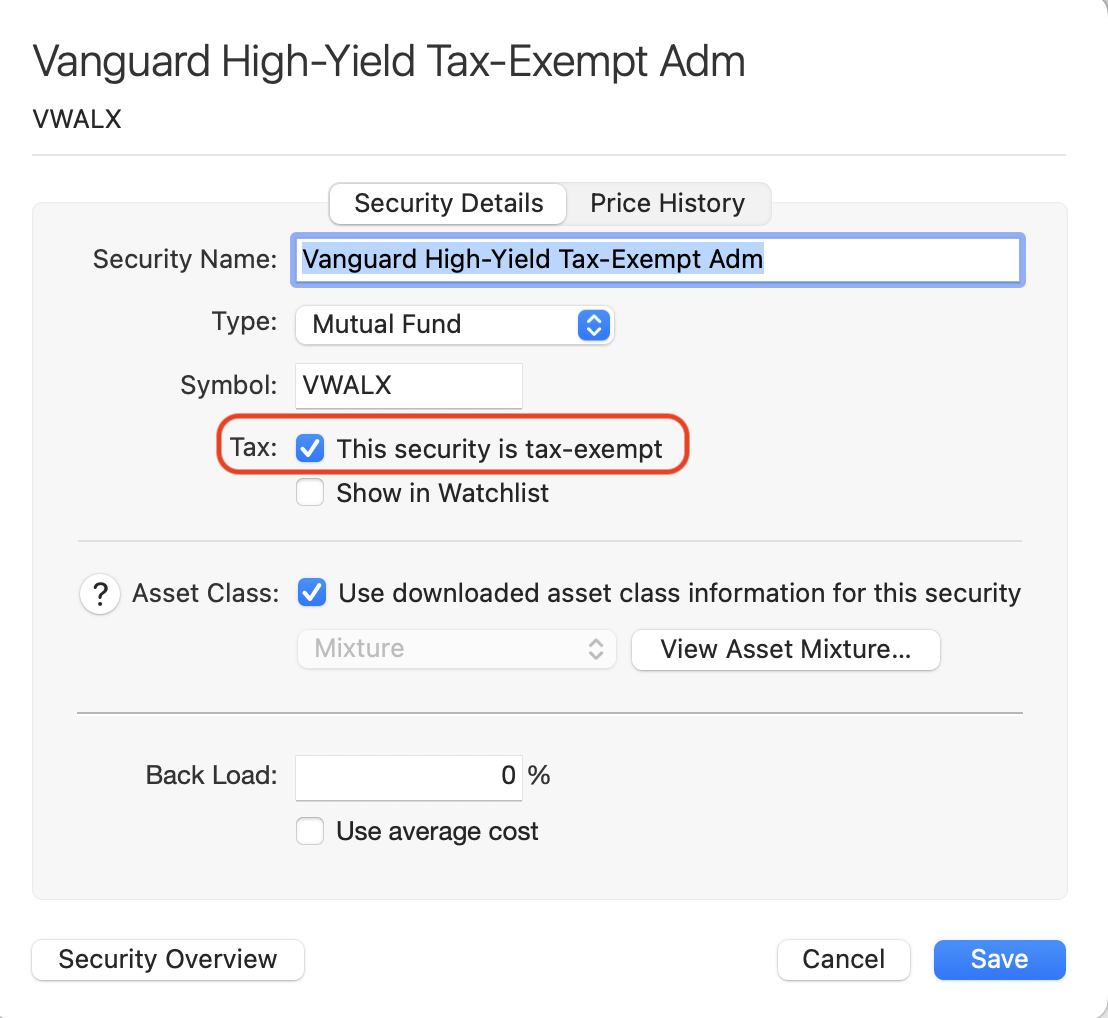
That's much easier than what you came up with. There's no extra transactions and nothing to modify. 😀
Quicken Mac Subscription • Quicken user since 19931

