Merrill Lynch duplicate accounts after reauthorization (QWin)

This discussion was created from comments split from:
New connection method for Merrill Lynch and BOA does not allow linking to existing accounts properly
.
Comments
-
My problem with the update is that it duplicated four of my existing accounts(BOA checking, BOA savings, BOA Visa, and Merrill Lynch investment account). I had to delete the four created accounts to correct the mistake.
How do I now update the online connection for Merrill Lynch?
0 -
Hello @MelvinR,
Thank you for letting us know you encountered this issue. The most common cause of duplicate accounts when going through the authorization/reauthorization process is if the accounts get added as new instead of linked to the existing accounts.
To correct the issue, backup your Quicken file, deactivate your Merrill Lynch accounts, then connect them by navigating to Tools>Add Account and following the prompts. When you get to the Add/Link screen, make sure to carefully link your accounts to the correct nickname in Quicken.
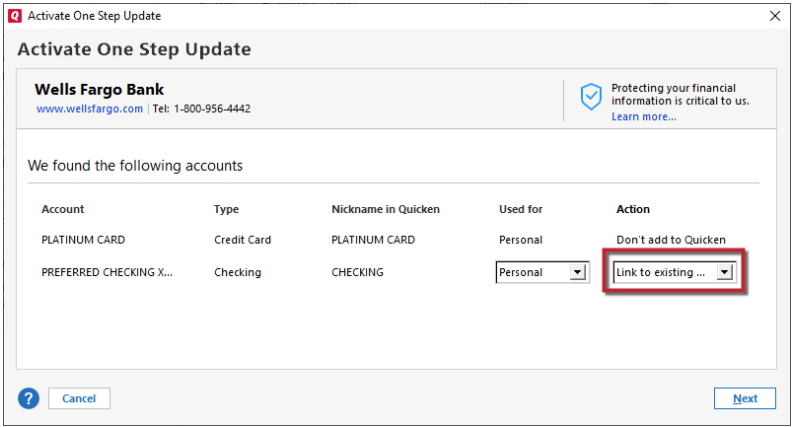
Please let me know how it goes!
Quicken Kristina
Make sure to sign up for the email digest to see a round up of your top posts.
0 -
Quicken Kristina
Make sure to sign up for the email digest to see a round up of your top posts.
0

