Merrill Lynch dividend download adds new security?

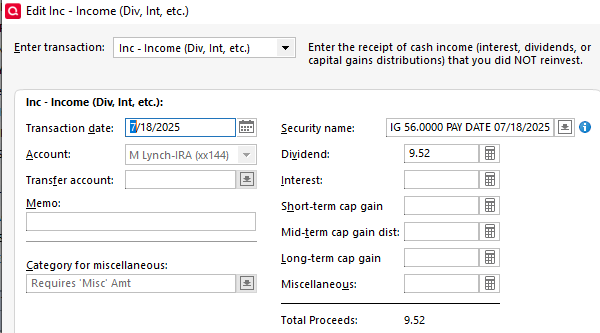
I was recently required to change Merrill accounts to the "Express Web Connect" method. I'm seeing various very odd behaviors… the most recent being a dividend payment seeming to want to add a security named the description of a dividend payment. Here is an example of the "new security" it is trying add (followed by the real security). I'm scrutinizing all "add new security" and other transaction downloads very closely and holding off on accepting any of the unusual ones. Any hope of this being resolved sometime soon? Or other clues on why the odd behavior? I am running Release R63.21. Thanks

Here is the associated dividend transaction download. Note that what is in the Security Name field should be in the Memo field.
Comments
-
I am having a similar issue with the new downloaded dividends being associated with an "unidentified security". This will be a major pain to correct with the number of dividends that get posted every week , so I hope there is a fix coming soon. I am also on R63.21
1 -
Hello @EdC & @Michael Sloss,
Thanks for bringing this to our attention and for keeping a close eye on what’s downloading.
To help us better understand what’s going on, could you let us know the following:
- Is this behavior only happening with dividend transactions, or are other types of transactions affected as well?
- Despite the incorrect security names, is your account balance or market value still displaying correctly in Quicken?
- Did this issue happen just once, or does it occur every time dividends are downloaded?
Once we have a bit more detail, we can better determine next steps.
-Quicken Anja
Make sure to sign up for the email digest to see a round up of your top posts.0 -
These dividends were the first and only transactions received and downloaded the first day after the ML reauthorization. It happened on two different accounts, but once I manually updated the security in the Quicken dividend transactions, there were no issues with balances and market values. I will watch and report what happens with the next download activity.
0 -
Hello again,
@Michael Sloss thanks for following up!
Just providing an update for you both—this issue has been escalated and a ticket has been created to investigate further. At this time, we don’t have an ETA, but we’ll be sure to reach out if we need any additional information from you.
Thank you!
(CTP-13487)-Quicken Anja
Make sure to sign up for the email digest to see a round up of your top posts.0 -
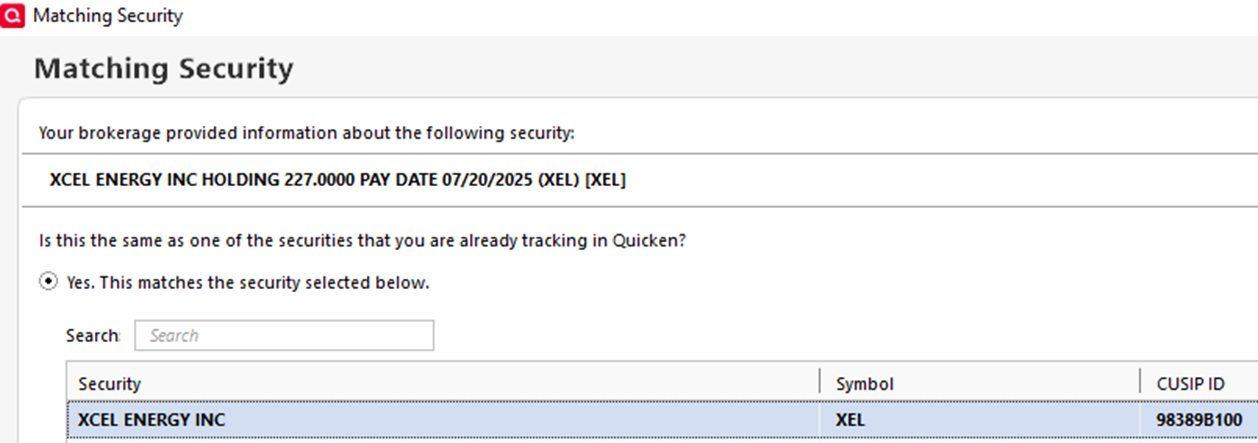
I have only had 2 or 3 downloads since changing to Express Web Connect. Will provide more info over time if you need it. Another dividend did come in today and appears to be same issue with the transaction trying to add a security. There is another set of transactions related to Hess/Chevron acquisition that does not look right… I do not recall accepting the 37 share Hess sell (now in my register) and the corresponding 37 share Chevron Buy order (still in pending downloads and showing "Unidentified Security"… which I thought said Chevron yesterday). Note: Acquisition or spinoff transactions rarely come across as desired, so I handle them manually rather than use the often incorrect downloads… so maybe not the best example. Also note that the JP Morgan download seems to be a duplicate of one already in the register, but may be attributable to the timing of the download method transition? All rather messy… glad it is just a handful of transactions.

 0
0 -
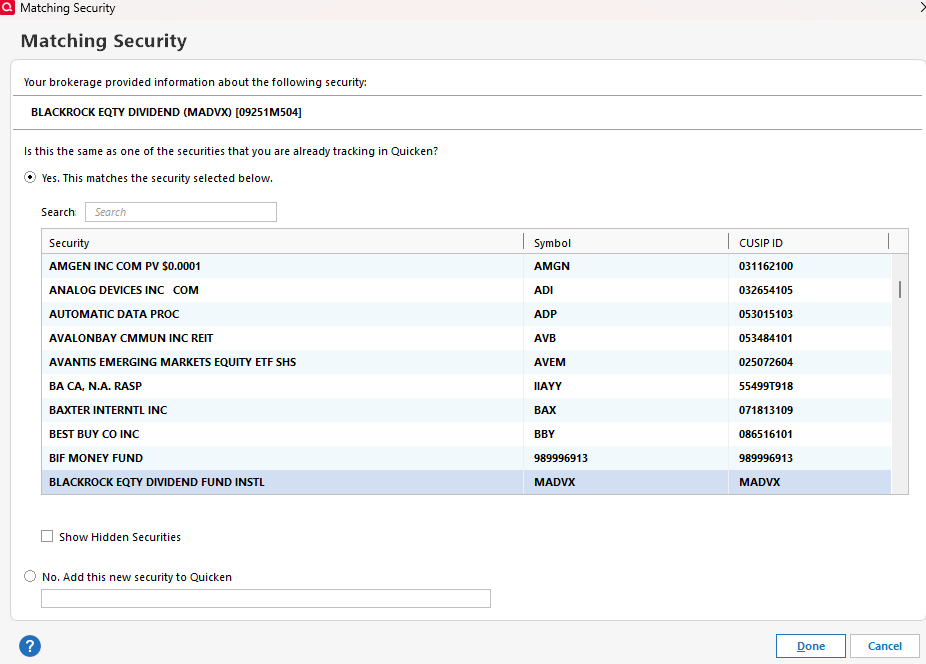

Received this today. It is the same transaction as yesterday that I had corrected, so Quicken doesn't recognize it was already downloaded. Same with two other accounts.
0 -
@Michael Sloss I can see where the issue is. The CUSIP for the Blackrock Equity fund has Security Symbol set up as the CUSIP. I have never seen this before. The CUSIP s/b a 9 digit alphanumeric identifier that links the security on Quicken with the online security at the FI.
0 -
A comment to the community… I was contacted directly by a lead member of the Quicken product engineering group and have been providing them more details to help troubleshoot the issue. I have been told they now have a better understanding of the problem and are working to resolve it ASAP. —EdC—
1 -
I had a new dividend downloaded yesterday and it linked to the right security. Looks like they corrected it.
0 -
That’s great news—thanks for the update! Glad to hear it's linking correctly now. Let us know if anything changes or if you run into any other issues.
-Quicken Anja
Make sure to sign up for the email digest to see a round up of your top posts.0 -
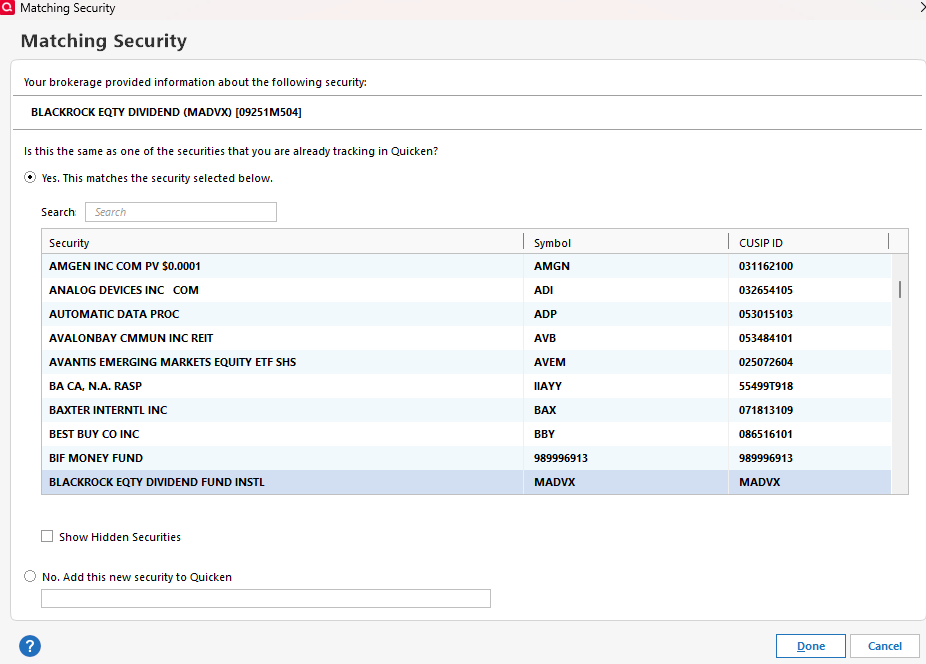
I am still getting these errors with matching securities and week-old transactions being downloaded again , but at least not getting the "unknown security" issue any longer.
 0
0 -
I'm having the original problem of the Merrill Lynch interface putting the wrong Security Name in the downloaded transaction. It adds a lot of extraneous information. See attached screen shot.
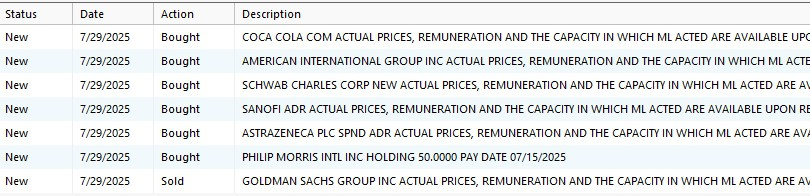
I'm running the current version R63.21 according to Quicken Help.
This is absolutely an interface problem. My only work around is to download these errant transactions and manually and editing them for the correct security name. In the meantime, it is trashing my Security List with all the junk security names with duplicate ticker Symbols.
This is an actively traded account, and this is huge issue for me to have to spend the time to correct a problem that certainly should have been identified in the testing of the new interface.
0 -
I am still experiencing similar issues too.
neiltramel: If you match each transaction to the "real" security (not create a new one with the comment as name), I think the transaction will come across correctly. It does, however, lose any memo info (which is what is erroneously being mapped as the security name)… it is now just blank.
—EdC—
0
