Capital Group-American Funds - Error 16503

Comments
-
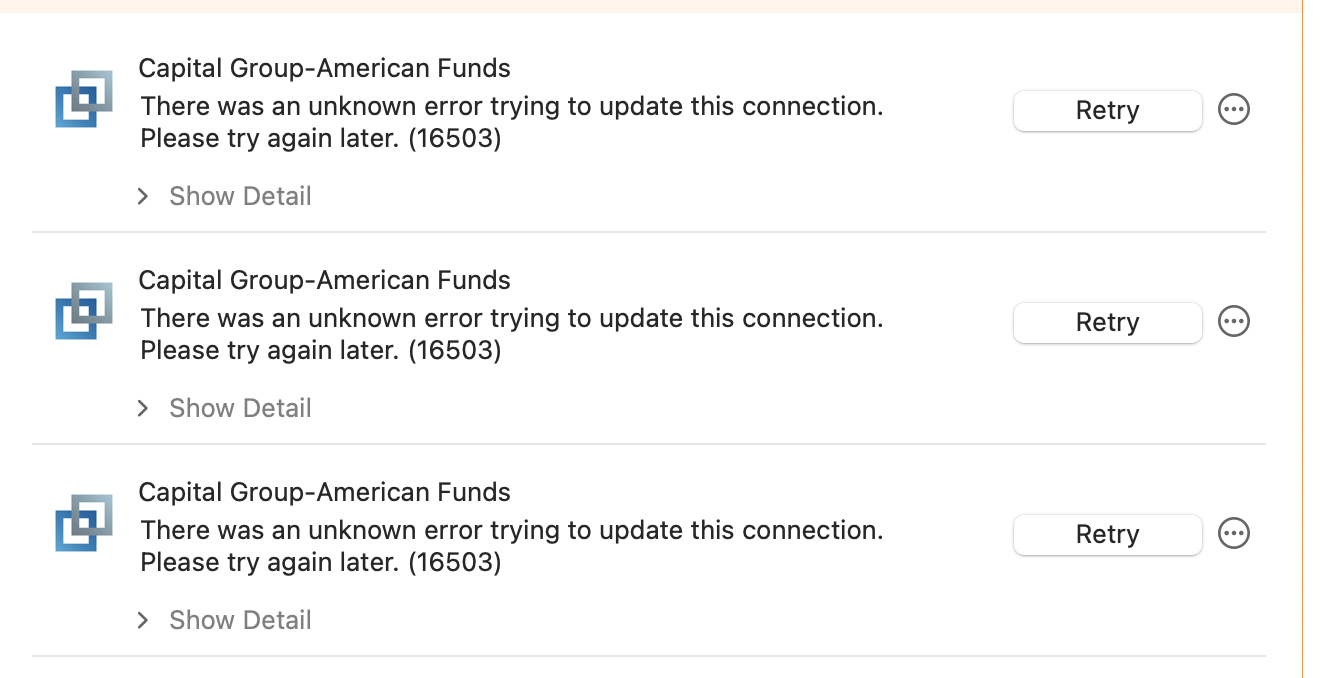
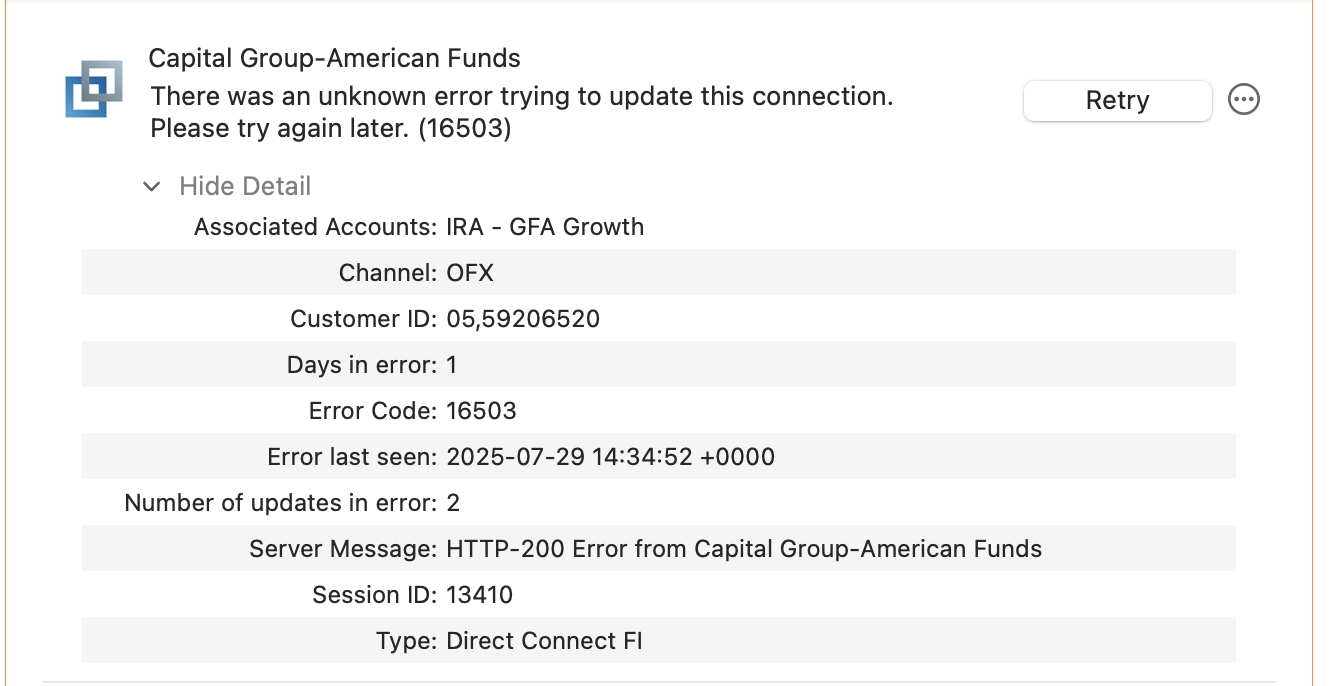
@Quicken Anja Hello, Anja. This has been a problem for me as well for 3 days running now. Yesterday, I submitted a report to Quicken support about this. Strangely enough, I had the same error code for Invesco as well for two days (but today, it's fine). I can log into the website without problems.
 0
0 -
Hello @AZCoder1959,
Thanks for sharing these details! Since you're using Quicken Classic for Mac, I went ahead and split your comment into a separate post under the appropriate Mac category to ensure it gets the right visibility.
As for the error you are receiving, please review and follow the guidance outlined in this support article regarding error 16503.
Let us know if you have any other questions!
-Quicken Anja
Make sure to sign up for the email digest to see a round up of your top posts.1 -
@Quicken Anja Thank you, I appreciate that. The support article (which isn't much) tells me what I've been doing…wait until the server issue gets resolved. I just wanted to make sure I wasn't the only one.
0 -
I have the exact same problem as @AZCoder1959. I don't have Bill Pay on on any of my accounts. I contacted Capital Group to let them know Quicken has not been able to connect to their servers. They id not know what Quicken was, so I explained it to them. I asked them to relay the problem to their technical team and she said she would. I am not confident at all that they understand the issue. Any other suggestions?
0 -
@Mat Vega Hi Mat. Typically, call centers aren't staffed with the most sophisticated technicians at the first level. That's a polite way of saying they're only a gatekeeper and traffic cop, with the goal to close the call in as quickly a time as possible without having it escalate to more savvy support. In such circumstances, when the customer service rep says "they don't know what Quicken is," it's a big red flag. In such circumstances, ask to speak to their supervisor, and if that doesn't give you any satisfaction, ask to escalate it to the next high level in the support chain.
1 -
Good news. I called again and used the website technical assistance. They connected me to Capital Group technical support. We found out the issue for me is the length of my Capital Group password. She said that Mac user must not have a password longer than 12 characters and no special characters. My password had been at least 20 characters long. I reset my password on the Capital Group website to 12 characters and used that in Quicken. It works perfectly again now. Not sure if that is the same issue for you, but give it a try. I have had the longer password for many years so not sure why the issue cropped up now, but there you have it. Best of luck!
1 -
Thanks for sharing this update—really glad to hear you got it working again! It could definitely help others running into the same issue.
Appreciate you taking the time to follow up!
-Quicken Anja
Make sure to sign up for the email digest to see a round up of your top posts.0 -
The password limitations must be brand new because I've used this Capital Group password in Quicken for ages (more than 12 characters with special characters included). FWIW, I changed the password on the website, but when I update it in Quicken, I got the same 16503 error code. So I tried to add the account in an empty Quicken file I use for testing — same problem. At least for me, your solution isn't working.
I'll check the account tomorrow.
1 -
Oh well, when I tried again this evening, it is back to 16503 error.
1 -
@Mat Vega Sorry to hear that, Mat. The problem still persists for me, unfortunately (and this is after changing my password). It's definitely a server issue on the institution's part. You may want to submit an error report to add to the support queue.
0 -
Ok, Mac users. I have a new solution I worked out with the Capital Group tech support team. As I reported yesterday, the initial setup with a shorter Capital Group password worked, but again failed for me later in the day and again this morning. I then deleted all capital group accounts re-added then, using the same password ad I ha changed yesterday. It all worked once again, but failed on subsequent logins. So I called into CG tech support and here's what worked. When I got the 16503 error in Quicken, they had me select any one of the failed CG accounts. Then use command-U ( which in the Quicken Account menu selects Update Selected Online account) and it reconnected all my Capital Group accounts successfully. I then exited Quicken and restarted Quicken and did a One Step Update and it connected correctly. I repeated that twice to be sure, and it is still working. Hope this sticks! The CG tech support person did acknowledge that their servers and website had been having some issues lately, so they are not unaware that we've had issues.
0 -
An additional piece of info that may be important. The CG tech support person had me delete all my CG accounts, and then re-add them using my account number instead of my SSN. That failed, so we used my SSN successfully. So that info may help you.
Update: It failed again so I'll call them again.
0 -
Well, before calling into CG I tried to update in Quicken and the command-U trick worked. Seems sporadic.
0 -
Hello again,
Thanks for continuing to share updates and troubleshooting steps you've both tried—it's definitely helpful for others running into the same issue.
As mentioned within the support article I shared previously, this particular error (16503) relates to server communication, and since it's a Direct Connect issue, resolution will ultimately need to come from the financial institution's end. If the issue persists even after trying the workarounds you found, we recommend contacting the financial institution again and requesting escalation to a supervisor or a technical specialist (such as Tier 2) who is familiar with third-party software connections like Quicken.
We understand how frustrating this can be, and we appreciate your persistence in helping surface potential causes. Feel free to keep sharing any findings here in the meantime — others experiencing the same behavior may benefit from the ongoing discussion.
-Quicken Anja
Make sure to sign up for the email digest to see a round up of your top posts.1 -
As of this morning, my Capital Group accounts updated, though a couple of them had to be updated twice. I'll see what tomorrow brings and report one way or the other.
(FWIW, the Command-U is the single account update vs. updating all your accounts. It's basically just a "try again" in cases of error instead of clicking the Retry in the account's workspace. Nothing special about it, nor does it prove or disprove their server is flaky. If it's fixed, it's because they corrected an error on their server.)
1 -
I was able to successfully update my Capital Group accounts today, but like yesterday, I had to try a couple of times before they would complete successfully. I'll continue to update my status on this thread until I feel the problem has truly been resolved (in case it helps anybody now or in the future).
1 -
That’s great to hear—we appreciate the update! Hopefully, it continues to work smoothly from here on out. Your ongoing updates are both welcome and appreciated.
Thank you!
-Quicken Anja
Make sure to sign up for the email digest to see a round up of your top posts.1 -
I had been having this problem (on Windows so not a Mac specific issue) and for me it was resolved by:
- Updating my online password with Capital Group (it was very old and not secure)
- Deactivating the online setting for one of my Capital Group accounts in Quicken
- Activating it again with my SSN and updated password.
When it did connect, it wanted to add a whole bunch of old fund accounts that are empty and existing accounts as new but I only linked the one that was deactivated and ignored the rest.
Hope this helps somebody.
1 -
Thanks for sharing your experience, @Rob Baiily ! That’s great insight, and I’m sure it’ll be helpful to others running into similar issues with Capital Group. We appreciate you taking the time to post your steps!
-Quicken Anja
Make sure to sign up for the email digest to see a round up of your top posts.0 -
Another day, another initial set of download errors from Capital Group and another account. Performing a retry resolved all of them, though. I'm not sure if this will be fixed for good, because that happens to me with a totally different account from time to time over the years. Same error code, but usually resolved after a retry or two.
0 -
Every day is a new adventure, I guess. All my CG accounts (and Invesco as well) failed to update successfully despite repeated retries. All failed with the dreaded Error 16503. Unless the two institutions are related, I'm not sure why they seem to be having problems at the same time.
0 -
Agree with you, AZCoder1959. Sometimes CG update works, mostly it does not.
1 -
My daily update to this thread: CG accounts failed despite multiple retries. Invesco failed the first time, but worked on the first retry. I haven't reached out to CG yet, nor do I intend to this week. If the problem persists into next week, I'll likely go down that rabbit hole.
0 -
I wish I wasn't the only one having a discussion with CG, but I called in and just now had a long conversation/troubleshooting session with them. They report not having CG server issues. They had me try connecting using fund number, account number as the Quicken login credentials. And it failed twice and worked the third time. It failed again after I quit and restarted Quicken. So the sporadic nature of the issue continues. I have used both my SSN and the fund/account number as credentials, and both have sporadically worked. Not sure what else to do, or why this cropped up after years of not having CG connection issues in Quicken.
1 -
I continue to have this error for the past week. I have followed suggestions on this thread to no avail. I have never had this problem after years of connecting successfully and hope it is remedied soon.
0 -
Two days in a row with no connection.
0 -
Hello All,
Thank you for taking the time to report this issue.
We have forwarded this issue to the proper channels to have this further investigated. However, we request that you please navigate to Help > Report a problem within your Quicken program and submit a problem report with log files and screenshots attached in order to contribute to the investigation.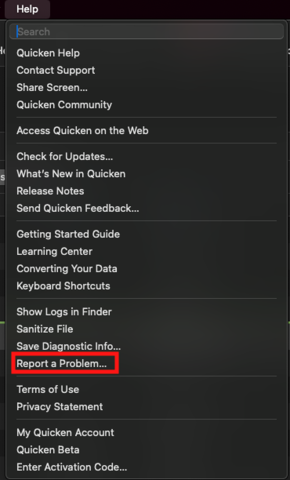
It would also aid the investigation to include a sanitized file when submitting the problem report. A sanitized file is a data file that removes personally identifiable information so you can comfortably share this file with the Quicken team.
While you will not receive a response through this submission, these reports will help our teams in further investigating the issue. The more problem reports we receive, the better.
We apologize for any inconvenience in the meantime! Thank you.
(CBT-757)-Quicken Anja
Make sure to sign up for the email digest to see a round up of your top posts.0 -
OK, I sent the report.
0 -
Thanks, @Mat Vega—your files have been added to the ticket.
-Quicken Anja
Make sure to sign up for the email digest to see a round up of your top posts.0 -
Several days in a row with everything working. That's good!
2


