Principal Funds - Update not working?

Hello All,
Is anyone else having issues connecting to Principal Funds? I have checked my password and it works when I log into the website. My last successful download is shown as 20 June 2025 (direct connect method). If I am the only one then I will investigate further on my side, but if there are others then I will wait for a resolution.
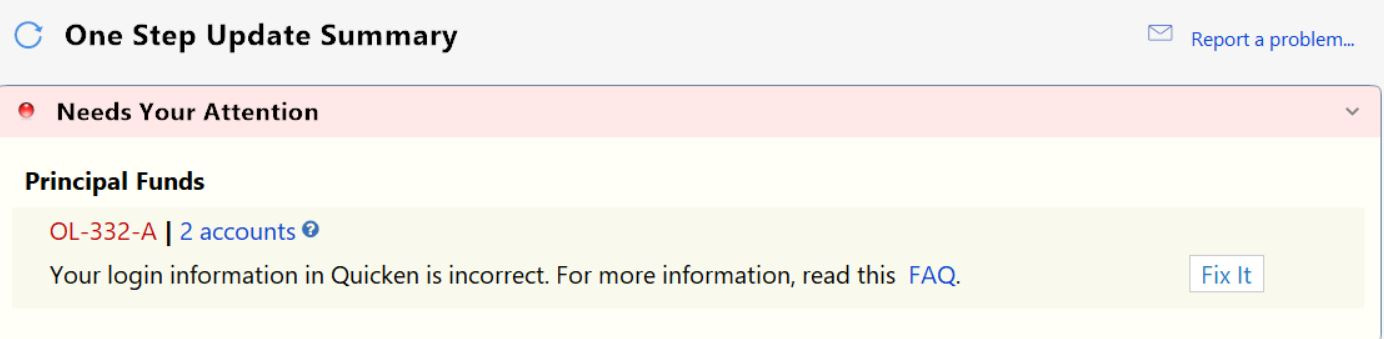
It seems similar to other issues connecting to Principal Funds in the recent past, all of which were resolved with either a Quicken Software update or some other change (maybe from Principal). It usually takes about 2-3 months for things to start working again.
Previous issues below:
December 2024 - https://community.quicken.com/discussion/7958529/principal-connectivity-issue#latest
December 2023 - https://community.quicken.com/discussion/7943380/connectivity-issue-principal-funds#latest
Thanks!
BT
Comments
-
Hello @BTBT,
We appreciate you taking the time to let us know about what you are experiencing!
Please take a moment to review and follow the guidance outlined in this support article regarding error OL-332.
Hope this helps!
-Quicken Anja
Make sure to sign up for the email digest to see a round up of your top posts.0 -
Hello @Quicken Anja ,
Thanks for the assistance. I followed the guidance outlined in the support article and it all checks out from my side. I can login to the principal site. My account is not locked. I verified the username/customer ID, password, and account number.
I then ran One Step Update again. This time a get a OL-220-A error.
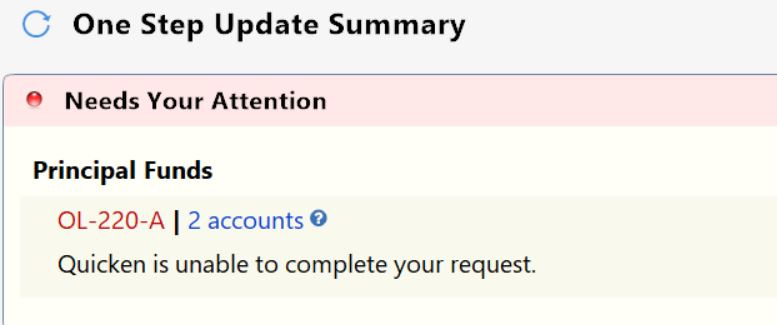
So, I will try again tomorrow and see what happens.
You also responded to my previous posting involving issues connecting to principal (Dec 2024 to Jan 2025), so back at it. :) That seemed to resolve itself after about 2 months with either a Quicken update or Principal change.
Thanks!
0 -
@BTBT Thanks for the update and for confirming all the details on your end!
Since you're now seeing an OL-220-A error, here's the support article that provides guidance for that specific error code:
Just like with the OL-332 error, OL-220 is a Direct Connect error, meaning the issue is often on the financial institution’s end. As stated at the bottom of both support articles, if the steps provided do not resolve the error, you’ll need to contact the financial institution directly for further assistance and escalation.
If the first rep you speak with says they can’t help, it may be worth asking to speak with a supervisor or a Tier 2 support agent, as they’re typically more familiar with 3rd party connection tools like Quicken.
Hopefully, it clears up soon like last time!
-Quicken Anja
Make sure to sign up for the email digest to see a round up of your top posts.0 -
1
