TD Bank OL-301-A error when trying to pay bills

I have started receiving an OL-301-A error when trying to pay bills through TD Bank. Downloading transactions works fine -it is only the bill pay that does not work. I tried calling TD bank; they claimed everything looked set up right on their end and told me to contact Quicken. I contacted Quicken and, as expected, was told that the issue was on the bank's end.
When I try to de-activate and then re-activate the account, this time using "advanced options" to ensure that "Direct Connect" is selected, I also receive a CC-555 error that states that my financial institution is blocking Quicken from accessing my account. Again, TD Bank denies that it is blocking quicken.
[Edited - Readability]
Comments
-
Hello @Adam.Welsh,
Thank you for letting us know you're seeing this issue. Since the CC-555 error is the most recent error you're reporting, let's troubleshoot that one first. When I check our internal tools, it looks like you're encountering this issue because you're trying to connect via Express Web Connect instead of Direct Connect.
To correct that, first, backup your file. Then, make sure the problem account is deactivated. Go to Tools>Add Account. Search for TD Bank Online Banking. Click the Advanced Options link.
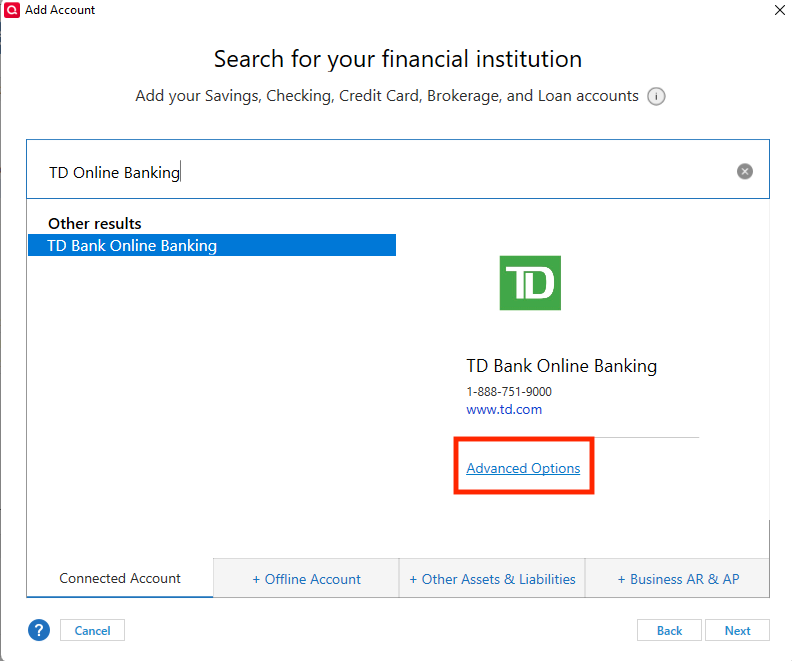
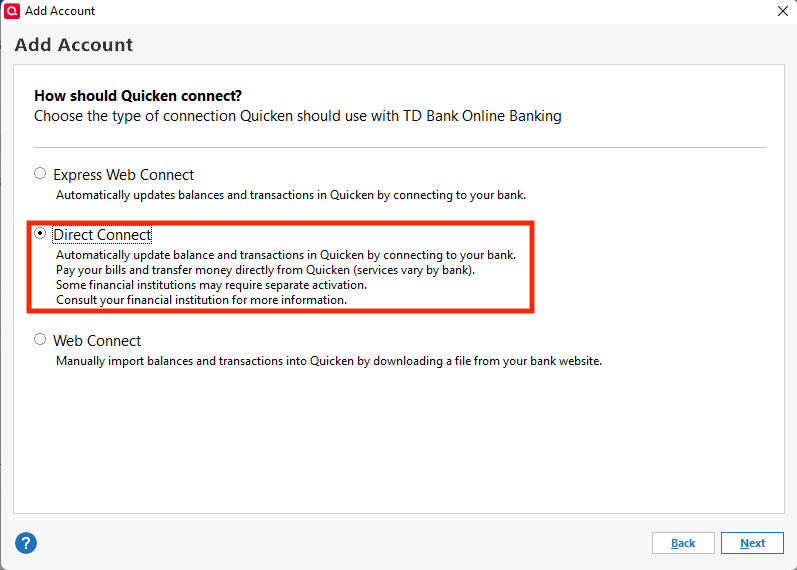
Review the information screen, then proceed to the next screen. Make sure that Direct Connect is selected.
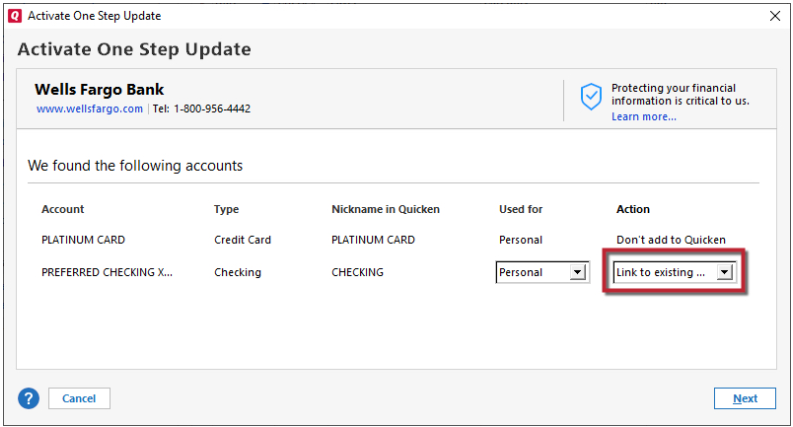
Follow the prompts, and once at the Add/Link screen, make sure to link the account to the correct nickname in Quicken.
Once you have the account reconnected using Direct Connect, try to schedule/send the payment again. Per our article on OL-301 errors, please make sure the date you select allows enough time for the payment to be sent.
Please let me know how it goes!
Quicken Kristina
Make sure to sign up for the email digest to see a round up of your top posts.
0 -
Deactivating and then re-activing the account didn't work. I finally solved the issue by deleting the account completely, then setting it up as a new account using Direct Connect.
Unforutnately in doing so I lost a significant history of transactions. I attempt to copy them over from a backup file, but the result seems imperfect. I received several queries about whether a transaction was the same as a "tranfer i just entered" which i wasn't sure how to answer.
0 -
Thank you for your reply,
Based on your description of how you partially resolved the issue, it sounds like the issue was file-specific. Those prompts asking about a transfer are because of Quicken's transfer detection. If you answer no, then it will automatically add the other side of the transaction to the appropriate account (which may throw off the balance, if the transfer was already documented there). You should be able to avoid that issue by following the steps below.
I recommend restoring a backup from before you deleted the problem account.
In that restored backup, don't delete the account. Deactivate it instead. Once the account is deactivated, navigate to Tools>Add Account, and follow the prompts, making sure to select Direct Connect for the connection method. Instead of linking to the existing account, add the account as a new account.
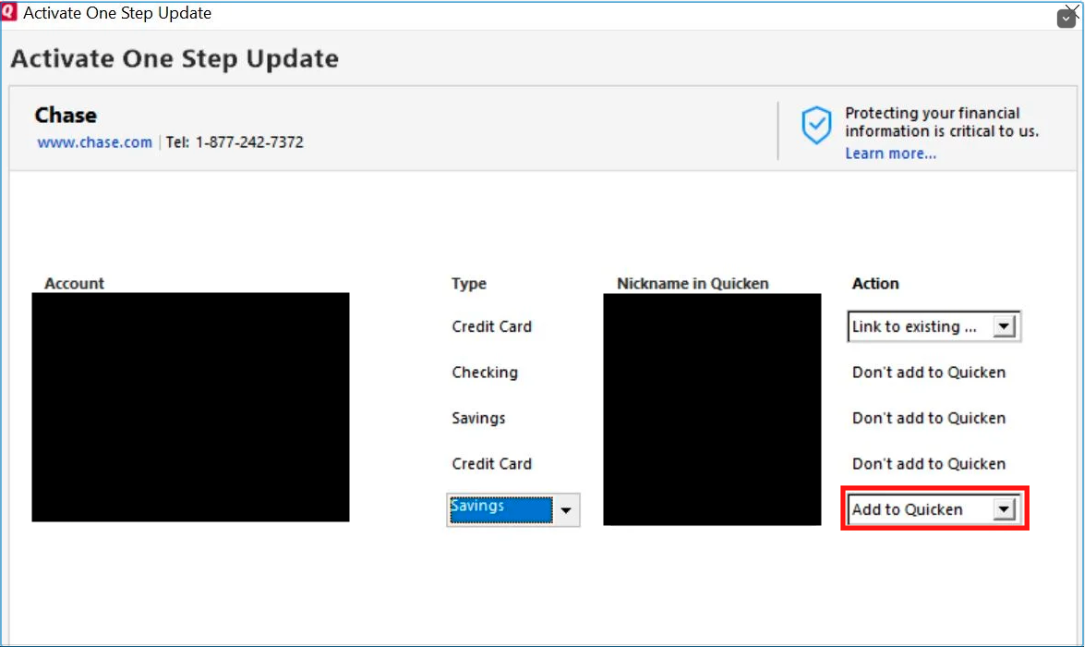
Once the account is added as a new account, verify that it is working properly. If it is, then backup your file and copy the history from the old account into the newly added one.
I hope this helps!
Quicken Kristina
Make sure to sign up for the email digest to see a round up of your top posts.
0
