One Step Update Summary Window Outline won't go away even if Quicken is closed

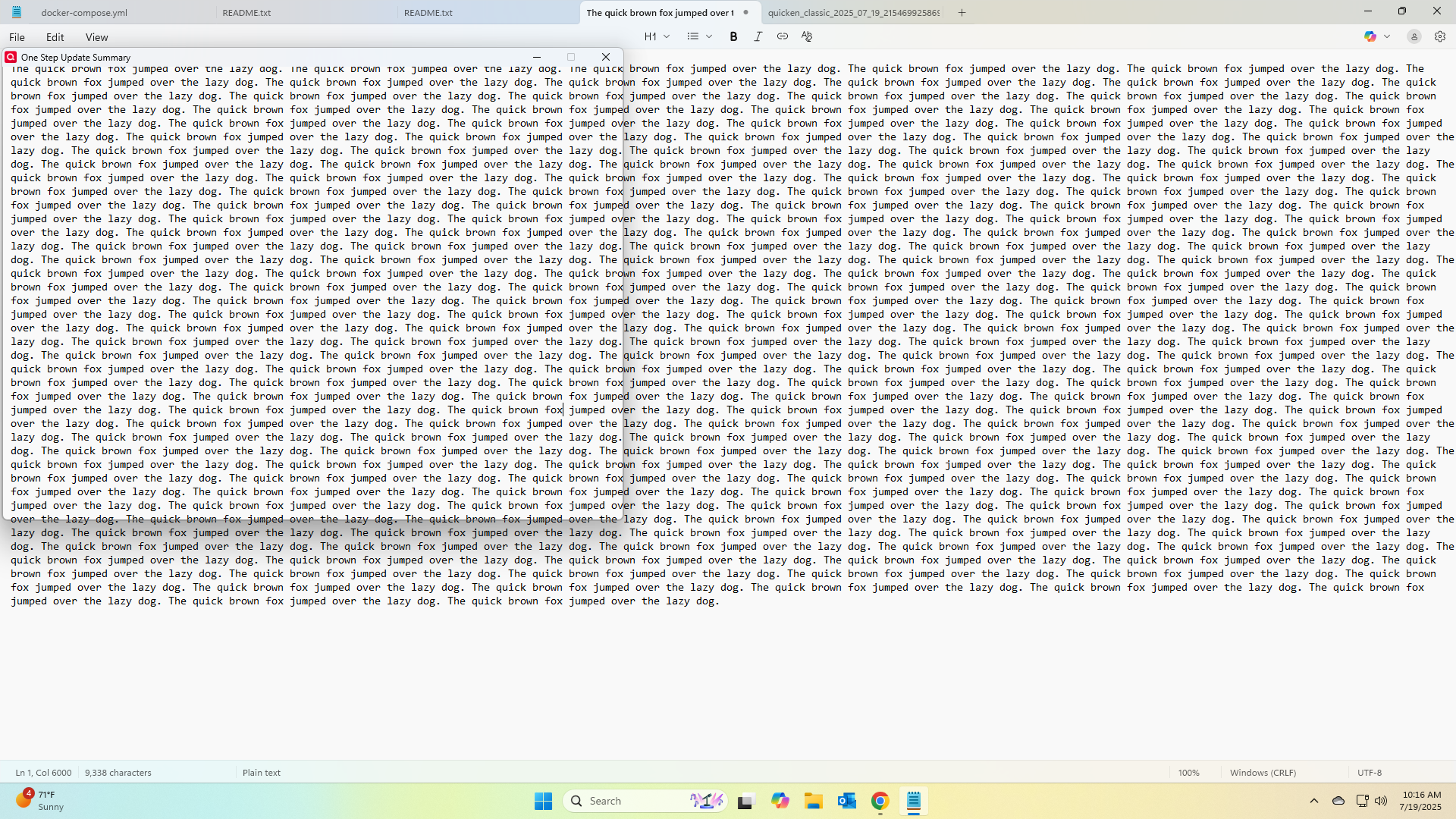
Hello… I have an issue that occurs every once in a while after running the One Step Update. When I click close on the One Step Update Summary window, a "ghost" of that window remains on the screen. I can't close it, even if Quicken is not running. It stays on the screen overlapping anything underneath it. I can click on applications behind the window. The only way to get rid of it is to log out of windows and log back in. Very annoying. Screen shot of the "ghost" window over a sample notepad file is below… Thoughts?
Comments
-
To add, I've checked task manager, no quicken applications are running on the screenshot above. Restarting windows explorer has no effect.
0 -
Hello @clinthg,
Thank you for reaching out and telling us about your issue!
Have you tried uninstalling/reinstalling Quicken? Please refer to the following support articles for instructions on uninstalling here and reinstalling here.
However, after you have uninstalled and before you proceed with reinstalling, please open your Windows File Explorer and navigate to This PC > C: Drive > Program Files (x86) and delete the folder titled "Quicken" (doing so does not affect your data files).

After you have deleted this folder, go ahead and try reinstalling.
Let us know how it goes!
-Quicken Anja
Make sure to sign up for the email digest to see a round up of your top posts.0 -
Hello again,
We haven't heard back from you in a while. Do you still need assistance?
Thank you!
-Quicken Anja
Make sure to sign up for the email digest to see a round up of your top posts.0 -
Hello again,
Due to the lack of response, I went ahead and closed this post.
If you still require assistance, please feel free to start a new post.
Thank you!
-Quicken Anja
Make sure to sign up for the email digest to see a round up of your top posts.0
